
Published on: October 14, 2021 Updated 14 times since publishing
- 🥇 TotalAV : An easy-to-use PC cleaner with some of the most advanced optimization tools on the market. TotalAV can remove all types of malware and free your device of any rubbish that’s taking up space and slowing you down. It also has advanced features like a VPN, identity theft protection, and more.
Every computer needs an occasional tune-up, but not all PC cleaners get the job done. To find the best ones, I tested a ton of software to see which truly fixes slowdowns. I focused on tools that clear junk files, update outdated apps, and optimize system settings. My top picks strike the perfect balance between security and speed, while keeping you protected from malware.
Malware, hidden processes, bloatware, and outdated apps can all drain your PC’s resources and slow it down over time. A PC cleaner with built-in antivirus tools helps prevent these issues.
TotalAV is a powerful all-in-one solution, combining strong protection with effective optimization. But it’s not the only great option — several other programs offer excellent cleaning and speed-boosting features. Read on to find the best fit for your needs and budget.
Try TotalAV (30 Days Risk-Free)
Quick Summary of the Best PC Cleanup & Optimization Tools in 2026


🥇 1. TotalAV — Best Overall PC Cleaner & Optimizer in 2026

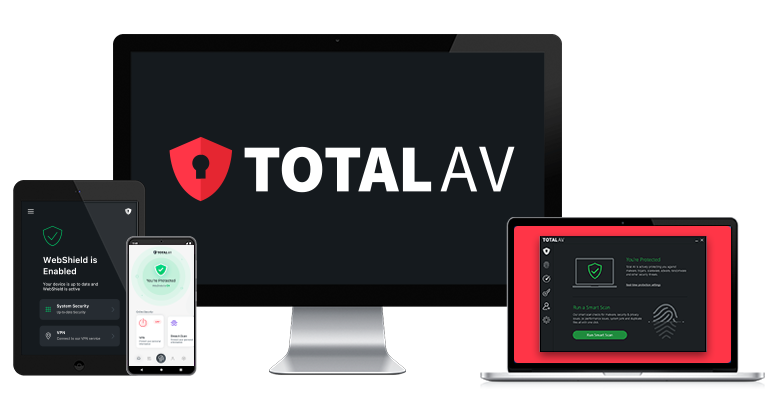

TotalAV is my favorite PC cleaner and optimizer. It has more system tune-up tools than most competitors, and they’re all simple enough to use, even for non-tech users. I like how TotalAV pairs them with a near-perfect malware scanner.
The System Tune-Up interface is simple and easy to navigate — each cleanup and optimization tool is compacted into one intuitive display, making it very easy to boost your PC’s performance.
TotalAV’s System Tune-Up includes the following features:
- Browser cleanup.
- Junk file cleaner.
- Startup manager.
- PUP removal.
- Application uninstaller.
- Duplicate file finder.
The browser cleanup feature clears your web browser history and cookies. Cookies can be used by advertisers (and occasionally cyber attackers) to track your online behavior, so I like that TotalAV helps you remove them all at once to protect your privacy and potentially improve your device’s performance.

TotalAV’s junk file cleaner and duplicate file finder are easy to use — I cleared over 7 GB from a cluttered disk in minutes. It outdid Windows Disk Cleanup by a mile. I also like the application uninstaller, which made removing unwanted and unused programs from my computer simple.
TotalAV’s powerful malware scanner nails many threats, including PUPs, bloatware, and adware. Removing these hidden files will improve performance noticeably — especially if your PC’s loaded with bloatware — while protecting you from threats that can steal personal info or extort you.
I like how lightweight TotalAV’s virus scanner is, too. During testing, it didn’t impact my PC’s performance at all. This is great, as even some top competitors (like McAfee) can significantly slow down your PC during system scans.

TotalAV rounds it off with extras like a fast VPN, browser security tools, and excellent identity protection — making it a top pick for online privacy and security.
TotalAV Internet Security ($39.00 / year) is the best value plan — it covers up to 6 devices and provides system tune-up, real-time malware detection, a VPN, and more. The other paid plans come with the same cleanup tools, and they all offer a 30-day money-back guarantee.
Bottom Line:
TotalAV delivers powerful tools to remove malware and tackle slowdowns. The Tune-Up suite boosted my test PC’s memory, CPU speed, and browser privacy. Plus, its real-time anti-malware protection easily roots out PUPs, adware, and other performance-dragging threats.
Read the full TotalAV review here >
🥈 2. Norton 360 — Fastest Cleanup & Optimization Tools


Norton 360 blends fast tune-up tools with top-tier real-time protection — clearing malware, PUPs, and adware that slow your PC. Norton’s optimization suite includes a startup manager, file cleanup, and disk optimization (for older non-SSD drives).
Norton has the best anti-malware engine on the market — it can detect all types of malware, including cryptojackers and spyware, which are frequently the reasons behind slow-running devices. It cleaned 100% of the test malware I added to my PC, including cryptojackers that were crippling my system’s performance, as well as bloatware and PUPs that were just plain annoying.
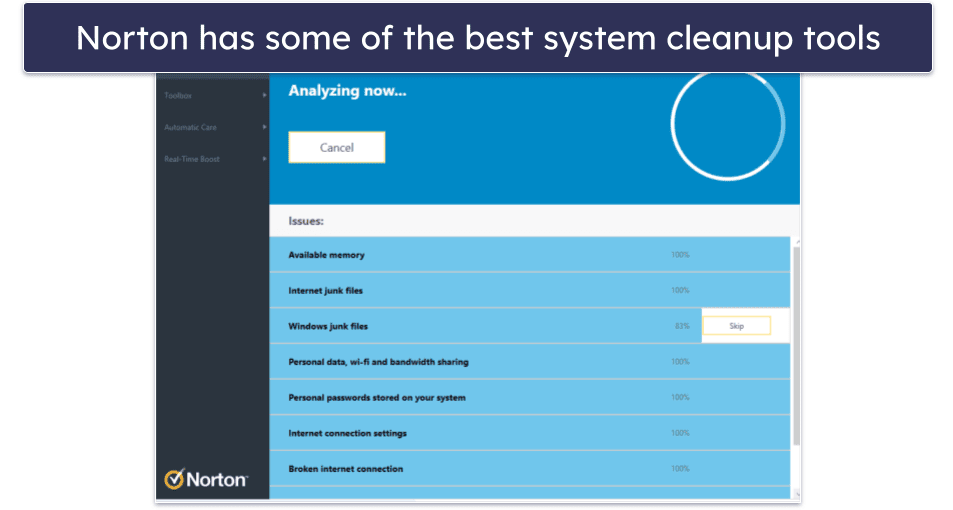
Beyond cleaning your PC of malware, Norton also offers excellent optimization tools in the Utilities Ultimate package. These cleaned every corner of my device, boosting speed and reclaiming space — especially noticeable on a drive full of temp files. Utilities Ultimate includes:
- Process manager.
- Junk cleaner.
- Application uninstaller.
- Disk optimizer.
- Data recovery tool.
- Statistics data and graphs.
- File shredder.
- RAM reclaimer.
- And more…
Unfortunately, most of these tools are only available in the Utilities Ultimate add-on, so you can’t get them included in a plan with the antivirus. Norton would earn the top spot on this list if these tools were included in the main plans. Still, the antivirus plans have a few tune-up features like a startup manager, a temporary files cleaner, and a software updater.

Norton’s plans include a top-notch antivirus that can clean your computer of malware. However, Norton 360 Deluxe is the best value — for $49.99 / year*, it covers up to 5 devices and includes the best antivirus on the market and all of the essential PC optimization tools, plus a huge range of other features, like parental controls and backup cloud storage.
PC gamers should also check out Norton’s excellent gaming plan that optimizes gameplay and includes a powerful game booster (Norton is #1 on our list of the best gaming antiviruses in 2026). All of Norton’s plans come with a 60-day money-back guarantee.
Bottom Line:
Norton’s antivirus software can clear all the malware on your system and also comes with some nice optimization tools. While I’d like to see more comprehensive cleanup features included in the antivirus plans, they’re still easy to navigate and can solve many performance issues on your PC. The Utilities Ultimate plan is a paid add-on with more comprehensive optimization features.
Read the full Norton review here >
🥉 3. Avira Prime — Great Range of Easy-to-Use Cleanup Tools

Avira pairs a 100% malware detection scanner with effective cleanup tools. It was able to clean heaps of junk off of my PC, significantly improving my device’s performance and clearing up security issues.
Avira Prime’s optimization tools include:
- Startup optimizer.
- Junk file cleaner.
- Disk tuner and defragmenter.
- Network traffic manager.
- Service and process managers.
- Driver updater.
- Energy optimization.
- Game booster.
- Privacy optimizer.
- And a lot more…
The software comes with dozens of optimization and cleanup tools, and they’re all really well-designed and user-friendly. In my testing, the junk file cleaner removed over 26.5 GB of junk from my hard drive, and the disk tuner and defragmenter optimized my disk’s storage and noticeably improved my PC’s speed.

Avira’s startup optimizer cut my test PC’s boot time by 30 seconds while its registry cleaner and uninstall tools helped me remove junk programs and extensions. It makes it easy to see these improvements by displaying metrics like startup speed, disk usage, RAM, and more on easy-to-read graphs and charts.
Avira also has one of the most advanced anti-malware engines on the market, which can keep your PC free from PUPs and adware that can severely slow down PC functionality.

Avira offers a range of antivirus packages, including a free version. However, while the free and lower-tier versions include Avira’s powerful malware detection engine, they only include the more basic optimization tools.
Instead, I’d recommend going for Avira Prime ($59.99 / year), the best paid Avira package available — it covers up to 5 devices and includes the full suite of advanced cleanup and optimization tools.
Bottom Line:
Avira Prime has many great cleanup tools. It’s perfect for breathing life into PCs slowed by junk and PUPs. During testing, I was impressed by its ability to detect and remove clutter while optimizing disk performance and startup speed. Avira Prime includes a flawless malware scanner and dozens of additional tools to help manage privacy, system speeds, file cleanup, and more.
Read the full Avira review here >
4. Bitdefender — Simple One-Click PC Cleanup Tool
Bitdefender can clean your PC of malware and fix other issues, too. Starting with the former, Bitdefender’s scanner removed 100% of the malware I added to my PC to test it out.
The OneClick Optimizer makes fixing issues and cleaning junk simple. You can clear up most issues with just a single click. It removes Windows junk files, temporary system files, browser history, fixes broken registry items, and more.
The junk scan only took a few minutes and flagged almost 1.5 GB of files for deletion. After I deleted these files, my PC was noticeably faster and more responsive.

Bitdefender is lacking in some additional optimization tools that Avira, Norton, and TotalAV offer, such as a startup manager and duplicate file finder. The OneClick Optimizer works well, but I wish this suite had more features.
However, Bitdefender’s cloud-based malware scanner is one of the best — it uses machine learning along with traditional signature-based scanning to provide excellent protection against all types of malware threats, including adware, spyware, and PUPs, which can really slow down your PC. Because it works in the cloud, scans don’t noticeably slow down your device.
OneClick Optimizer is only included in Bitdefender’s premium plans — Total Security and Premium Security. Total Security costs $54.99 / year, covers up to 5 devices, and comes with a huge number of additional security features. Premium Security offers all of Bitdefender’s features, including a VPN with unlimited data, and also covers 5 devices for $64.99 / year.
Bottom Line:
Bitdefender provides fast PC cleanup and optimization and excellent antivirus detection. It’s incredibly easy to use, and it did a great job of clearing out junk files and speeding up my system — but Bitdefender doesn’t offer as many useful performance optimization extras as the top programs on my list. However, Bitdefender’s malware scanner is one of the best around.
Read the full Bitdefender review here >
5. McAfee — Decent Cleanup and Speed Boost Tools


McAfee did great at cleaning the malware on my PC, with a perfect malware detection rate in my tests. It isn’t as great in terms of optimization, but if malware is the main issue slowing down your system, it’s a great option.
That said, McAfee has a PC Optimizer plan that’s sold separately from the antivirus. It cleans your PC and web browser by removing junk files, registry issues, cookies, browser history, and cache files. It also includes a complete cleanup option that scans your entire PC for optimizations and offers recommendations on improving your computer’s performance.

The PC Optimizer scanned my test PC in under a minute, flagging 1,000+ issues. Clearing them noticeably lifted the speed of my system. It also comes with various tools for boosting your device’s performance, a privacy optimizer, and a system recovery feature.
Though they’re not as extensive as what you get with the PC Optimizer plan, McAfee’s antivirus comes with some decent clean-up tools. The browser tracker and cookie remover make cleaning up traces of your online activities easy. It also can remove temporary junk files and empty your recycle bin.
When cleaning your PC, your best option is to get one of McAfee’s antivirus plans and nab the PC Optimizer as an add-on. The security suites start at $39.99 / year, and you can get the comprehensive clean-up tools for an extra $34.99 / year. All of McAfee’s antivirus plans are excellent, but I wish it were like Bitdefender, where the best plans are bundled with optimization tools.
Bottom Line:
McAfee offers great tools for cleaning your PC of any malware lurking about. It also has excellent general cleaning tools like the PC Optimizer, but you’ll have to select this as an add-on at checkout. All McAfee plans come with a 30-day money-back guarantee.
6. iolo System Mechanic Pro — Excellent Standalone PC Cleanup & Optimization Program

iolo System Mechanic Pro is a powerful standalone PC cleanup tool with a solid malware scanner and various optimization features. It includes a startup program optimizer, a basic junk cleaner, a cookie and browser history cleaner, and CPU/RAM optimization tools to keep your system running smoothly.
System Mechanic Pro scans your system, looking for over 50 kinds of junk files, and it also identifies pre-installed Windows programs that are slowing down your boot-up time and computer speed. In my tests, the scans were fast — and identified junk files and registry clutter that most other PC cleaners and optimizers didn’t pick up on. There’s also a file eraser tool that can clean up anything you want to remove.
iolo features LiveBoost, a tool that automatically optimizes CPU and RAM usage by tweaking hard-drive resources. This is its most helpful and impressive feature, as it noticeably improved my system’s performance. I could launch and use multiple applications — like video editing software, online gaming platforms, and streaming — simultaneously and without interruption.

iolo’s malware removal engine is also a nice addition. While it’s not as effective or advanced as Norton’s anti-malware engine, iolo’s antivirus is pretty good for basic malware protection.
At $59.94 / year, iolo System Mechanic Pro (which also includes the antivirus) is slightly cheaper than the other options on this list. It can cover 10 devices, so it’s a good option for large families needing malware removal and system tools. All iolo products include a 30-day refund policy.
Bottom Line:
iolo System Mechanic Pro is a good PC cleanup and optimization software that ensures your PC is free of performance issues and malware. It has a lot of features that all work exceptionally well, it’s easy to use, and it will make a significant improvement to your PC’s performance.
Read the full iolo review here >
Quick Comparison Table
Testing Methodology: Comparison & Ranking Criteria
When rating PC cleaners, I followed our tried and true testing methodology, which allowed me to come up with balanced and relevant scores for each product. This meant:
- I looked for effective system cleanup tools. This is a basic requirement for a PC cleaner — it must have effective cleanup tools to be worthwhile. All the products on my list will clean your PC effectively.

- I included PC cleaners with a file manager. My top PC cleaners are great at spotting duplicates and helping you manage your files with ease. Some even come with tools to help you uninstall bloatware and other programs.
- I picked tools that are easy to use. A good PC cleaner should be simple for everyone to understand and use. I only chose intuitive products that offer easy access to key features. TotalAV’s interface is particularly clean and beginner-friendly.
- I checked whether the product has a malware scanner. Most of the products on my list include a malware scanner as well as PC cleanup tools. Malware detection and removal is a vital part of keeping your computer safe and running well, and top antiviruses like TotalAV include excellent malware scanners.

- I looked for additional features. Many of the PC cleaners on my list are included in comprehensive antivirus suites that also come with web security features, VPNs, password managers, and more, meaning you get excellent privacy protection along with your optimization tools.
- I searched for a PC cleaner that offers good value for money. All of the products I recommend offer an excellent quality-price ratio and come with at least a 30-day money-back guarantee.
Top Brands That Didn’t Make the Cut
- Panda Dome. Panda offers some decent cleanup tools for Windows PCs, but they’re pretty basic compared to what the brands on this list offer.
- Trend Micro. Trend Micro’s PC Health Check-Up claims to optimize your PC in 4 ways. However, when I tested it, I found it didn’t perform better than the in-built Windows cleanup tools.
- CCleaner. Even though CCleaner has long since patched the vulnerabilities that resulted in its notorious 2017 hacking incident, I still don’t recommend it. Among other ongoing issues, it collects too much information about its users.
Frequently Asked Questions
What can a PC cleaner do?
A good PC cleaner can solve major computer problems, with malware being the biggest threat. It can steal your data, hijack your device, or, at the very least, slow down performance — which is still a serious issue. The best solution is a top-rated antivirus, as the best PC cleaners are part of antivirus suites.
Even without malware, registry issues, outdated software, and a cluttered hard drive can cause slowdowns. You need optimization tools to fix these problems. TotalAV is my top pick for its effective cleaning tools, but Norton, with its Utilities Ultimate plan, is another great choice.
Do PC cleaners & optimizers really work?
Yes! The best options can clean your PC of malware and other issues ranging from mere annoyances to straight-up identity theft. PC cleaners come with the right tools to remove malware, delete junk files and privacy-invading cookies, solve registry issues, and more. Exactly how much they will help you depends on the issues that are affecting your machine.
Will a PC optimizer help my gaming experience?
Absolutely — gaming can place a big strain on CPU and RAM, so by using a PC optimizer you can ensure you minimize the amount of lag and slowdown you experience during gameplay. Norton is one of the best options for gamers — it has an excellent game booster feature that can optimize your disk usage and running processes to make your PC run faster during gaming.
Gamers are also a consistent target for malware attacks — so if you’re trying to keep your computer safe (as well as fast) while gaming, you should check out our list of the top antivirus programs for gamers in 2026.
Can a PC cleanup program fix my computer?
PC cleaners are a great and relatively inexpensive way to revive sluggish computers. Rather than throwing out an underperforming PC and buying a new one, it’s always worth trying a PC cleaner to remove junk files, optimize your hard disk, and improve CPU and RAM.
However, if your computer is severely malfunctioning, issuing unnecessary pop-ups, crashing a lot, or you have unusual programs running on your device, you probably have a malware infection.
Companies like TotalAV provide cutting-edge antivirus protection along with PC optimizers to help your devices run more smoothly and remove malware files that are damaging your system.
Is a free PC cleaner enough?
Unless your PC is already running smoothly, you’ll want a premium cleaner. That’s because free apps generally lack the tools needed to tackle the issues that seriously slow down PCs. You can’t use them to remove malware, PUPs, or other nasties slowing you down. TotalAV includes a top-tier antivirus alongside effective optimization tools.
Are PC optimizer programs better than Windows’s optimization tools?
Windows offers some basic optimization features, like program uninstallers and disk defragmentation. But just as the Windows built-in antivirus scanner isn’t as good as third-party alternatives, Windows optimization tools are also nowhere near as good as other products on the market.
Third-party PC optimizers are great for doing all of these things, and they make all of their features easy to find in one program. TotalAV’s interface, in particular, is really clean and simple to navigate, which is one of the reasons that it’s my #1 choice for the best PC optimizer in 2026.
What PC cleaners should you avoid?
There are many PC cleaners you should steer clear of, including:
- QBit Optimizer. If it only slows down your PC, consider yourself lucky — it’s actually meant to scam you and install more bogus programs. If you see the option to install it, avoid it like a red flag.
- PC Accelerate Pro. This will clean out your wallet, not your PC. It performs basic tasks your computer can already do, then pushes unnecessary purchases.
- SpeedItUp. Known for annoying pop-ups and constant requests for money, it’s unlikely to make your PC faster despite claiming to be free.
- MyCleanPC. All of the useful tools included with MyCleanPC are available for free on every Windows device. Plus, it uses shady advertising and scare tactics to lure users.
- Broom Cleaner. Ineffective and misleading, it claims to have special ties with Windows, which isn’t true. Not recommended.