DataVault Review: Quick Expert Summary
DataVault offers a secure encrypted vault with password and sensitive data protection. It uses 256-bit AES encryption, a zero-knowledge policy, local hosting, and synchronization via Dropbox, Wi-Fi, iCloud, or WebDAV.
Unfortunately, DataVault is a password manager left behind in the modern market. Its features are basic, and aside from a secure encrypted vault, DataVault doesn’t offer much to make it stand out.
It’s also very hard to recommend due to the lack of updates. There haven’t been any significant updates recently, and the apps have lost basic functionality, like password auto-fill and auto-saving.
The apps are difficult to use, too, and saving data on a desktop requires a lengthy process. The Android app is easily the best version of DataVault. It has the most modern UI and is easy to use. The tragedy is that it isn’t compatible with any modern phone (or a broad range of older phones).
Simply put, DataVault isn’t good. At best, it’s a halfway decent password manager that could be discontinued at any moment and isn’t due to receive any major updates soon. When it comes to security features, it doesn’t compete with any of my favorite password managers.
DataVault Full Review — Decent Security Features That Are Better on Android
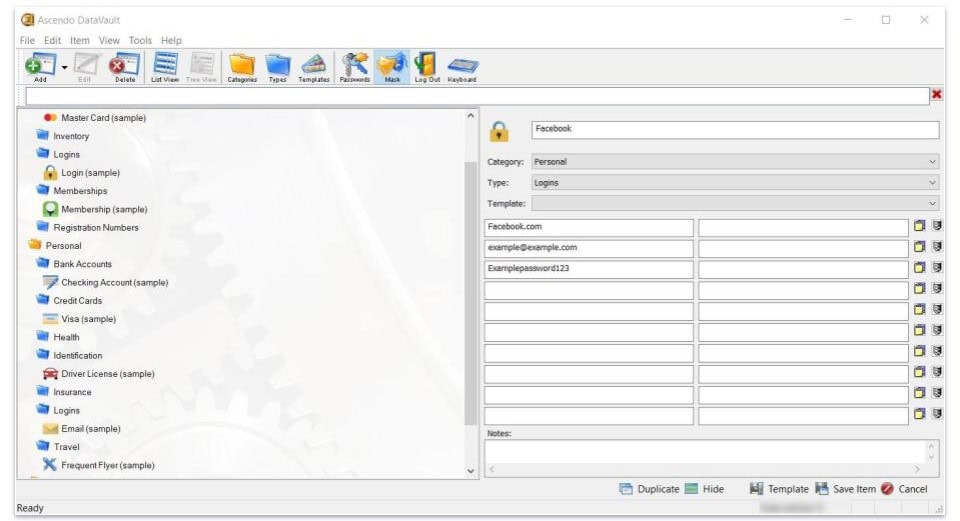
DataVault offers secure password protection, but it’s riddled with drawbacks and out-of-date features. It can keep your passwords and data forms (i.e., credit cards) safe and generate secure passwords, but that’s about it.
Worse than having no extra features, it lacks core features like password auto-fill, auto-save, and two-factor authentication. Based on how many years it’s been since most of its apps have seen an update (they’ve lost features over the years), I’m unsure whether Ascendo will improve its password manager.
DataVault Plans & Pricing — Fairly Priced (But Could Use Improvement)
While the password manager has some issues, I can give credit to DataVault’s business model. There’s only 1 plan for each operating system; once you pay for a license, you have it on that device forever. There are no recurring subscription fees, and the plans aren’t too expensive either. There are some peculiarities, however.
The Windows plan ($19.99) is more expensive than the Mac, Android, or iOS plans, which each cost $9.99. That’s not necessarily an issue, but the Windows version hasn’t seen an update in nearly a decade, so it’s strange that it’s the most expensive option. You don’t get multiple licenses for a purchase, either, so if you want to cover 2 devices, you’d need to buy it twice.
Regardless of which operating system (OS) you pick, DataVault comes with the same core features. There are some minor differences, such as Windows and Mac having a more complex method for saving passwords, but overall, they’re nearly identical in function. There’s even a version for iOS smartwatches that lets you manage your vault right from your wrist.
Since there are some reasonably significant compatibility issues with a range of modern devices, I’m glad there’s a way to test the product before buying it. The Android version has a freemium version of its app (look for DataVault with the + sign), and the Windows version has a 30-day trial, but to access it, you need to click Register later when you first install DataVault.
It has a vague money-back guarantee that depends on the platform you’ve purchased on. The terms from Digital River (responsible for distributing the desktop versions) state that there’s a 30-day money-back guarantee for eligible software products that haven’t been used — which means you might be out of luck the minute you install DataVault.
DataVault Security Features — Outdated Tools That Vary in Helpfulness
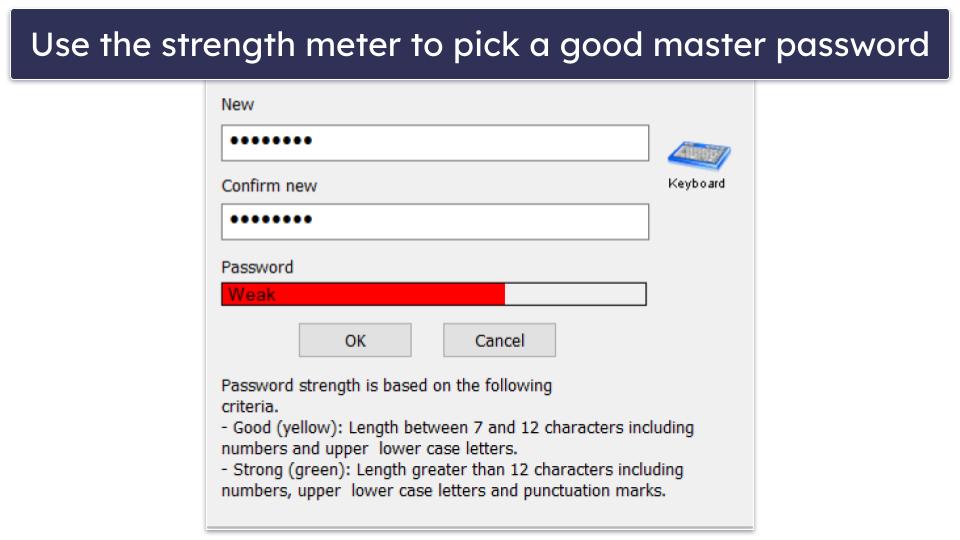
DataVault uses industry-standard 256-bit AES encryption to protect your data. When you create your first vault, you also create a master password to access it. There’s no option for two-factor authentication, so make sure your master password is hard to guess.
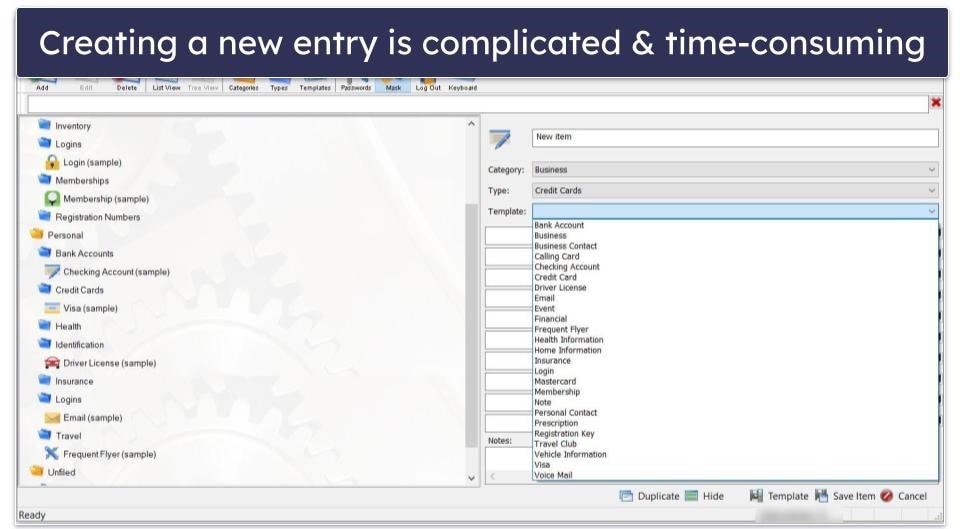
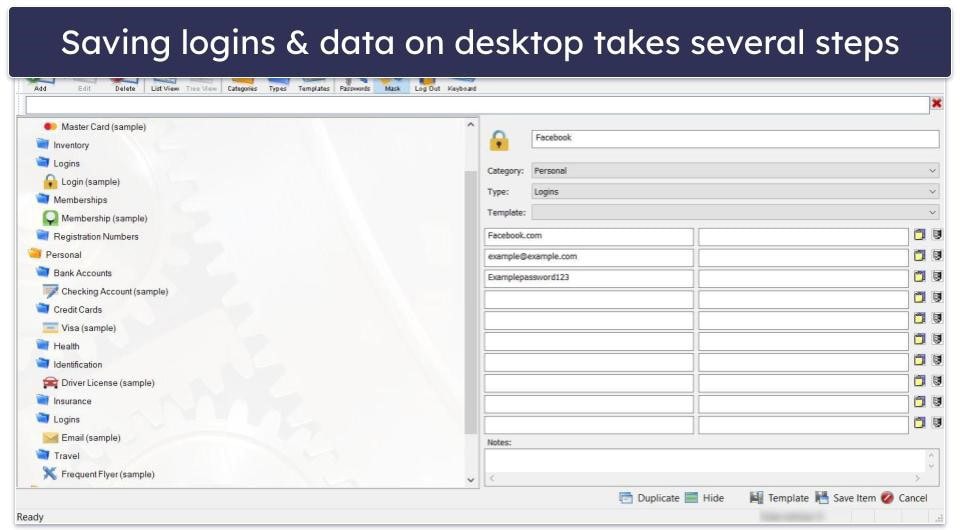
The desktop apps make creating a new entry overly complicated. Clicking the Add button on the top left opens up a new menu where you select the category and type of data you want to save. It’s hard to explain, but say you want to save a password for Facebook; you choose Personal as your category, Logins as your type, and Logins again under the template option. It’s convoluted but also allows for a lot of flexibility in what you can store. You can even create custom templates.
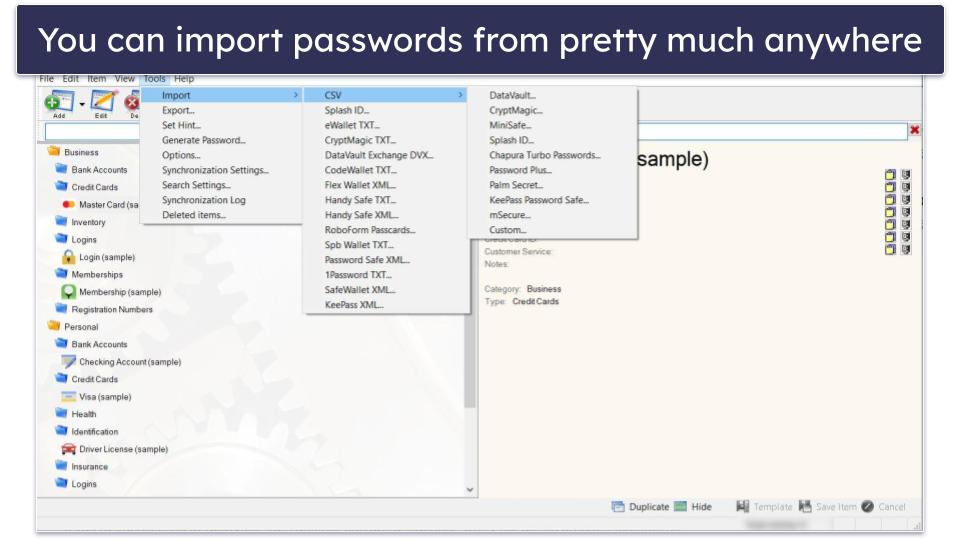
You can easily import and export passwords. It also supports various formats (CSV, TXT, XML), making it compatible with nearly every other password manager on the market. You can also synchronize passwords between your phone and your computer, though setting it up is complicated.
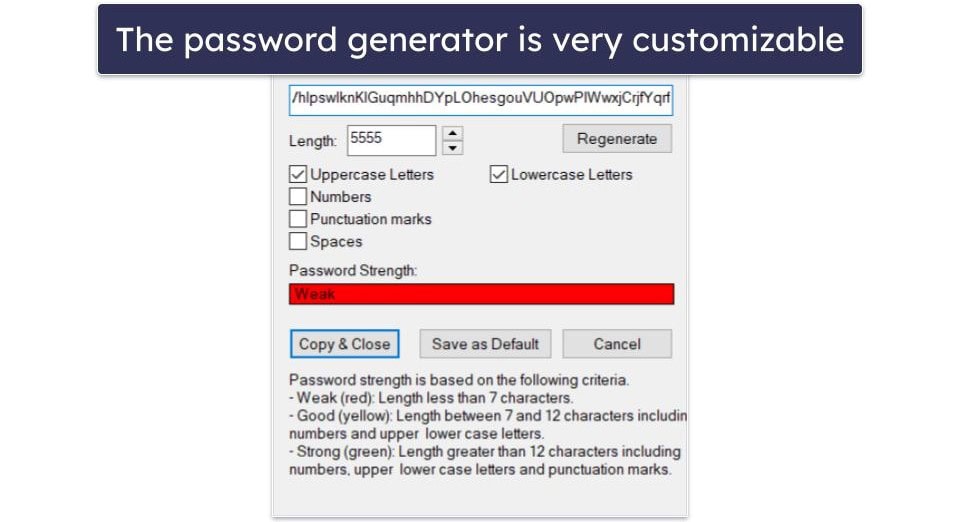
DataVault includes a password generator with uppercase, lowercase, numbers, symbols, and space options. There doesn’t seem to be an upper limit on how long you can make a password. I generated one that was 5,555 characters long!
Unfortunately, that’s pretty much everything you get with DataVault. Unlike other top options, it doesn’t include password auto-save or auto-fill — it used to, but they removed those features in 2022 — or any other notable features such as passkeys, passphrases, and dark web monitoring. It’s significantly more basic than an option like 1Password, which includes all of that, virtual payment cards, and a lot more.
DataVault Ease of Use & Setup — Archaic at Best, Unusable at Worst
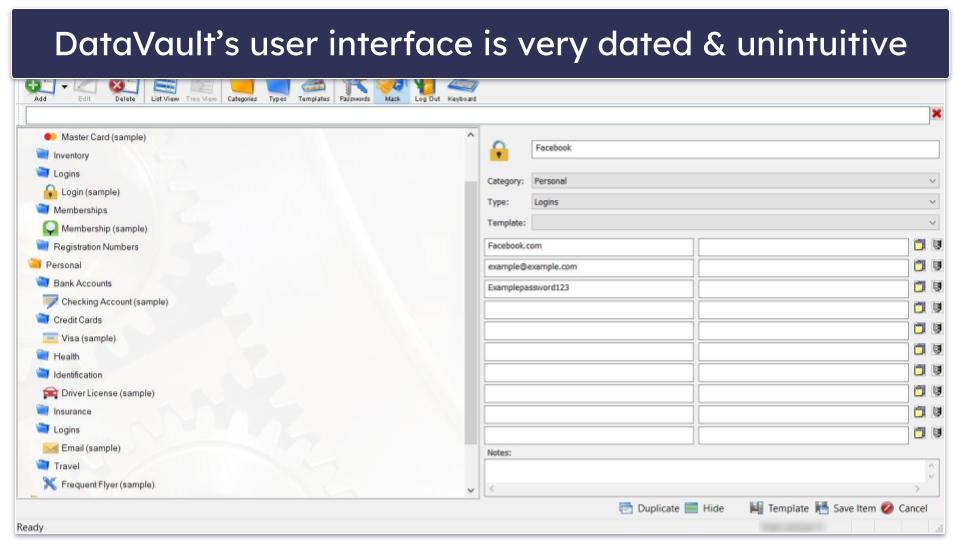
DataVault is not an easy-to-use password manager. Its UI is busy and looks straight out of the early 2000s. It’s not hard to use, but it’s far from beginner-friendly. Even something as simple as saving a new password is much more complicated than it needs to be and requires you to look through multiple menus. At least it’s easy to import and export passwords.
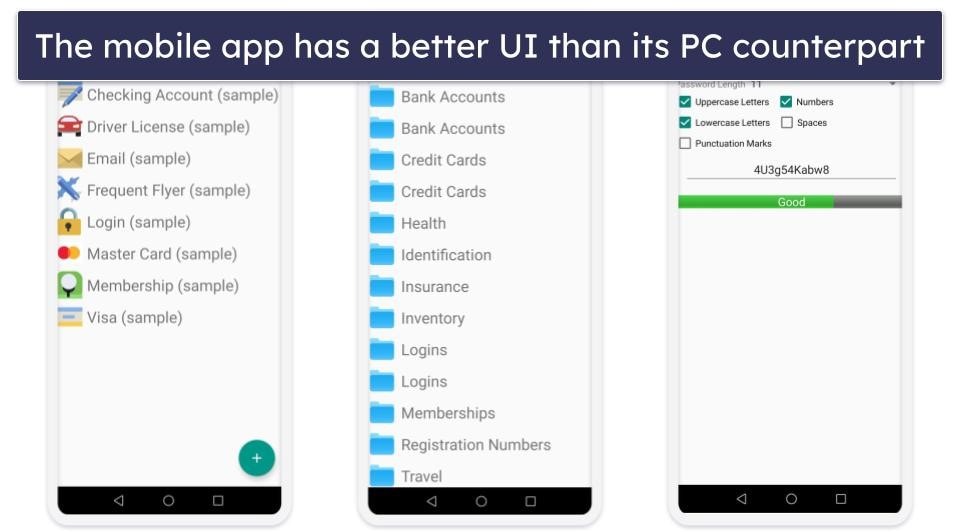
Its mobile apps are much more convenient, but there’s a pretty glaring problem with Android. You can’t use it on any phone running Android 13 or 14. Even if you’re not using either, there’s still a decent chance it won’t work with your phone.
If you can get it to work on your phone, the UI is actually pretty good. It’s easy to find and use your features, such as saving a new password, using your password generator, or even managing/creating a new template for data. I prefer the mobile layout much more than the computer counterparts.
Overall, the UI is cluttered, and using the product is somewhat tedious. Its mobile apps have compatibility problems (but decent UIs), and saving a new password is needlessly complicated.
DataVault Customer Support — Decent User Manuals, Not Much Else
DataVault’s customer support is pretty sparse, save for good user manuals. It has a series of FAQ questions specific to each operating system and basic email support, but both options are less useful than they sound.
Each OS has a different user manual that includes fairly detailed guides on every aspect of the password manager. But while they’re detailed, they’re out-of-date.
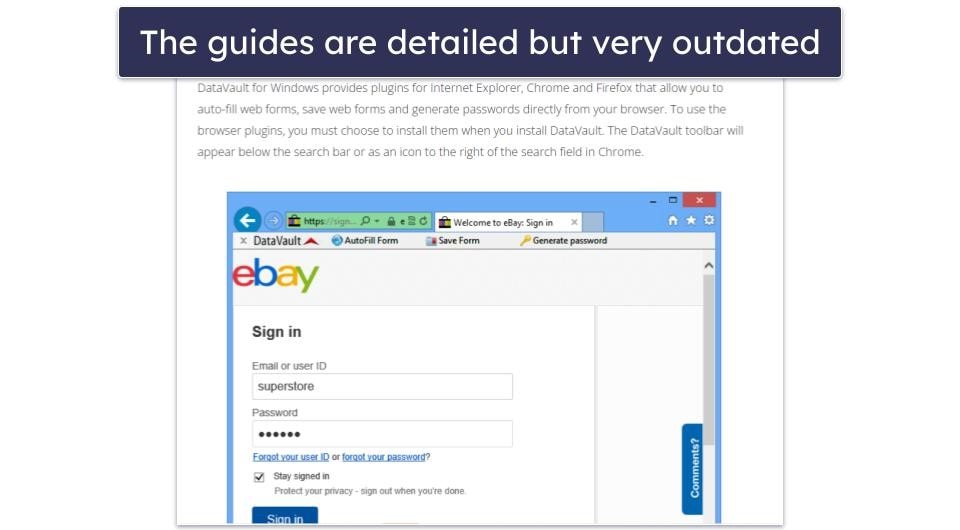
For example, the manuals still go into detail about the browser plugin and how to use it, but the browser plugins have been removed from plugin stores for years.
The FAQs contain questions that range from being so broad that the answer isn’t helpful to niche so that it will only apply to a tiny fraction of people — and there seems to be no in-between.
Finally, email support and the social media channels are unresponsive, with users on X waiting for years without a reply.
Is DataVault Worth Trying?
I don’t say this lightly, but I don’t think so. DataVault provides secure encryption for passwords and data forms, and it’s never been hacked or breached. It can somewhat protect passwords, but I am concerned with its long-term viability, lack of extra features, and problems working with modern devices.
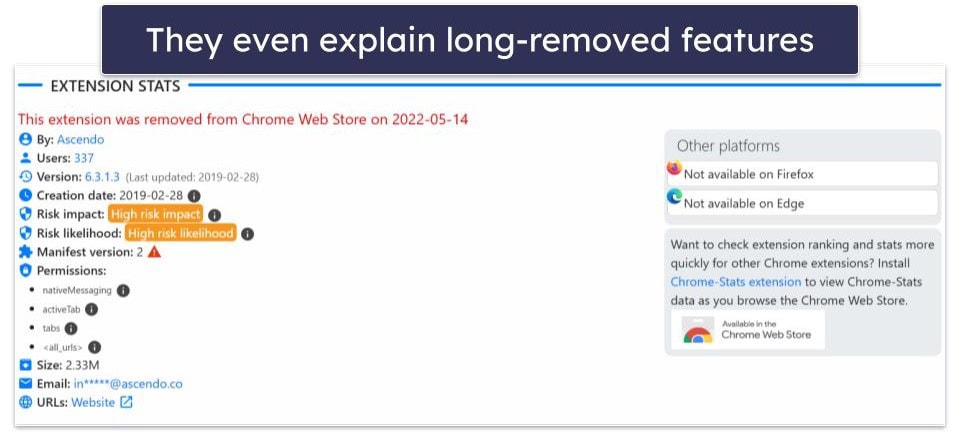
To start, DataVault’s apps rarely receive any updates. It’s been nearly a decade since DataVault for Windows had a new feature or update. It’s even had its browser plugin removed because it was flagged as having a high-risk impact.
The Android plan gets the most frequent updates (with its latest patch in 2022), but the developers haven’t updated it to be compatible with modern Android phones. It’s actually a decent option on older Android phones. Its vault is secure, and the UI isn’t bad. Despite that, many users won’t even have access to the app.
It also lacks any extra features you’d get from top password managers like 1Password or Dashlane. I can forgive DataVault for not having advanced features like password monitoring or virtual pay cards, but it’s even missing basic options like two-factor authentication or password auto-fill.
It includes tools like easy importing and exporting, a DropBox that stores password backups, and a password generator, so it’s not entirely devoid of extra features. Ignore the website advertising a browser extension, though, as that’s been silently discontinued, and links will take you to a Chrome Store page that no longer exists.
DataVault is in a tough place. Although its password encryption is secure, over the years, it’s lost some of its most important features, stopped receiving frequent updates, and became incompatible with most Android phones. It’s not so bad that I’ll say you shouldn’t download it, but it leaves me uneasy enough that I can’t recommend it, either.
Frequently Asked Questions
Is DataVault free?
DataVault has a free version of its Android app and its Windows app. On Android, the free version is a separate freemium app (DataVault with a + next to it) that offers a 7-day trial of the premium version. For Windows, click Register later when installing it, and you’ll get a 30-day trial. While some free trial options exist, the money-back guarantee is not entirely clear and depends on the platform you’ve made your purchase on. In that way, it’s less consumer-friendly than most of our top password managers.
Is DataVault secure?
It’s honestly pretty debatable. DataVault uses AES-256 encryption, the industry standard for protecting passwords, but most apps haven’t seen an update in years. The Android version hasn’t been updated since 2022 and isn’t even compatible with Android 14, the iOS version hasn’t been touched since 2020, and the Windows version hasn’t been updated since 2017.
Regular updates ensure a product can withstand the latest vulnerabilities, bugs, and malware strains on the web. Frankly speaking, the longer each app goes without an update, the greater the chances are that it won’t be secure against modern threats.
Why can’t I install DataVault on my phone?
DataVault is incompatible with any Android phone using Android 14 and beyond. Even for models earlier than Android 14, there is a decent chance it won’t work. An update may fix this, but Android users have been unable to install DataVault since the release of Android 14 in late 2023. If you’re looking for a good Android password manager, I’d highly recommend any of our top picks instead. At least you can install these.
Does DataVault have any advanced features?
Not really, unfortunately. DataVault is useful for basic password storage, and in its defense, it has a ton of different layouts for credit cards, insurance info, and more. But it doesn’t have anything that I’d consider “advanced.”
It lacks password monitoring, dark web monitoring, virtual pay cards, or anything else that makes it comparable with options like 1Password. The worst part is that it used to have a browser extension for secure browsing and password auto-fill, but it’s no longer available on the Chrome web store.