Published on: May 15, 2019 Updated 9 times since publishing
- 🥇 Bitdefender : Bitdefender GravityZone antivirus business suites include endpoint protection, device and application control, a strong firewall, mobile protection, MDR/EDR, and more. Each plan is competitively priced and even includes the option to purchase individual features.
Small businesses are prime targets for hackers, especially those without a dedicated Security Operations Center (SOC) to handle advanced threats like ransomware. Our top picks include endpoint detection and response (EDR, real-time device monitoring that detects and contains threats) and managed detection and response (MDR, an outsourced 24/7 expert service) to automate responses and reduce the need for in-house expertise. Picking the right antivirus can mean the difference between staying secure and facing lost revenue, legal damages, and reputational ruin.
In this article, you’ll find the top 5 antivirus solutions for businesses in 2026. These options don’t just block viruses: they offer full protection against malware, ransomware, phishing, and other cyber threats, along with key features specific to business environments.
I examined each antivirus’s malware detection, performance impact, extra features, ease of use, and whether they can grow with your business. Bitdefender stands out as the most versatile and comprehensive solution, with top-notch security features and competitively priced plans for businesses of any size — but the other products I recommend are also strong contenders. Whether you’re running a small business with just a few devices or managing IT for a large corporation, this list will guide you to make the best choice.
Quick Summary of the Best Antiviruses for Businesses


Editor's Note: Intego ONE and this site are in the same ownership group.
🥇 1. Bitdefender — Best Overall Antivirus for Businesses of All Sizes in 2026
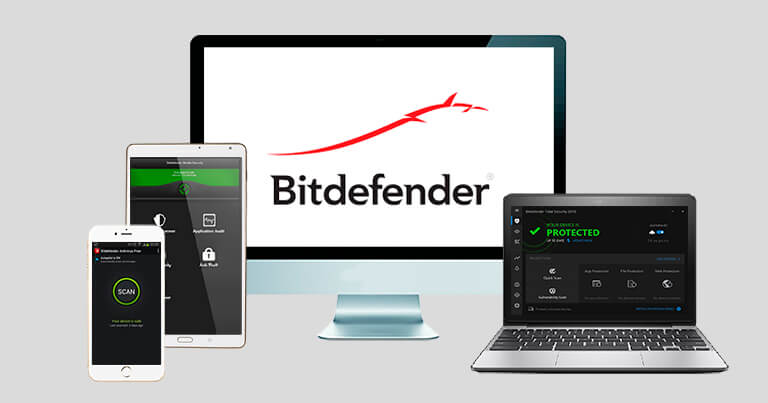
Bitdefender is my favorite antivirus for both small and medium-to-large businesses in 2026 — it delivers advanced protection for computers, mobiles, and networks, is straightforward to manage, and has a light performance impact on endpoints.
Its scanner uses a combination of cloud-based technology, traditional signature-based scanning, and machine learning to detect and eradicate even the most difficult-to-detect malware, such as rootkits and trojans.
For hybrid teams, the cloud-based GravityZone console lets admins deploy agents, configure policies, and monitor every endpoint — on-site or remote — from a single dashboard. You get a prioritized configuration checklist that surfaces misconfigurations and policy gaps, so it’s clear what to fix and how urgent each item is. Even without an in-house IT pro, remote installs are simple — you can push agents without touching the device.
From the dashboard, it’s easy to assess any issues with your security configurations and modify them accordingly, since Bitdefender provides you with a prioritized list. I found the list really easy to understand and use, and it was great to get a clear picture of what needed fixing and how urgent each fix was.
Bitdefender provides a wide range of basic and advanced features suitable for small, medium, and large businesses.
Standout security features include:
- Endpoint detection and response (EDR) — continuous telemetry, investigation tools, device isolation, and rollback to stop live attacks (available with GravityZone Business Security Enterprise).
- Managed detection and response (MDR) — optional 24/7 expert monitoring and guided remediation for teams without a SOC (delivered on the Enterprise platform).
- Firewall — controls inbound/outbound traffic with policy-based rules.
- Web & exploit protection — blocks phishing, drive-by downloads, and zero-day exploits before they reach users.
- Threat intelligence & cloud sandboxing — global intel feeds and a Cloud Sandbox to detonate suspicious files safely.
- Endpoint risk analytics — highlights vulnerable software/configurations and recommends quick fixes.
- Application & device control — restricts unapproved apps and peripherals (e.g., USB storage) to reduce data-loss risk.
- MITRE-aligned detections & anomaly defense — maps activity to ATT&CK techniques and flags unusual behavior chains.
- Root-cause analysis — visualizes an attack path from initial access through containment for faster cleanup.
- Reporting & exports — one-click reports you can export for audits, insurance, or compliance reviews.
Bitdefender offers Ultimate Small Business Security for small teams and GravityZone Business Security Premium for medium and large companies that need advanced endpoint protection. At the top end, GravityZone Business Security Enterprise adds MITRE event tagging and manual sandbox investigation — and you can layer Bitdefender MDR across plans for expert-led, 24/7 monitoring if you don’t have an internal SOC.
There are also plenty of add-ons available for the GravityZone plans, so you can tailor them with things like full disk encryption, email security solutions, or patch management to suit your business’s needs. I particularly like GravityZone Security for Mobile Devices — it uses on-device machine learning to protect physical and virtual endpoints on Android, iOS, and ChromeOS, and it can integrate with MDM (mobile device management) solutions.
All of Bitdefender’s plans are very reasonably priced, starting from $79.99 / year. There are annual plans available for 1, 2, or 3 years, and businesses can select the number of devices and servers to protect. All of Bitdefender’s business plans include a 30-day money-back guarantee, and there’s also a 1-month free trial for those who want to test the software before they buy it.
Bottom Line:
Bitdefender offers excellent security solutions for businesses of any size. It is one of the most effective, lightweight, and easy-to-use antivirus programs on the market, with a wide range of security tools that are suitable for all business types. Bitdefender is very affordable compared to other business antiviruses, and it offers flexible subscription options — making it great for growing companies. Its MDR makes it ideal for growing businesses without dedicated SOCs. All Bitdefender plans are backed by a 30-day money-back guarantee.
Read our full Bitdefender Review
🥈 2. Norton — Best Antivirus for Small Businesses With Easy Setup

Norton offers an excellent small-business solution — Norton Small Business — that is highly effective and easy to set up. Getting started with Norton Small Business is incredibly simple, with plenty of guidance throughout the installation. It’s also super simple to upgrade from a personal Norton account to Norton Small Business, which is handy if you’re already a Norton user.
Like Bitdefender, Norton’s malware scanner combines various detection methods, including a comprehensive malware directory, heuristic analysis, and machine learning. Norton caught 100% of my malware samples in my tests, including trojans, keyloggers, rootkits, spyware, potentially unwanted programs (PUPs), and ransomware. The real-time scanning technology didn’t negatively impact my device performance during setup and testing either.
Norton Small Business also addresses the unique security challenges posed by remote work:
- Cloud-based management portal — This intuitive online portal lets you remotely deploy and manage security across all endpoints, including those used by remote employees. Administrators can access and adjust settings from anywhere, ensuring comprehensive oversight of devices regardless of location.
- Automatic updates and Windows optimization tools — Norton provides automatic security updates to all devices to minimize vulnerabilities in remote environments and keeps your business Windows PCs optimized.
Along with these features, Norton Small Business includes essential protections like:
- Real-time protection — against spam and social networking scams.
- Wi-Fi security — for employees connecting to unsecured networks while working remotely.
- Web protection — includes a secure browser with anti-phishing and banking protection, as well as Download Insight, which warns employees about risky downloads.
- Password manager — for securely storing login credentials.
- Cloud backup — protects your data from ransomware, theft, or hard drive failures.
- EDR/MDR available separately via Symantec/Broadcom.
Norton’s online device management hub makes it simple to onboard or offboard employees — just email the employee from the portal, and they’ll follow straightforward instructions to add their device to the Norton plan. For larger organizations, Symantec (a division of Broadcom) offers a more advanced endpoint solution with additional features, like threat remediation and SaaS asset protection. Symantec’s MDR handles forensics and remediation, easing the load for businesses lacking IT staff.
Norton also offers reliable customer support, available 24/7 to help resolve malware-related issues. Customer support can even freeze access to lost or stolen devices at any time.
Norton Small Business offers annual subscriptions for 6, 10, or 20 devices, starting at $59.99 / year*. Norton also gives businesses the option to add new features as they’re required, which is great because it means you don’t have to pay for any protection that you won’t use. All Norton annual subscription purchases include a 60-day money-back guarantee.
Bottom Line:
Norton Small Business is an easy-to-use product for start-ups and small businesses. It’s a cloud-based service with easy deployment and device management, making it perfect for small businesses, as an IT department isn’t required to implement it.
🥉 3. ThreatDown (Powered by Malwarebytes) — Innovative Tools for Dedicated Server Protection
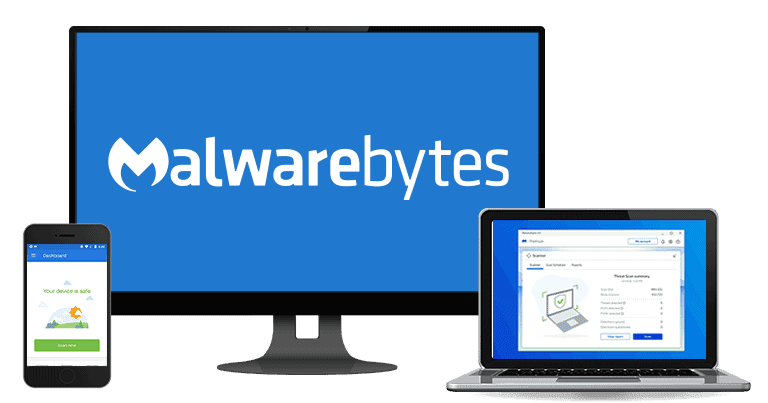
Malwarebytes has recently rebranded and split into 2 units. Malwarebytes, the first unit, is marketed toward consumers and smaller businesses, while ThreatDown, the second unit, is predominantly marketed to larger firms.
ThreatDown (powered by Malwarebytes) takes a proactive approach to combating malware. Its malware scanner employs heuristic analysis to detect previously unknown malware strains. All plans also include:
- Remote deployment and management — Malwarebytes security can be deployed and managed on endpoints you don’t have physical access to, including those in-house and on your remote employees’ computers.
- Cloud-based endpoint protection — ThreatDown provides consistent security across all endpoints, including remote endpoints, via a cloud-managed platform. This enables unified security policies and protections across all company devices.
- Real-time threat monitoring — ThreatDown’s platform provides administrators with real-time insights into threats and incidents across all endpoints, enabling swift responses to potential security issues.
Depending on your plan, ThreatDown also includes:
- Ransomware, zero-day exploits, and phishing protection.
- Threat remediation.
- Patch management.
- Windows ransomware rollback.
- DNS filtering.
ThreatDown comes with innovative tools, including Flight Recorder, which lets you search event data from the last 30 days across all endpoints, enabling you to hunt down or analyze any security issues that may occur. Flight Recorder lets you search files, registry, networking, and processes (and these different types of events are color-coded to help you interpret the report easily). EDR in higher plans offers automated rollback and threat analysis, which are crucial for small- to medium-sized businesses without a SOC to manage ransomware incidents.
ThreatDown doesn’t require a dedicated IT team to manage, as it’s exceptionally lightweight and user-friendly. However, a notable downside of ThreatDown is that mobile protection is available only as a relatively pricey add-on.
ThreatDown Advanced starts at $395.00 / year per device, while Elite starts at $495.00 / year per device and adds full EDR, ransomware rollback, and 30-day telemetry search via Flight Recorder (ThreatDown MDR is available as an add-on service for 24/7 monitoring & response). The most comprehensive plan, Ultimate, costs $595.00 / year per device and adds broader controls (e.g., DNS filtering) and the complete toolset. Every plan has optional add-ons for mobile and server protections.
Bottom Line:
ThreatDown (powered by Malwarebytes) is a simple cybersecurity program with dedicated server solutions. It has a decent range of features, providing both small and medium-sized businesses with good antivirus protection.
Read our full Malwarebytes Review
4. Intego ONE — Best Antivirus for Mac-Based Smaller Businesses

Intego ONE is my favorite business antivirus solution, tailor-made for macOS. Its offerings include antivirus protection, network security, and advanced Mac optimization tools.
Intego ONE can protect both in-office and remote employees with features like:
- Two-way firewall protection — adapts to home, public, and work networks, providing smart two-way firewall protection. This means employees are shielded against network-based threats, no matter where they connect from.
- Real-time malware protection — continuously monitors for malware threats, including those introduced via unsecured public Wi-Fi networks — a common risk for remote workers.
- Pairs with third-party EDR (or managed service provider-led MDR) — no native EDR/MDR — works well for Mac environments without dedicated SOCs, focusing on optimization over advanced response.
Intego ONE effectively detected and removed various malware types, including ransomware, trojans, adware, and rootkits, without impacting my Mac’s performance. The scanner is fast and efficient, using file caching to skip previously scanned files and saving valuable time.
It also has practical optimization tools (SmartClean) that can help you remove duplicate and junk files. It’s a useful feature, and it cleaned a lot of unnecessary junk I didn’t even know existed on my Mac, which improved my device’s performance.
However, the biggest downside is the lack of a centralized management hub. More advanced business-oriented features, such as remote deployment, server encryption, or patch management, are also missing from its bundles. Finally, there’s no phishing protection, and all the plans are Mac-only (although you can connect your business iPhone to a Mac and run a scan on it as well). Businesses with more extensive needs may want to consider options like Bitdefender or Kaspersky.
All of Intego ONE’s plans can be bought directly from the official website if you just need protection for up to 5 Macs. If you have more business devices than that, you can reach out to Intego’s sales team for a quote. All plans come with a 30-day refund policy.
Bottom Line:
Intego ONE is a market leader for Mac device security, and its business offerings are a good choice for smaller companies that primarily use Macs. Intego provides both antivirus and network security, and the more advanced plans include the SmartClean optimization tools and the VPN.
Read our full Intego ONE for Mac Review
Editor's Note: Intego ONE and this site are in the same ownership group.
5. Kaspersky — Best Antivirus for Small-to-Medium-Sized Businesses
Kaspersky has a great anti-malware scanner that combines a malware database and cloud-based machine learning to detect the latest threats. Similar to Bitdefender, Kaspersky’s malware scanner caught a large number of the malware samples I hid throughout my PC, including rootkits, keyloggers, trojans, ransomware, and others.
Kaspersky’s Small Office Security offers some core security capabilities for businesses with up to 49 employees:
- Centralized management console — the web-based console allows administrators to add or remove endpoints, review alerts, and update devices remotely, so both in-office and remote endpoints have consistent protection.
- Full endpoint protection — protects desktop and mobile devices with an antivirus, web protection, and a firewall.
- Vulnerability and patch management — to keep systems up-to-date and close any potential vulnerabilities.
- File server protection — protects your servers by encrypting them, backing up the data on them, and checking them for malware.
More useful features are available as add-ons or on more expensive plans:
- Password manager — (Small Office Security add-on).
- VPN (Small Office Security add-on).
- EDR Optimum delivers managed detection and response — (automating threat hunting for teams without SOC resources).
- Unified security policies.
- Device control.
- Cloud security for Office 365.
- Online security training on incident response and threat detection for IT teams.
Kaspersky offers multiple business plans for small to medium businesses (enterprise-level solutions are also available). The simplest one is Small Office Security, which doesn’t require IT expertise to implement and maintain. It starts at $111.00 / year for 3 users (a maximum of 49), including 3 desktop and 3 mobile licenses.
Kaspersky Next EDR Foundations (starting at $247.50 / year, 5–99 employees ) includes cloud monitoring, security policies, device control, and basic EDR for automated threat detection when you don’t have a SOC. Kaspersky Next EDR Optimum (starting at $590.00 / year, 5–99 employees) adds deeper analysis and managed hunting options — MDR/XDR services are available separately, depending on region. All plans include a 30-day trial and a 30-day money-back guarantee. Unfortunately, due to regulatory reasons, Kaspersky cannot be sold to US customers.
Bottom Line:
Kaspersky is a secure, reliable antivirus with a wide range of business solutions for businesses of all sizes. All of its business plans are scalable depending on your company’s IT management and needs.
Read our full Kaspersky Review
Quick Comparison Table
Editor's Note: Intego ONE and this site are in the same ownership group.
Testing Methodology: Comparison & Ranking Criteria
I followed our comprehensive testing process to find and rank the best antivirus solutions for businesses in 2026. My evaluation included analyzing malware protection, ease of use, business-specific features, multi-device coverage, value, and advanced solutions for modern security challenges. Each product on this list excelled in real-world tests, surpassing its competitors. Here’s a breakdown of the criteria I used:
- I tested malware detection rates and security capabilities. I looked at each antivirus’s ability to defend against advanced threats like ransomware, spyware, and rootkits. Additionally, I checked for solutions that included endpoint protection, essential for securing multiple devices on a business network.
- I considered remote work security challenges. I looked for antivirus solutions offering advanced endpoint protection, VPN integration, and remote management capabilities to secure off-site employees. As remote work increases, protecting the expanded security perimeter is essential for businesses.
- I evaluated ease of use across different user types. I tested each software’s interface and features to ensure that technical and non-technical users could easily navigate it. I paid special attention to whether these solutions were appropriate for businesses of varying sizes.
- I assessed business-focused features. I evaluated MDR/EDR effectiveness in SOC-less environments, testing automated response times and ease of use for non-experts, sandboxing options, and the firewall’s strength. I also looked at each product’s ability to detect and protect against unsecured Wi-Fi connections, which is increasingly important as more employees work remotely.

- I tested for multi-device coverage. I ensured each antivirus solution could protect various devices, including PCs, Macs, smartphones, and tablets. I also reviewed whether each provider’s plans were scalable enough to grow with a business’s needs, with solutions like Bitdefender‘s mobile security offerings standing out.
- I evaluated regulatory compliance and reporting features. Many businesses must comply with industry regulations such as GDPR, HIPAA, or PCI DSS. I sought solutions that offer compliance support through detailed reporting and data protection tools to help companies meet their regulatory obligations.
- I evaluated each product’s overall value. I considered how much businesses would get for their money, looking at features, scalability, and risk-free guarantees like Norton’s 60-day money-back policy.

- I evaluated the customer support and service offered by each provider. Businesses need prompt and reliable assistance to resolve security issues. I reviewed the quality and accessibility of each company’s customer support, including 24/7 availability and whether they provided dedicated account managers.
Personal vs. Business Antivirus Solutions: Key Differences
Do you need a dedicated business antivirus suite to protect your business from cyber threats? Or is a personal antivirus you already use to protect your home devices enough? To help you decide, I’ve compiled this list of key differences between personal and enterprise antivirus solutions:
- MDR/EDR Availability. Personal plans lack managed response for advanced threats, while business solutions offer it for teams without SOCs, automating detection to prevent breaches.
- Scalability. Personal antivirus solutions are typically designed to protect a single device or a few of them, whereas enterprise antivirus solutions can be deployed across dozens or even hundreds of devices.
- Customization. Compared to personal antivirus solutions, enterprise antiviruses usually offer more customization options. IT administrators can more effectively adjust security settings to meet the organization’s unique needs.
- Management. Individual users typically manage personal antivirus solutions. In contrast, enterprise antivirus solutions are centrally managed, enabling greater control over security settings and better coordination of security protocols across the organization.
- Pricing. Individual antivirus solutions are often free or available through an affordable subscription model, while enterprise solutions may be pricier due to additional features and customization options.
- Technical support. This is typically better in business-grade antivirus software than personal ones. While company IT departments can get dedicated help with deployment, setting up, and troubleshooting, individuals might have to rely on community forums or knowledge bases for support.
Does My Small Business Really Need an Antivirus?
Every business, regardless of size, needs antivirus software. With cyber threats rapidly evolving, small businesses are increasingly becoming targets. Hackers take advantage of the fact that many small business owners believe they don’t have enough valuable information on their servers to be worthwhile targets — whereas, in reality, small businesses often hold sensitive data like customer information, payment details, and more.
An antivirus is the first line of defense against cybercriminals trying to steal this information, protecting your digital assets from malware, ransomware, and other cyberattacks. This is also important for small businesses with remote employees, as remote work can bring added security risks if devices aren’t adequately protected.
Additionally, your role as a business owner extends beyond protecting your assets — it also involves safeguarding your employees’ and clients’ data. Cyber attacks can result in extensive data breaches that put everyone at risk. A reliable antivirus program is critical to upholding this responsibility, preserving the trust and confidence integral to your business relationships.
Lastly, it’s your legal obligation to comply with data privacy laws such as GDPR or the California Consumer Privacy Act. These laws require businesses to implement reasonable measures to ensure data protection, and non-adherence can lead to severe penalties.
Especially without a dedicated SOC — which most small businesses lack due to limited resources and expertise — MDR-equipped antivirus solutions (with outsourced 24/7 response) and EDR tools (for real-time detection) are essential for automating responses to evolving threats like ransomware, protecting data, and ensuring compliance. Don’t let the size of your business determine your level of protection.
Top Brands That Didn’t Make the Cut
- Avira. Unfortunately, Avira no longer offers a dedicated business product line. While Avira Prime is a great antivirus for home use, it can technically be used to protect your business devices as well. That said, there are better business-focused offerings on the market.
- Heimdal. While Heimdal offers very advanced cybersecurity protection, it may be too complex for many businesses looking for an easy-to-use antivirus suite. That said, it could be a good option for larger enterprises with dedicated IT teams that can install and manage the software.
- Webroot. Webroot is lightweight, offers strong malware scanning, and includes an excellent password manager, but its ransomware protection is disappointing. Additionally, Webroot’s system optimization tools are very basic.
Frequently Asked Questions
What is the best antivirus for businesses?
Bitdefender is my #1 pick for businesses looking for an antivirus. Depending on the business suite your business chooses, the following features are available:
- Endpoint detection and response.
- Application and device management.
- Network security.
- Mobile device protection.
- Sandbox analyzer.
- Threat intelligence solution.
- MITRE event tagging.
Bitdefender GravityZone’s dedicated business solutions are highly versatile, including plans for small businesses as well as plans with more advanced tools for medium-to-large enterprises.
How do antivirus solutions support businesses with remote workers?
Most modern business antiviruses offer specialized features to help secure remote work environments. These include cloud-based management consoles, which allow IT administrators to deploy, manage, and monitor security policies across all devices, even those outside the office.
Platforms like Bitdefender and Norton also offer remote deployment capabilities, allowing security agents to be installed on off-site devices without requiring physical access.
Some solutions also offer tools like zero-trust security models, shadow IT discovery, and real-time threat monitoring to protect against external threats and unauthorized access on networks commonly used by remote employees, such as public Wi-Fi.
What is the best antivirus for businesses using Mac computers?
Intego ONE is my preferred provider for businesses that primarily use Macs. Intego ONE’s products are developed specifically for Mac users, so businesses using Mac computers can be assured that its anti-malware scanner protects against the latest Mac-based threats.
Intego ONE doesn’t offer as many advanced features as Bitdefender, like a sandbox or a central hub; however, its reputation as a Mac-specific security suite is well-earned, and it will provide Mac-dominant companies with the best all-around protection.
If your company uses a mix of Mac and PC devices, Intego ONE remains a good option, as it also protects Windows devices. It can identify Windows- and Mac-based threats, protecting your business against all vulnerabilities.
How do I choose the best antivirus for my business?
Consider what features your business requires. Do your employees travel often? How many employees work remotely, and how is confidential information handled? Depending on factors like these, specific features, such as protection against unsecured Wi-Fi connections and file encryption, should be prioritized. Bitdefender is an excellent option for businesses that require many features, including these and more.
Also, consider who will be managing the antivirus program. Regardless of whether your company has an IT administrator, department, or a non-technical person managing the system, you will want to choose a solution that they can use efficiently. Norton Small Business is a great, user-friendly antivirus option for businesses without a dedicated IT team.
Other considerations include the number and type of devices requiring protection — if you’re a growing company, you’ll want to find a company with scalable license options. And if you want to protect PCs, Macs, tablets, and smartphones, be sure to choose an antivirus program compatible with all your devices.
Do you need an antivirus for your business?
Yes! While some devices have built-in security features, they are far from sufficient to protect your business and client data. Many jurisdictions require businesses to comply with strict data protection laws, so it’s important to have high-level security solutions in place, including antivirus protection.
Hackers and cybercriminals are constantly looking for vulnerabilities to exploit, including through advanced ransomware attacks. By choosing an antivirus program specifically designed for business use, you can protect your business from the inconvenience and huge cost of cyber attacks by keeping up to date with the latest emerging threats.
Bitdefender is my top choice because it offers plans tailored to provide optimal protection for all types of companies.
Can I use a personal antivirus plan for my small business?
You can use a personal antivirus for your small business, but there are important considerations before doing so. For example, personal antiviruses have scalability limitations and are less likely to offer features many businesses find essential (such as centralized management).
That said, with an antivirus like Norton, it’s very easy to take the step from personal protection to small business protection, and it means you can get an oversight of your employees’ devices in a way that you would never be able to with a personal plan.
How concerned should I be about cyber attacks on my small business?
Small-to-medium-sized businesses are common targets of cybercriminals. What’s more, the damage can be far-reaching: a successful cyberattack can severely impact a small business by causing financial losses, disrupting operations, eroding employee morale, eroding customer trust, and potentially leading to legal repercussions. Such consequences may hinder growth and, in severe cases, force the business to close.
So it’s critical to invest in a comprehensive cybersecurity package like Bitdefender Small Office Security. It offers flawless protection against all kinds of malware, webcam and microphone protection to secure your online meetings, and a secure browser for financial transactions. It’s super intuitive and easy to use, too, making it a good option for small businesses that don’t have tech expertise on hand.
Editor's Note: Intego ONE and this site are in the same ownership group.