

Fortinet Review: Quick Expert Summary
Fortinet is a powerful security suite for business and enterprise users. It offers excellent features to protect up to 10,000 endpoints, including:
- Antivirus scanner.
- Vulnerability scanner.
- Web filter.
- VPN.
- Firewall.
- Sandbox.
- And more…
However, you can only access Fortinet’s features if you connect to the Endpoint Management System (EMS). This intuitive web-based dashboard gives administrators complete control over endpoints on their network. It works well and is easy to navigate, but it requires an internet connection for management. There’s no offline access for organizing or deploying configurations, which is a bit limiting.
Home users can connect up to 3 devices to the EMS using Fortinet’s free trial — but if you’re a home user, you’re still better off choosing one of our best antiviruses in 2026. Fortinet involves a complicated setup process, including running your own SQL server (a database management system used to store and retrieve data).
Overall, I found that FortiClient offers excellent malware protection, a powerful firewall, and it’s really easy to use, but it’s developed for business users. Home users are better off choosing an alternative antivirus like Norton, which doesn’t require a server to run in the background.
Fortinet Full Review — Powerful Security Suite for Businesses
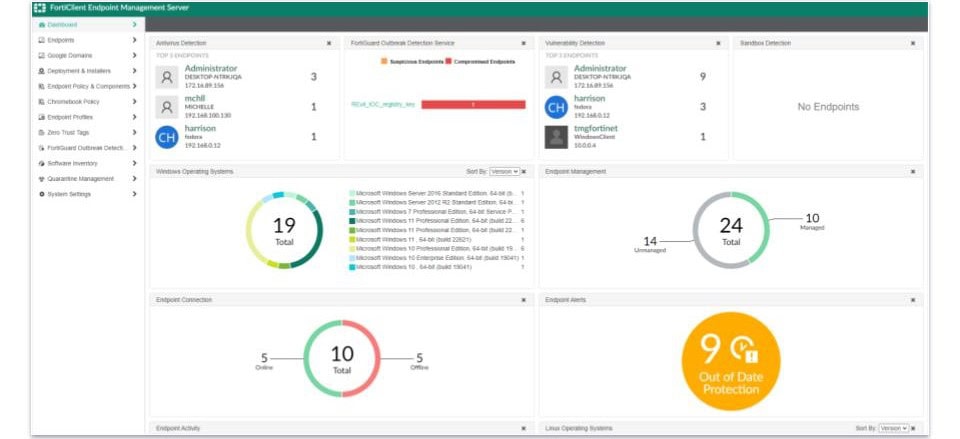
Fortinet is a solid security suite for enterprise and business users. It includes good malware protection, an in-depth vulnerability scanner, and a powerful web filter.
However, none of Fortinet’s features work unless FortiClient is connected to the EMS — which is disappointing. This requirement, along with the high entry point of premium plans and the complicated setup process for the 3-user free trial, makes Fortinet impractical for home users.
Home users should instead pick an antivirus from our list of the top 10 best antiviruses.
Fortinet Plans & Pricing — Good Value Options for Different Business Sizes
Fortinet offers many different pricing options for enterprise and small business users. Because the options are quite complicated, Fortinet has an in-depth ordering guide.
However, to keep this review simple, I’ll focus on FortiClient and its EMS — taking Fortinet’s product and download page at face value. With that in mind, Fortinet comes with 4 different plans:
- ZTNA Edition.
- EPP/APT Edition.
- FortiClient EMS.
- FortiClient VPN only.
Whether you pick the ZTNA Edition or the EPP/APT Edition, you’ll download the same FortiClient installation — which won’t work without purchasing FortiClient EMS first. I don’t really get why FortiClient EMS isn’t packaged into each plan. On top of that, Fortinet doesn’t offer a money-back guarantee, and the free trial only supports the ZTNA Edition.
Here’s what you get with each version of Fortinet:
Fortinet Security Features — Excellent Security Tools (Remotely Protect Multiple Endpoints)
Fortinet comes with an excellent set of security features, including:
- Malware scanner.
- Web Filter.
- Vulnerability scan.
- Firewall.
- VPN.
- And more…
Fortinet’s malware scanner has a wide range of scanning options, all of which can be run from the endpoint or launched remotely from the Endpoint Management System (EMS). These include quick scans, full scans, custom scans, and removable media scans. They’re all pretty good, but remember, if you’re a home user, Bitdefender’s cloud-based scanner will put less strain on your computer because it doesn’t need to connect to a host server to run the scan.
FortiClient, the individual app, needs to be installed on each endpoint. This app connects to the EMS, allowing administrators to remotely manage and run scans. The EMS provides a centralized interface to initiate scans, view results, and manage the quarantine folder across all endpoints. This setup makes it easy for administrators to quickly check multiple machines for malware without accessing them individually. I also like how Fortinet’s EMS lets you see each machine’s quarantine folder. You can go into any scanned computer from the EMS and quickly clear out its quarantine list.
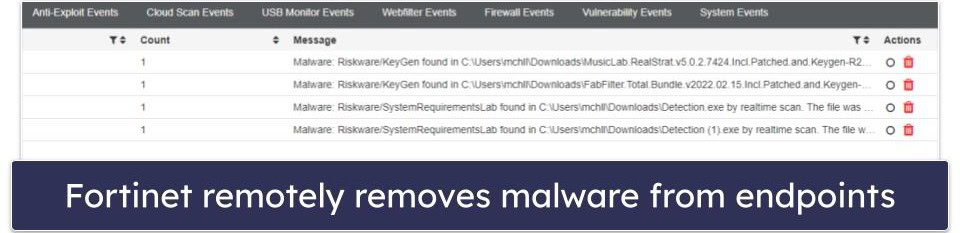
However, the only downside — as mentioned above — is that FortiClient needs to be connected to the EMS before you run the malware scanner. Many top competitors can be run on individual machines without being connected to a management console.
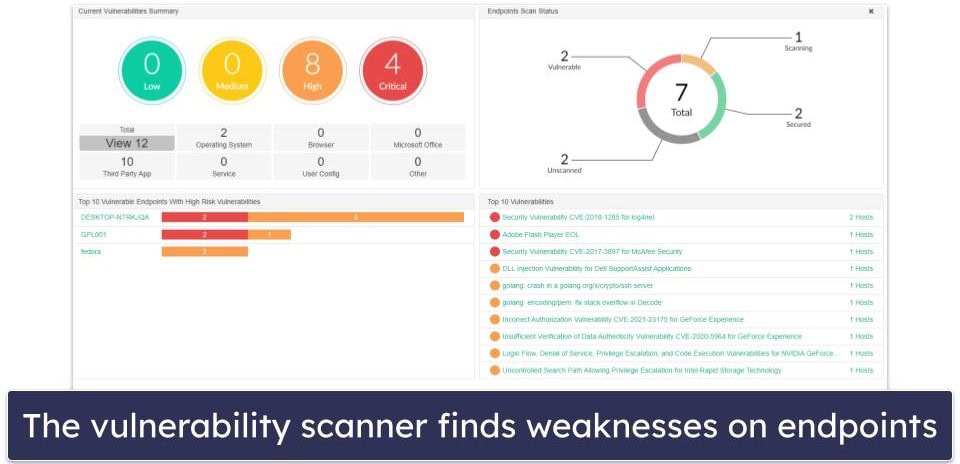
The vulnerability scanner is a really useful tool. It scans your endpoints for known weaknesses (like DLL injections, DOS attacks, and more) and helps you patch them. However, just like with the antivirus scanner, the endpoint must be connected to the EMS for the vulnerability scanner to work.
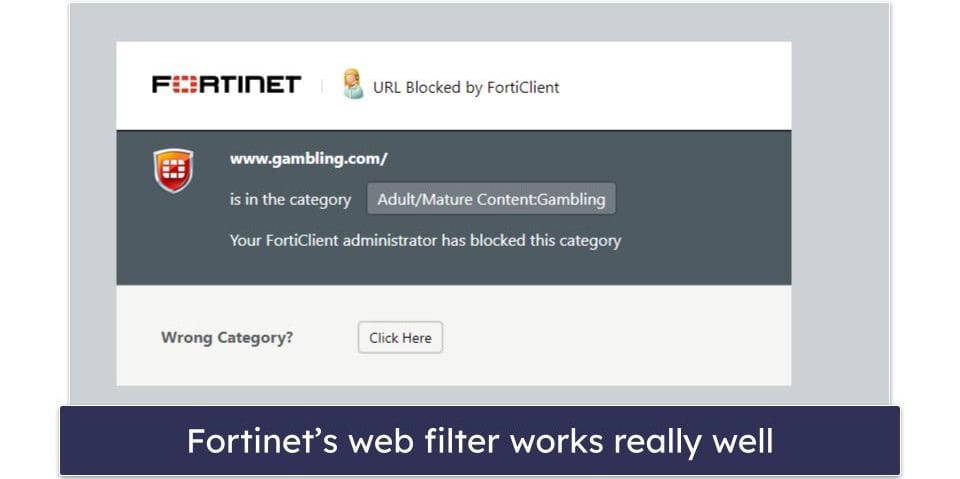
Fortinet’s web filter is pretty good — it automatically blocks malicious and inappropriate websites, allows you to create custom profiles for specific machines, and lists every website an endpoint user has tried to visit. It also has 80+ predefined website categories, including social media, porn, and gambling — this is more than what many other filters offer, although Norton Family’s detailed reporting and monitoring tools make it a superior choice for families.
Fortinet provides a pretty good signature-based firewall that can prevent network-based attacks on machines in your network. It also has several customization options, but I was surprised at some of them. For example, you can switch off Fortinet’s ability to detect and block exploits — and I don’t know why anyone would want to do that.
Fortinet offers a VPN, but it works differently from most VPNs on the market. Instead of connecting to a preconfigured server in a specific country, Fortinet’s VPN requires an enterprise firewall or FortiGate virtual machine (the virtual version of Fortinet’s physical firewall) to be running. This means the VPN acts more as a secure gateway to the FortiGate firewall, providing enhanced web protection rather than traditional geographic IP masking.
Fortinet Ease of Use & Setup — Easy Setup for Dedicated IT Teams
Any business with a dedicated IT team should have no trouble installing and setting up Fortinet. However, home users are better off choosing another antivirus with a more straightforward setup process, like the ones on our list of the top 10 best antiviruses.
Once you’ve connected your endpoints, the EMS features an overview screen that displays all of the most important information.
The navigation menu on the left side of the screen allows you to access all of the EMS’s features with just a few clicks.
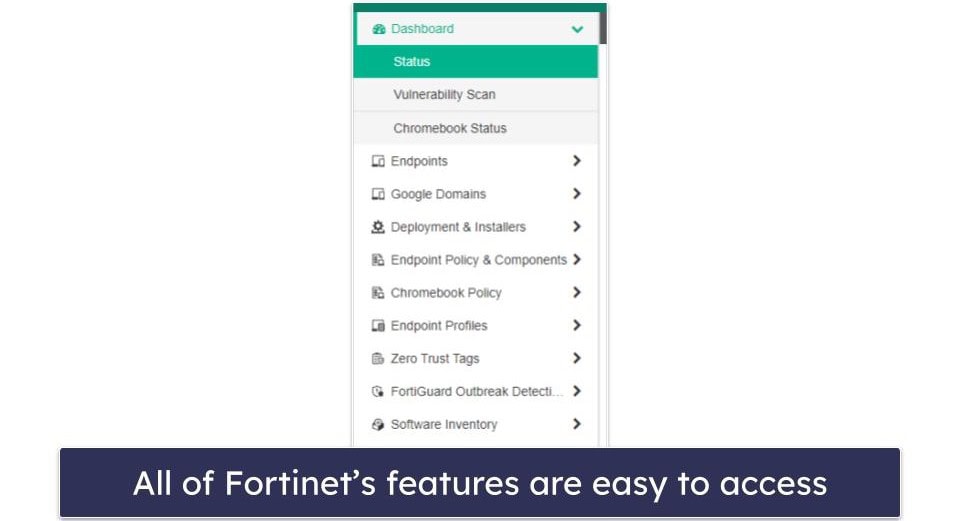
If you click Endpoints, All Endpoints, you can see the latest events for every endpoint on your network. I like how the menu is laid out, with important events highlighted on the right-most part of the screen.
For example, the red AV label in the image above indicates an antivirus detection, and the blue VUL label indicates a vulnerability detection. You can click on the label to get more information about that specific endpoint. In this case, clicking the AV label brings up the endpoint’s quarantine folder.
Fortinet’s mobile app for iOS and Android works similarly to FortiClient for desktop — most controls are accessed via the FortiClient mobile app when the EMS is connected.
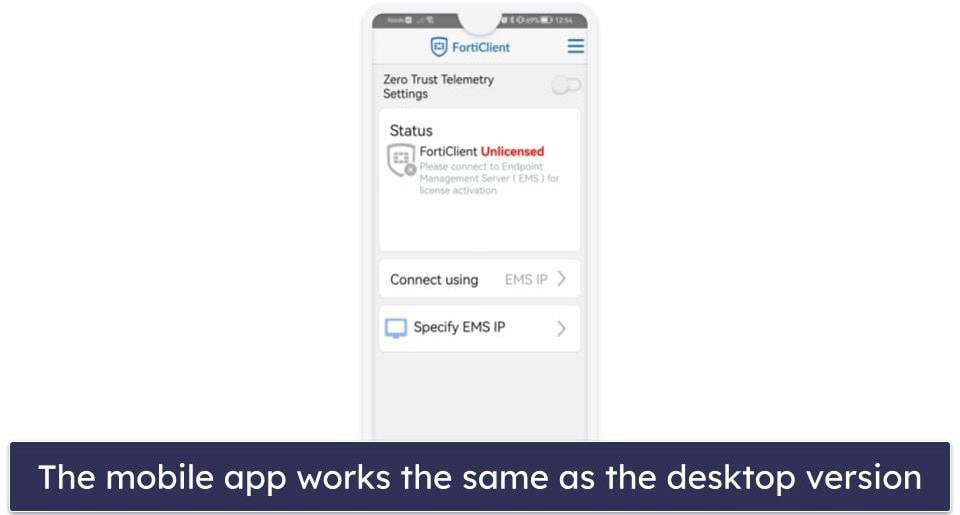
Unfortunately, you can’t do much without connecting the app to the EMS first. That said, if the mobile app is connected, administrators can initiate remote malware and vulnerability scans of your mobile device from the web.
I like how the mobile app provides quick access to your phone’s settings. However, if you’re a home user, you’re better off choosing one of the best antiviruses for Android or iOS — they all provide more features for individuals and don’t require a connection to an EMS to function.
Fortinet Customer Support — One of the Best Knowledge Bases on the Market
Fortinet offers many customer support channels, including:
- Phone support.
- Live chat.
- Support ticket system.
- Knowledge base.
- Support forum.
Fortinet offers live chat and has phone numbers in over 80 countries — which is pretty impressive.
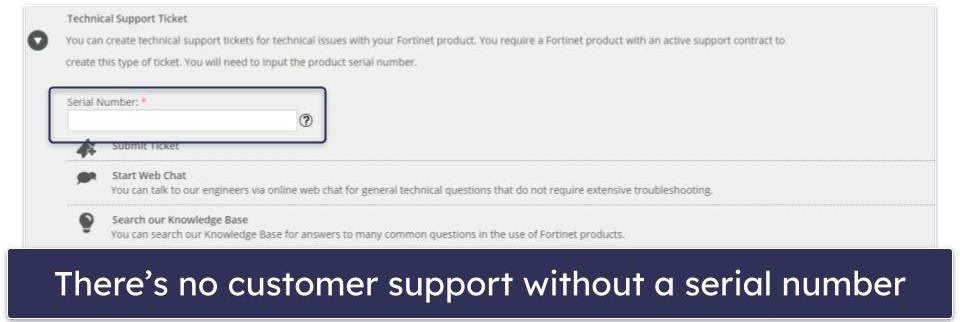
To get technical support, you have to create an account first. Once registered, you can submit a ticket or chat with Fortinet’s customer service agents. That said, I wasn’t impressed with either of these support options. You won’t get any help unless you provide a serial number and prove you’re using a paid version of the software — many competitors, such as Bitdefender, let you contact live chat support over the phone or email without purchasing any software or giving away any details.
When I tested the email support, they took 2 days to respond. In comparison, when I emailed Norton, its email support team replied in a few hours.
That said, Fortinet provides one of the best knowledge bases I’ve ever used. Each security application comes with thorough guides, and I like how you can search for technical tips, solutions, and common troubleshooting issues with just a few clicks. You can also get answers for older product versions, which is cool.
Fortinet also provides admin guides and instructions for all of its products, which I found extremely helpful.
Is Fortinet Good for Home Users?
Unfortunately, Fortinet isn’t good for home users. It wasn’t built with home users in mind; therefore, it’s only available at a high entry point with features intended for business users. Fortinet offers a free trial for up to 3 endpoint licenses, but it has a complicated setup process, so most users are better off choosing an alternative antivirus meant for home use.
That said, if you’re running a business, Fortinet is a good way to protect all of your endpoints. It has many features, including an in-line malware scanner, vulnerability scanner, firewall, web filter, and more. It’s also straightforward to use. The web-based EMS dashboard provides high visibility for all of your network’s endpoints and makes running remote scans easy.
Fortinet’s mobile app is pretty good, but you need to be connected to the EMS for it to work. If you are connected to Fortinet’s EMS, you get the same features as the desktop version — depending on whether you’re using ZTNA or EPP/APT edition. For example, if you’re using the EPP/APT edition, you get malware and vulnerability scans, but if you’re using the ZTNA edition, you just get vulnerability scans.
Overall, Fortinet is good for business and enterprise users — but not for home users. It has various features to protect up to 10,000 endpoints, and it’s really easy to use.
Frequently Asked Questions
How does Fortinet antivirus work?
Fortinet’s antivirus works like most antiviruses on the market. It scans your computer or endpoints for malware. However, FortiClient needs to be connected to Fortinet’s EMS via an invite code or URL before Fortinet’s antivirus scanner can work.
Connecting Fortinet’s antivirus to the EMS comes with several advantages. For example, it lets you remotely initiate malware scans on your endpoints from Fortinet’s web-based dashboard.
Are Fortinet and FortiClient the same?
No, Fortinet and FortiClient are not the same. Fortinet is the company name, and it provides several different solutions:
- Fortinet Endpoint Management Server (EMS). This is the web-based dashboard used to control all endpoints.
- FortiClient.This is the individual piece of software that’s installed on your Windows, Mac, Chromebook, iOS, Android, or Linux device. It will not operate without connecting it to the Fortinet EMS first.
- FortiGate. This is Fortinet’s firewall, and it’s available as physical hardware or a virtual machine (also known as FortiGate-VM).
To get Fortinet fully functioning across your network, you’ll need to do your research and pick the right products.
Is FortiClient a good antivirus?
FortiClient is a good antivirus, but only for business or enterprise users. Home users will find they’re paying for an overpowered solution that they don’t need.
If you want to protect your entire household, you’re much better off picking an antivirus with a good family plan — like Norton 360 Deluxe, which offers coverage on up to 5 devices.