

Published on: January 31, 2022 Updated 11 times since publishing
- 🥇 ExpressVPN . While it’s not free, it’s hands-down my favorite VPN for Mac in 2026, and it comes with a 30-day money-back guarantee for first-time users. ExpressVPN works flawlessly with the latest macOS versions and has a feature-rich macOS app. It’s also got top-notch security, unbeatable speeds, and works with over 100 different streaming sites.
There are only a few good free VPNs for Mac. However, many free VPNs don’t work with the latest macOS versions, don’t support Apple’s M chips, or conflict with certain Mac features (such as Keychain, Firewall, and security settings like GateKeeper). Other free VPNs lack macOS apps or have bad macOS apps that are missing many features.
Instead, I recommend getting an affordable paid VPN. ExpressVPN is my favorite VPN for Mac in 2026. It’s fully compatible with both old and new macOS versions and Apple chips, and it has a bug-free and feature-rich macOS app. Additionally, it offers strong security features, fast speeds, and great streaming and P2P support.
Still, if you only want a free VPN for your Mac, there are some decent options out there — all the providers I mention in this article have free plans that are secure, come with user-friendly apps, and some even provide access to extra features. Editor's Note: ExpressVPN and this site are in the same ownership group.
TRY EXPRESSVPN (30 DAYS RISK-FREE)
Quick Summary of the Best Free VPNs for Mac in 2026


Update May 2025: In this update, we made significant changes to the reviews, including adding a pros/cons table to each one. We also made various adjustments to improve its overall clarity and replaced Avira Phantom VPN with TunnelBear.
🥇1. ExpressVPN — Best VPN for Mac in 2026

Basic 12-Months plan: $3.99 / month
1-month plan: $12.99 / month

ExpressVPN doesn’t have a free plan, but it has a 30-day money-back guarantee. So, you can test it out risk-free and get a full refund if you’re not happy with it. It’s compatible with macOS versions 10.13 and later and works flawlessly with all macOS features. I like how its macOS app gets incorporated in the Menu Bar, too, so you can control the VPN without having to go into the app.
- Large server network
- No speed limits
- Unlimited data
- Streaming and torrenting support
- No free plan
It has servers in 105 countries. In comparison, Proton VPN only offers 5 with its free plan. Having a large server network gives you more options for changing your location and allows you to connect to a closer server for faster speeds. ExpressVPN doesn’t throttle your speeds either, unlike hide.me and Hotspot Shield.

This is the best VPN for streaming — it works with 100+ streaming apps, including Netflix and Disney+, and their various international libraries. The majority of free VPNs can’t reliably access streaming sites. ExpressVPN also allows torrenting on all servers (most free VPNs don’t support torrenting).
The VPN allows 14 device connections, which is very solid — most free VPNs for Mac only allow a single connection. If this isn’t enough for all your household devices, you can also make use of ExpressVPN’s dedicated router app. This way, all of the devices connected to your router will be connected to the VPN. The only free VPN on this list that offers router support is Proton VPN.
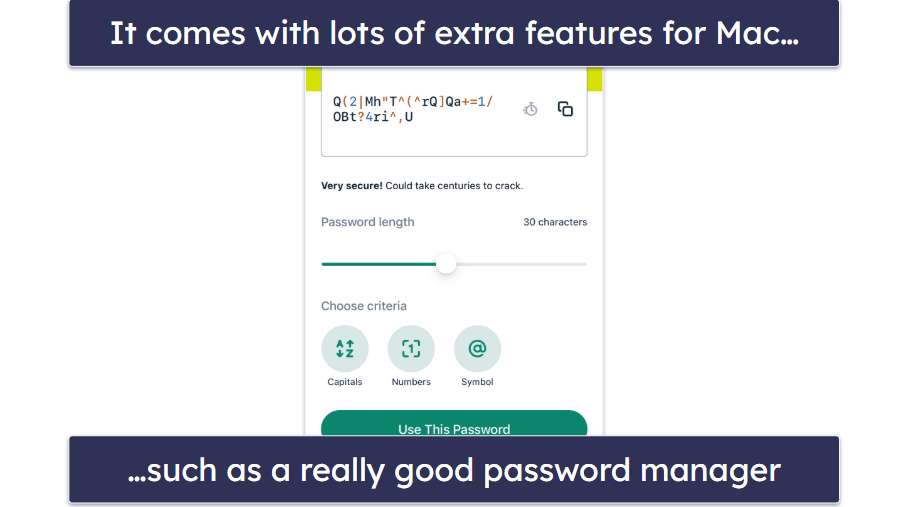
This VPN comes with lots of bonus features, so you get a lot of value for your money. I especially like Advanced Protection, which is a great ad, tracker, and malware blocker for Safari. ExpressVPN Keys is a password manager that lets you generate strong passwords for extra security and protects them in a digital vault. Free VPNs for Mac rarely include these types of extra features. Additionally, ExpressVPN is one of the only VPNs out there with split-tunneling on macOS (version 10.15 and below). This allows you to select app traffic to exclude from the VPN tunnel.
Finally, I was really happy with ExpressVPN’s customer support. It has 24/7 live chat, which is available to everyone, regardless of whether you’re a subscriber or not — many free VPNs don’t provide access to real-time assistance. Its library is also full of articles for Mac users, including setup guides and troubleshooting help.
Bottom line:
ExpressVPN is the best Mac VPN in 2026. It’s not free, but it has affordable plans that come with a risk-free 30-day money-back guarantee, which gives you tons of time to test all of its features. It’s fully compatible with all of the latest macOS versions and features and has a large server network. It’s also the best VPN for streaming and torrenting, and comes with lots of extra features.
Read our full ExpressVPN review here
🥈2. Proton VPN — Free VPN for Mac With Unlimited Data + No Speed Limits


12-month plan: $3.49 / month
1-month plan: $4.99 / month
Proton VPN is a free VPN for Mac without a data cap or a speed limit. This is really generous — TunnelBear limits free users to 2 GB of data per month, and both hide.me and Hotspot Shield have speed limits.
- Unlimited data
- No speed limits
- Router support
- Can’t select server location
- Only allows 1 connection
Its macOS app is also very user-friendly, and it’s compatible with all macOS versions from 10.12 (Sierra) onwards. I didn’t encounter any conflicts between Proton VPN and macOS’s security features either, including Firewall, which many other free VPNs have issues with.
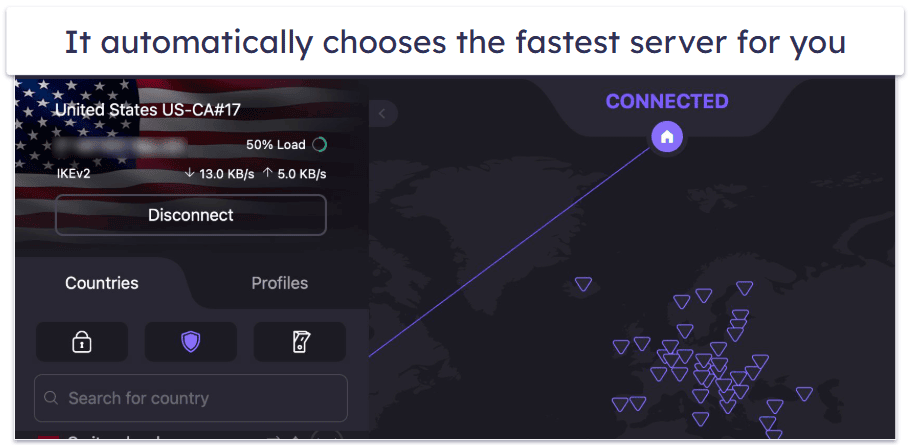
Proton VPN’s free plan gives you access to servers in 5 countries, including the US, Japan, the Netherlands, Romania, and Poland. However, you don’t get to choose which server you connect to — Proton automatically chooses the best possible server for your location.
Unfortunately, the free plan isn’t great for streaming (I recommend getting ExpressVPN for streaming on Mac instead). In my tests, it only worked with Netflix and Amazon Prime 50% of the time. It doesn’t support P2P file sharing, either. And, like most VPNs, its Mac app doesn’t have split-tunneling. While you can only use the VPN on 1 device, you can get around this by setting up the VPN on your router — Proton VPN is the only free VPN on this list with router support.
Bottom Line:
Proton VPN’s free plan provides unlimited data and doesn’t throttle your speeds. It’s also fully compatible with macOS’s security features and offers router support. However, Proton VPN’s free plan is unreliable for streaming and doesn’t support torrenting.
Read our full Proton VPN review
🥉3. hide.me — Decent Mac VPN With a Large Free Server Network

12-month plan: $4.58 / month
1-month plan: $11.99 / month
hide.me has a great server network on its free plan, providing access to servers in 7 countries, including the US, the UK, and the Netherlands. This is more than any other free VPN on this list. It also offers unlimited data with zero ads.
- Unlimited data
- Great free server network
- Includes split-tunneling
- Has speed limits
- No streaming and torrenting support
It’s compatible with macOS versions 10.12 and later and has support for Apple Silicon chips. I like that it automatically reconnects to the VPN when your device wakes up, too (Apple disables all network devices when your device goes to sleep), so your data is never accidentally exposed. It’s also one of the few free VPNs for Mac with split-tunneling.

Unfortunately, hide.me only allows 1 device connection on the free plan and doesn’t support router setups like Proton VPN. It also limits your speeds and doesn’t support torrenting or streaming unless you upgrade.
Bottom line:
hide.me provides unlimited and ad-free data on its free plan, as well as a relatively large number of free server locations to choose from (it has servers in 7 countries). But it lacks streaming support, has limited speeds, and only allows 1 device.
4. Hotspot Shield — Fast & Secure Mac VPN for Browsing

1-month plan: $12.99 / month
Hotspot Shield is a great free VPN for browsing Safari. It supports Macs running Apple silicon chips and is compatible with the newer Mac software versions. It provides unlimited data and fast speeds, thanks to its proprietary Hydra protocol. It also has a convenient feature called Notify on public WiFi, which sends you an alert every time your Mac gets connected to an unsecured network. This helps you stay aware of potential security risks and ensures you can take appropriate action to protect your data when using public Wi-Fi.
- Unlimited data
- Fast proprietary Hydra protocol
- Includes split-tunneling
- Small free server network
- No streaming support
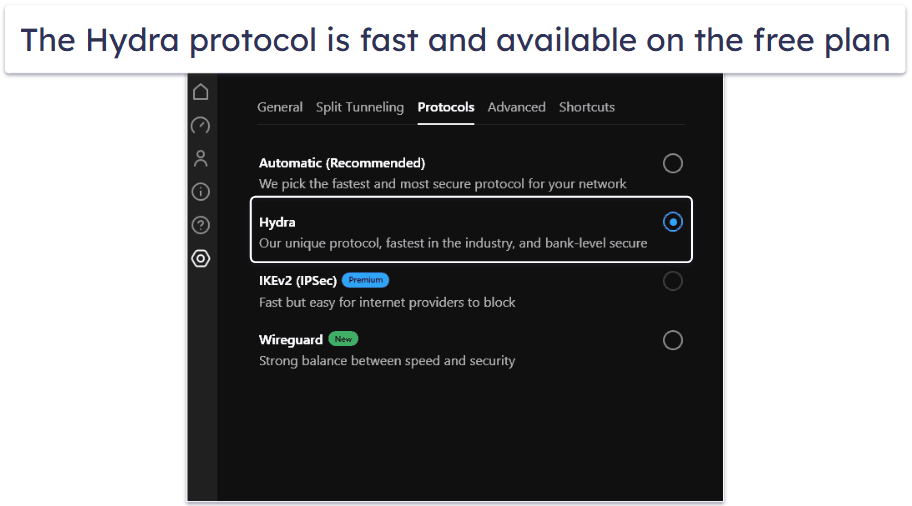
I like that Hotspot Shield offers a split-tunneling feature on Mac, which allows you to choose which apps go through the VPN tunnel and which sites (but not apps) to exclude from the VPN connection.
However, Hotspot Shield limits speeds to 2 Mbps on its free plan (Proton VPN and ExpressVPN don’t throttle speeds). You can only use servers in 3 countries (the US, the UK, and Singapore), it doesn’t support streaming or torrenting, and you can only connect 1 device. Plus, there’s no router support, unlike with ExpressVPN and Proton VPN.
Bottom Line:
Hotspot Shield is a good free VPN for browsing on Mac. It provides unlimited data, pretty good speeds, and a decent split-tunneling feature. It also helps protect you on public Wi-Fi connections. However, it limits access to servers in 3 countries, and it doesn’t support streaming.
Read the full Hotspot Shield review
5. TunnelBear — Family-Friendly Mac VPN for Streaming


12-month plan: $4.99 / month
1-month plan: $9.99 / month
TunnelBear is a beginner-friendly VPN for families using Mac. It has an adorable interface with bear graphics, sounds, and puns, and it’s super easy to use. You can connect to any of its servers in 47 countries using an interactive map, all features have explanations, and it’s compatible with all Mac versions running OS Big Sur or later.
It also fully supports streaming on the free plan and works with popular sites like Netflix and Amazon Prime, though it doesn’t work with ESPN+ or Disney+. It doesn’t support router setups, so you can’t stream securely on big screens like you can with Proton VPN.
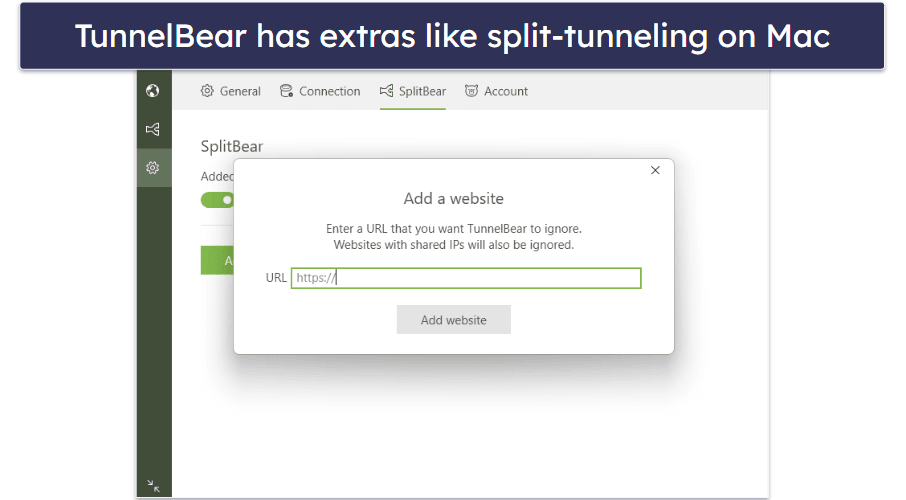
All features are included in the free plan, which is pretty rare. There’s SplitBear, the VPN’s split-tunneling tool that’s fully supported on Macs so you can tunnel apps and sites, and GhostBear, its obfuscation tool. Even its kill switch has a cute name (VigilantBear).
The VPN also has good customer support for Mac-specific issues, such as help installing the Helper Tool or troubleshooting installation or connection issues, and they all include images. It doesn’t have live chat support like ExpressVPN, just a chatbot.
However, you’re limited to only 2 GB of data per month, which isn’t very much bandwidth for streaming, file sharing, or gaming.
Bottom Line:
TunnelBear is a great Mac VPN for families with unlimited connections, full access to features like obfuscation and split-tunneling, and its entire server network in 47 countries, and is good for streaming. However, it doesn’t have router support and limits you to 2 GB of data per month.
Read the full TunnelBear review here
Quick Comparison Table
Editor's Note: ExpressVPN and this site are in the same ownership group.
Testing Methodology: Comparison & Ranking Criteria
To find the best free VPNs for Mac, I followed our rigorous VPN testing methodology and conducted dozens of real-world tests. I tested things like speeds on distant and nearby servers, user-friendliness of the Mac app, security, and more. Every free VPN on my list passed all my tests. Here are the standards I used to determine the VPNs that I included in this list:
- I looked for VPNs with a good free plan. Free VPN plans are usually very limited, so I looked for free VPN plans that come with no ads, a decent selection of server locations, streaming or torrenting support, or decent data caps or unlimited data (Proton VPN’s free plan has unlimited data).
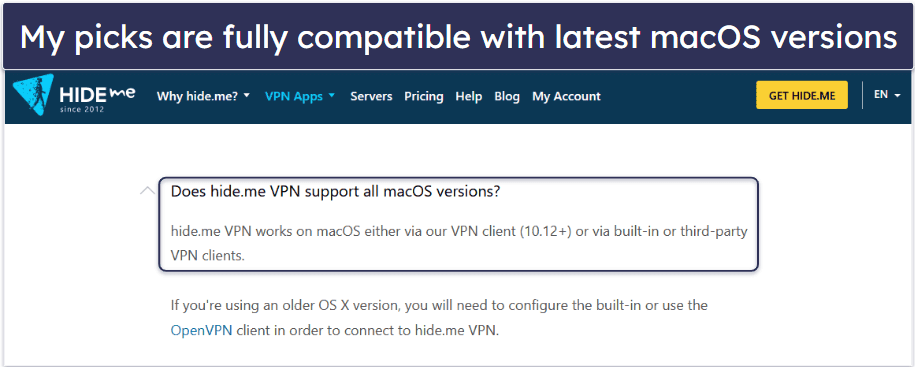
- I checked that the provider has a macOS app. All free VPNs on my list work on the latest Mac versions Sierra to Sonoma, support Apple Silicon chips, and work with all Mac features without bugs.
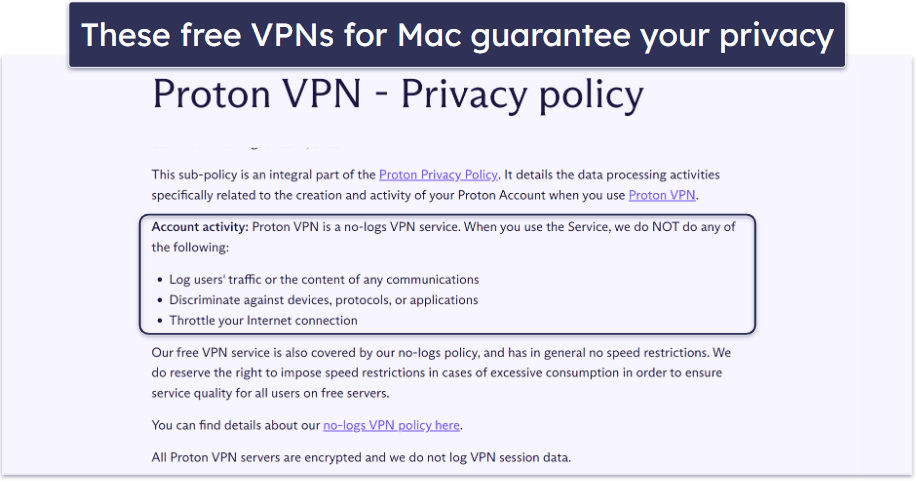
- I picked VPNs with good security. To make sure your data is protected at all times, I only selected VPNs that have 256-bit AES encryption, a no-log policy to prevent the VPN from logging your data, a kill switch to prevent data leaks if the VPN disconnects, or protection against IPv6, DNS, or WebRTC leaks.
- I tested each VPN’s speeds. A VPN will always slow down your internet connection because of the encryption process. Free VPNs are slower than premium VPNs because they provide access to a small number of servers, which causes overcrowding. However, all of the free Mac VPNs on this list maintained decent speeds for most online activities during my tests.
- I made sure the VPN is user-friendly. The provider’s macOS app needs to be easy to download and install — the process should only take 1–2 minutes, and you shouldn’t have to perform inconvenient manual setups. What’s more, the macOS app needs to be intuitive and simple to navigate.
Risks of Using a Free VPN on Your Mac
- Incompatibility — Some free VPNs aren’t compatible with Mac. They may fail to route DNS traffic correctly, leading to leaks. They could also interfere with Mac features, like its Firewall, iCloud syncing, AirDrop, or Handoff.
- Weak privacy and security — Many free VPNs lack important security features, like strong encryption or a kill switch, and some free VPNs will track your activity (like your shopping habits and the websites you visit) and sell it to third parties. All of the free VPNs on my list have strong privacy and security features to keep you safe online.
- Banned IP addresses — The servers of free VPNs usually employ reused IP addresses that numerous websites have previously blocked or blacklisted. Consequently, your browsing will be perpetually disrupted by security alerts and endless CAPTCHAs.
- Ads & Malware — There are a lot of sketchy free VPNs out there for Mac that come with adware, bloatware, or even malware that’ll damage your device or steal your personal information. This is why it’s important to choose a reputable VPN service.
Free vs. Paid VPNs for Mac
Compared to a good paid VPN, free VPNs for Mac typically have limited server networks, impose data usage restrictions, and support fewer simultaneous connections. Additionally, they may throttle your internet speeds and/or lack support for streaming and peer-to-peer (P2P) activities.
Even the free VPNs I recommend suffer from many limitations. For example, Proton VPN is ad free, provides unlimited data, and has no speed limits. But it restricts you to just 5 countries, you can’t pick the location you connect to, and it only allows a single connection. Plus, it’s unreliable for streaming and doesn’t support torrenting.
While there are some good free VPNs, they aren’t great. Paid VPNs are the better option.
Free Mac VPNs to Avoid
- Betternet. Betternet’s free version is known for its simplistic and somewhat limited interface. It has ads and doesn’t offer many advanced settings. Moreover, its macOS often crashes.
- Hola VPN. Hola VPN’s interface is cluttered and not very intuitive. Plus, it’s a P2P VPN, which means it isn’t secure or safe to use. It also does not offer a native Mac app but relies on browser extensions, limiting its functionality. This means users miss out on MacOS-specific optimizations and features.
- Urban VPN. Urban VPN’s Mac interface can be confusing with limited customization options. It’s not easy to navigate, and the overall design isn’t intuitive.
- SuperVPN. SuperVPN has a minimalistic interface that lacks essential features and provides little control over the connection. The app is unstable and crashes frequently on Mac devices.
Top Brands That Didn’t Make the Cut
- ZoogVPN. ZoogVPN’s free plan has fast speeds and access to servers in 8 countries. However, it lacks key security features, doesn’t have any cool extras, has lousy streaming support, and only allows 10 GB of data per month.
- Atlas VPN. Comes with a decent free plan that allows unlimited connections. That said, the free plan limits you to 5 GB per month and servers in only 2 countries.
- Avira Phantom VPN. It has a good free plan with unlimited connections supports streaming and torrenting, but it limits you to 500 MB of data per month unless you make an account for 1 GB per month, which is still barely enough for browsing.
Frequently Asked Questions
Does Mac have a free or built-in VPN?
No, macOS doesn’t include a VPN service, free or otherwise. You can subscribe to iCloud+ to enable iCloud Private Relay, a privacy solution for Safari. But iCloud Private Relay isn’t a VPN either. It hides your IP address and browsing activity, but it only works in the browser. A good paid VPN for Mac, like ExpressVPN, can do all of that and more, including protecting your non-browser activity and changing your location.
Is there a 100% free VPN for Mac?
Yes. But all free VPNs come with some drawbacks, such as data caps, slower speeds, or a limited number of devices. For example, Proton VPN gives you unlimited data but only offers 5 server locations.
The only way to get access to all features is to use a paid VPN like ExpressVPN. You get high-end security, unlimited data, and the fastest speeds.
Editor's Note: ExpressVPN and this site are in the same ownership group.
How do I set up a free VPN on my Mac?
This requires only 3 quick and simple steps:
- Download a VPN. I recommend Proton VPN because it has the best free plan for macOS — it has unlimited data, strong security, fast speeds, and a user-friendly macOS app.
- Connect to a server. For the fastest speeds, choose a server that’s closest to your location.
- Start browsing the web. That’s it. You can now safely browse the web, stream content, download files, and play games.
Is there a free VPN extension for Safari?
No, there aren’t any free VPNs with browser extensions for Safari. But, there are many good VPNs for Mac that can protect your data when browsing in Safari — Proton VPN is the best free VPN for macOS because it allows unlimited data, provides strong security and fast speeds, and has a very user-friendly macOS app.
Can I use a free Mac VPN on all of my other devices?
Of course. Almost all free VPNs have apps for other OSs like Windows, iOS, Android, and even Linux, smart TVs, and others. However, free VPNs for Mac are usually limited to 1 connection at a time. So, if you want to use the free VPN on a different device, you have to first disconnect from the VPN on your Mac.
That’s why I recommend using a paid option — ExpressVPN, for example, allows you to set up its service on up to 14 devices, which is pretty decent. It also has a router app, which lets you use it on an unlimited number of devices, even if they don’t have a VPN app.
Do free VPNs work well on Mac?
Some do, but not all. For example, my recommendations have great Mac apps with solid feature lists and regular updates. However, many free VPNs have crash-prone Mac apps with limited features and compatibility issues with Mac features like Firewall and Keychain.
Editor's Note: ExpressVPN and this site are in the same ownership group.


