Published on: December 23, 2024 Updated 2 times since publishing
No, DuckDuckGo isn’t a VPN — it’s a privacy-focused search engine and a web browser. If you’ve seen mentions of a DuckDuckGo VPN, it’s because DuckDuckGo offers a very basic VPN tool as part of a paid security suite called Privacy Pro. But it’s not as good as a fully-fledged VPN service, despite offering some very handy features.
DuckDuckGo’s free browser won’t hide your IP address or encrypt your entire internet connection on its own, the way a VPN does. This means your data is still vulnerable to interception by third parties.
You are best off using DuckDuckGo together with a dedicated VPN solution if you want the best privacy online. I tested all of the top VPNs on the market and listed the best ones below. But first, let’s talk about what DuckDuckGo can and can’t do, and why I recommend getting a third-party VPN.
What Is DuckDuckGo?
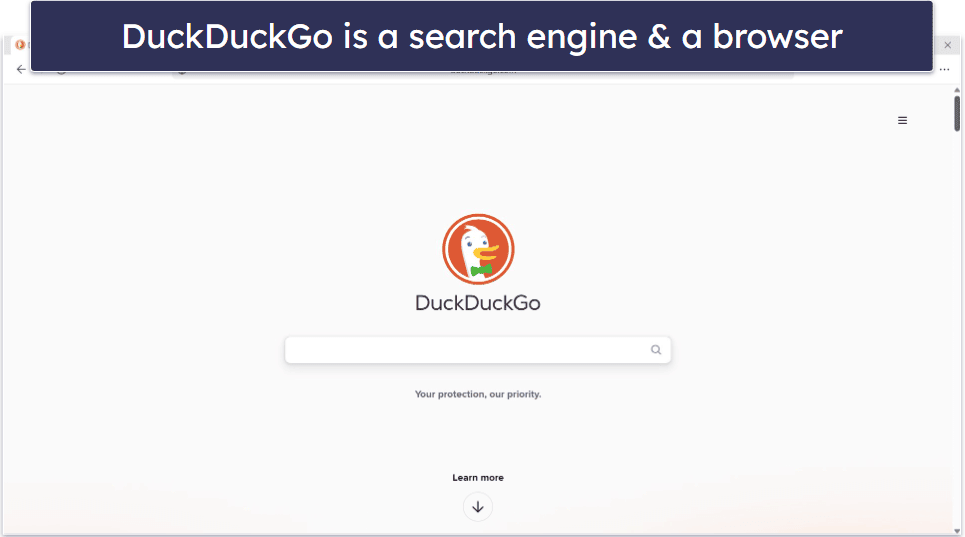
DuckDuckGo is a browser and search engine that prioritizes user privacy. Most popular search engines, like Google, collect data about your online behavior — this includes what keywords you search for, the websites you visit, etc. Then, Google creates a profile of your interests, habits, and demographics, which it uses to target you with relevant ads.
DuckDuckGo doesn’t store or share your search history and personal information or associate searches with IP addresses. Every time you use DuckDuckGo, you start with a blank search history, as if you’ve never used it before.
DuckDuckGo also comes with the following privacy features:
- Tracker & Cookie Blocking. Blocks third-party cookies and trackers, including hidden ones that disguise themselves using CNAME records, as well as tracking from platforms like Facebook.
- Smarter Encryption. Automatically forces HTTPS connections whenever available, prioritizing encrypted websites for secure browsing.
- Anonymous Location. Uses only approximate location data to provide local search results. This protects your privacy while still delivering relevant search results based on your general area.
- Search Leakage Prevention. Prevents websites from seeing your search terms by redirecting search requests. This means your search queries are not passed along as part of the URL when you click on a link, preventing the website from logging or profiling you based on what you searched for.
- Privacy Grades. Assigns privacy grades to websites, evaluating them based on their tracker networks, encryption, and overall privacy practices. This helps users assess how private and secure a website is, providing transparency on the site’s handling of user data.
- Global Privacy Control. Sends a privacy signal (Global Privacy Control) to websites, informing them of your preference to not have your data sold or shared. This helps protect your privacy by enabling you to opt out of data collection practices across many sites.
- Fingerprinting Protection. Blocks browser fingerprinting, a technique used by websites to create a unique profile of you based on your browser and device characteristics.
- Email Protection. Provides a “@duck.com” email address that strips any trackers from incoming emails before forwarding them to your inbox.
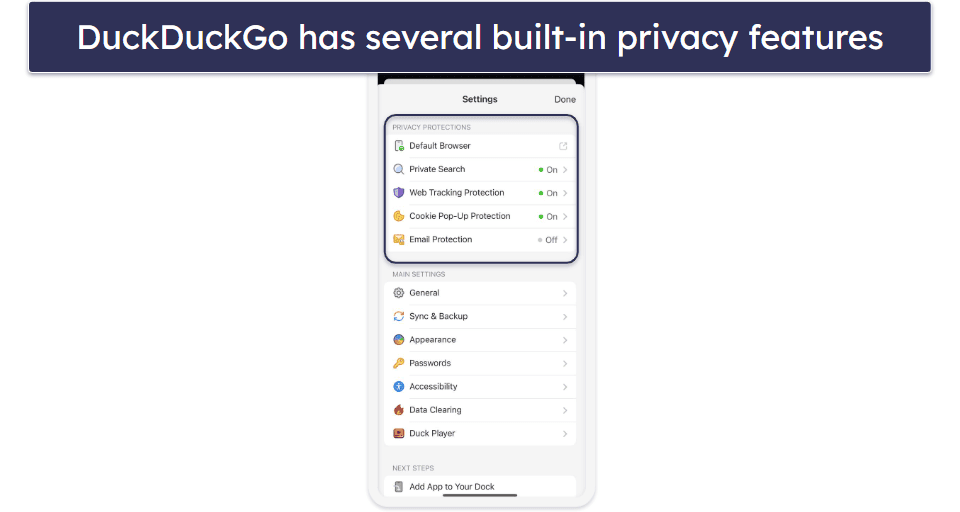
DuckDuckGo provides a free browser extension, Privacy Essentials, which can be added to browsers like Google Chrome. This allows you to switch your default search engine to DuckDuckGo and access additional privacy features, such as blocking trackers.
Finally, DuckDuckGo offers DuckDuckGo Privacy Pro, a paid subscription that includes several additions, including a VPN.
What Is a VPN, and How Is It Different From DuckDuckGo?

A VPN is an online app that provides an extra layer of security and privacy — it encrypts your traffic and hides your IP address.
When you connect to a VPN, it creates a secure and encrypted connection between your device and the internet. This makes any data that you send or receive completely unreadable to your Internet Service Provider (ISP), government, and hackers.
When you connect to a VPN server, it replaces your IP address with one from your server location. For example, if you connect to a VPN server in the US, you’ll receive a US IP address. This is important because your IP address can be used to approximate your real location, track you online, or target you with cyberattacks. This also means that a VPN can access local sites and services from any location.
DuckDuckGo and VPNs are compatible with each other, so for maximum privacy and security, consider using both together. Alternatively, you could try DuckDuckGo’s Privacy Pro subscription, though I don’t think it’s as good as a dedicated VPN like ExpressVPN.
When Should You Use DuckDuckGo vs. a VPN?

DuckDuckGo and VPNs enhance your online privacy but are best used in different situations.
DuckDuckGo is ideal for protecting your privacy while browsing and searching the web. Its search engine doesn’t track your queries or store personal information, and its browser and extension block third-party trackers. If your main concern is avoiding targeted ads, reducing online tracking, or conducting private searches, DuckDuckGo is a great choice.
A VPN provides broader protection by encrypting all of your internet traffic and hiding your IP address. If you want to secure your non-browser activities, keep yourself safe on public Wi-Fi, access content from anywhere, or keep your ISP from monitoring your online activity, go with a VPN.
DuckDuckGo and VPNs are compatible with each other, so for maximum privacy and security, consider using both together.
DuckDuckGo VPN — Is It Any Good?

DuckDuckGo’s paid VPN is a bare-bones VPN. It offers servers in only 31 countries, it can’t access popular streaming sites, and it’s super thin on extra features. For example, there’s no smart DNS tool or obfuscation — you get these useful tools with the best VPNs on the market.
There are other issues, too. The VPN is expensive because it’s a 3-in-1 subscription service that includes personal information removal and identity theft restoration, which you may not want. What’s more, it’s only limited to US, EU, Canada, and UK residents, and you can’t use it with any other browser other than the DuckDuckGo browser.
If you need a VPN for DuckDuckGo, I recommend picking any of the top VPNs here — they all work well with the browser (and any other browser), have excellent streaming support, include many extra features, and are available to purchase from nearly every corner on the planet.
Quick Summary of the Best VPNs for DuckDuckGo in 2026


🥇1. ExpressVPN — Best Overall VPN for DuckDuckGo

Basic 12-Months plan: $3.99 / month
1-month plan: $12.99 / month

ExpressVPN is my favorite VPN to use with DuckDuckGo. It stops your ISP, network administrator, etc. from seeing what you search or what websites you visit on DuckDuckGo and provides DNS, IPv6, and WebRTC leak protection, so your IP doesn’t leak. Plus, it’s based in the British Virgin Islands, which is outside the data-sharing 5/9/14 Eyes Alliances, unlike DuckDuckGo’s VPN, which is based in the US.
It’s the fastest VPN on the market. Its proprietary Lightway protocol outpaces the WireGuard protocol, which DuckDuckGo VPN uses. In my tests, search results and web pages loaded instantly on DuckDuckGo, even when I was connected to a distant VPN server. It also works with 100+ streaming sites, like Netflix and Hulu, and has a built-in ad blocker that works on DuckDuckGo (called Advanced Protection).

In terms of extra features, ExpressVPN has ShuffleIP, a tool that changes your IP address every time you visit a new website or open the DuckDuckGo app. This makes it even harder for trackers to follow you across the web. Each subscription also comes with a good password manager called ExpressVPN Keys, which stores your passwords more securely than DuckDuckGo’s built-in password manager and alerts you if your login credentials have been compromised in a data breach.
Read the full ExpressVPN review
🥈2. Private Internet Access — Great VPN Ad Blocker for DuckDuckGo
6-month plan: $7.50 / month
1-month plan: $11.95 / month
Private Internet Access (PIA) is a great answer to annoying ads on the DuckDuckGo browser. The DuckDuckGo browser prevents targeted ads by stopping trackers, but it doesn’t stop the ads themselves. It also lacks extension support, so you won’t be able to use your favorite ad blockers. PIA fills this need by having the best VPN ad blocker out there: MACE. I tested MACE by visiting local news and social media pages known for having tons of ads, and didn’t see a single one.

PIA offers extras like strong streaming support (30+ sites) and split-tunneling on more devices than DuckDuckGo, which limits it to Android. Split-tunneling lets you choose which traffic goes through the VPN and which uses your regular connection. So, you could route only DuckDuckGo browser traffic through the VPN while keeping local access for apps like food delivery. PIA’s split-tunneling works with both apps and websites, while most VPNs only support apps.
Read the full Private Internet Access review
🥉3. CyberGhost VPN — Easy-to-Use VPN for DuckDuckGo
6-month plan: $6.99 / month
1-month plan: $12.99 / month
CyberGhost VPN is a beginner-friendly choice for DuckDuckGo users. You can use its Smart Rules to configure the VPN to automatically initiate a connection when you launch the DuckDuckGo browser app or when it detects that you’re on an unsecured Wi-Fi network. This means you’ll never accidentally go online without protection.
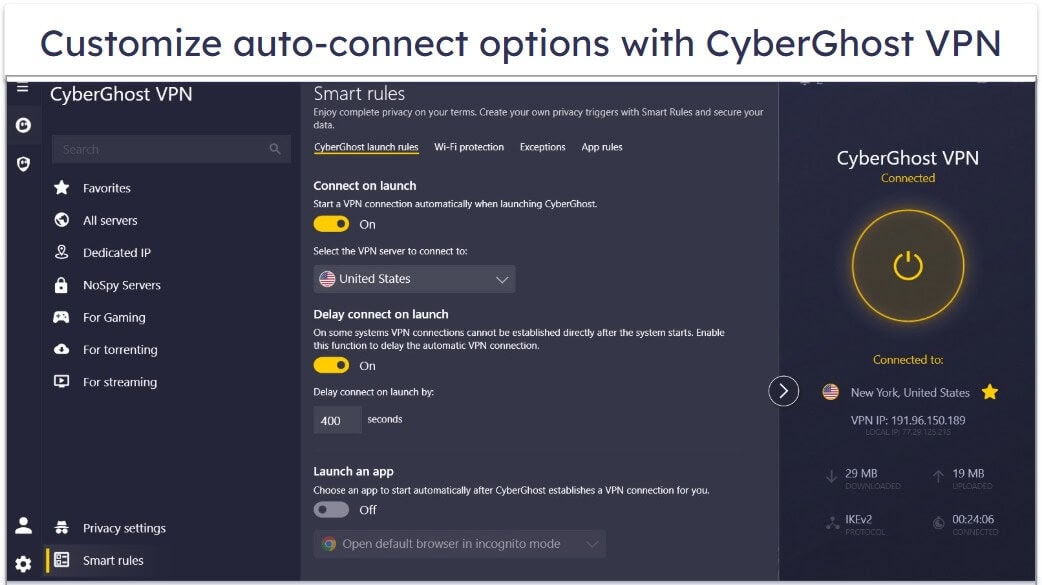
A great feature for privacy-conscious users is CyberGhost VPN’s proprietary NoSpy servers, which are housed in CyberGhost’s HQ in Romania. Only the VPN staff have physical access to them, so they’re safer than servers maintained by third parties. They’re also run in a privacy-friendly country that’s outside the 5/9/14 Eyes Alliance, unlike DuckDuckGo’s VPN, which is located in the United States.
Read the full CyberGhost VPN review
Editor's Note: Intego ONE, Private Internet Access, CyberGhost and ExpressVPN are owned by Kape Technologies, our parent company.
Quick Comparison Table
Editor's Note: Intego ONE, Private Internet Access, CyberGhost and ExpressVPN are owned by Kape Technologies, our parent company.
Testing Methodology: Comparison & Ranking Criteria
I used our proven testing methodology to pick out the best VPNs for DuckDuckGo. I paid particular attention to each provider’s speeds to see if it negatively affected my browsing experience, as well as security. I also took into account other factors, like ease of use, streaming support, and more. Learn more about the criteria I used to rank and compare the VPN on my list below:
- I picked VPNs with industry-standard security features. The VPNs on my list complement DuckDuckGo’s anonymous search engine and tracker blocking. They all have military-grade 256-bit AES encryption, a strict no-logs policy (they don’t keep track of your online activities), excellent IP leak protection, and a kill switch to prevent accidental data leaks.

- I looked for VPNs with fast speeds. Using any VPN will reduce your connection speeds slightly, but the VPNs I recommend cause no noticeable slowdowns on DuckDuckGo searches.
- I chose VPNs with large server networks. This means that most users will be able to find a nearby server to connect to for the best possible speeds. It also gives you a lot of options for changing your location.
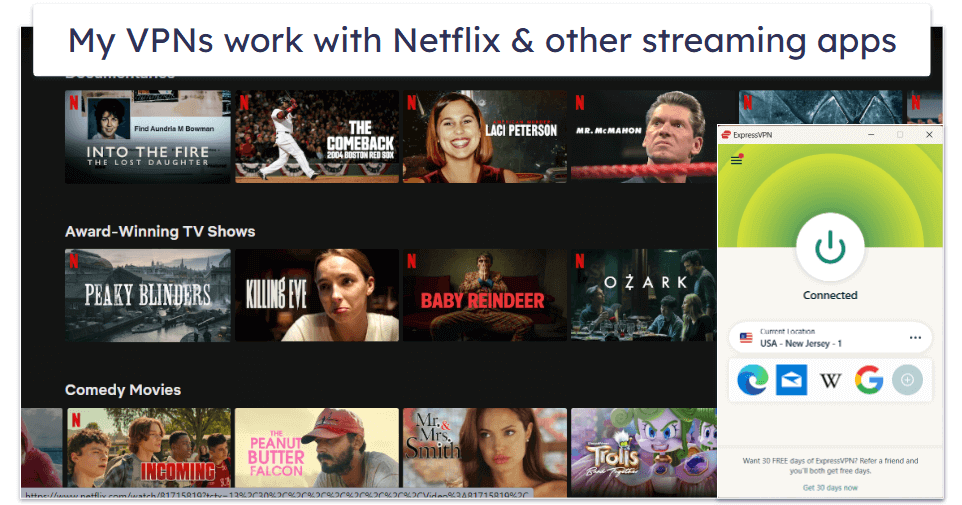
- I opted for VPNs that have good streaming support. DuckDuckGo’s VPN isn’t great for streaming, whereas all of the VPNs I recommend work with popular streaming services, including Netflix, Amazon Prime, Disney+, Hulu, and BBC iPlayer.
- I selected VPNs that provide good overall value. I only recommend VPNs with affordable plans that allow a minimum of 7 simultaneous connections, and come with lots of useful extra features, like an ad blocker, since DuckDuckGo’s browser isn’t great at stopping ads. Plus, all of the VPNs on my list come with a money-back guarantee.
Frequently Asked Questions
Can my internet provider see what I search if I use DuckDuckGo?
Yes. DuckDuckGo doesn’t track what you search or store personal data (like Google does), but it can’t stop your ISP from doing so. To hide your online activities from your internet provider, get a good VPN. VPNs encrypt your internet traffic, which scrambles the data and makes it unreadable to third parties, including your ISP, government, and threat actors.
Does the DuckDuckGo browser have a built-in VPN?
The free DuckDuckGo browser doesn’t come with a VPN. DuckDuckGo offers a subscription service that includes a VPN, called Privacy Pro, which you can access through the DuckDuckGo browser. I don’t recommend getting Privacy Pro, though. Instead, you should get a good standalone VPN, like ExpressVPN, because it provides much better value.
Is my privacy at risk if I use DuckDuckGo without a VPN?
DuckDuckGo hides your searches, but your ISP can still log what websites you visit, how long you stay on them, and what apps you’re using. Without a VPN (through DuckDuckGo Privacy Pro or one of my recommended VPN providers), your real IP is visible to every website and ad network — including ones DuckDuckGo can’t block.
Can I use DuckDuckGo’s App Tracking Protection with a VPN?
No, DuckDuckGo’s App Tracking Protection uses a VPN connection even though it’s not a VPN, and Android devices only allow one active VPN connection at a time. DuckDuckGo’s VPN (from its Privacy Pro subscription service) is an exception since both features can share the same VPN connection.
Should I use a VPN if I already use DuckDuckGo?
Yes, if you value your privacy and security. DuckDuckGo protects your privacy by blocking trackers, not storing your search history, and enforcing encrypted connections (HTTPS), but it doesn’t hide your IP address or encrypt your entire internet connection. This means your internet service provider (ISP), network administrators, or others monitoring your connection can still see your online activity. A VPN covers these gaps.
Editor's Note: ExpressVPN and this site are in the same ownership group.