
KeePassDroid Review: Quick Expert Summary
I like KeePassDroid well enough. Its user interface is outdated and a little clunky, and there are no customer support options or extra features. But underneath its unpolished exterior, it’s a secure and lightweight password manager that protects you with multi-layered encryption.
My favorite part of this KeePass port is its emphasis on anonymity. It doesn’t collect data, can’t transmit data over the internet, and doesn’t require an account to use. While this limits its potential features, it means nobody but you can see what’s inside your vault. If, for example, KeePass or KeePassDroid got hacked, the thieves wouldn’t get any of your information.
But like I said, it has plenty of drawbacks. It’s not comprehensive and lacks extra features, like password monitoring or even basic password auto-save and auto-fill. It’s simply not as advanced as top password managers like 1Password.
That said, KeePassDroid is a secure, completely free, open-source product. While it’s far from being the best on the market, its focus on anonymity helps it stand out and serves a valuable (but niche) purpose.
KeePassDroid Full Review — Secure but Lacks Features

KeePassDroid is a lightweight and secure password manager. Its vault uses multi-layered encryption to protect your passwords from being stolen. It also has a few decent tools, like a password generator and biometric support, and an excellent data collection policy (they don’t collect anything, not even an email).
KeePassDroid is an unofficial port of the desktop-only password manager, KeePass, so if you’re already using KeePass and want to access your passwords on Android, you can install KeePassDroid to open your KeePass database on the go (after saving it to Google Drive or Dropbox). That said, it can get buggy. When I tried this, a notification popped up, saying that this file type (KDBX) is not supported. Even though the app opened the file, the notification stuck on my screen for a while, even after I exited KeePassDroid.
KeePassDroid also lacks any extra security features. The UI also feels outdated and unintuitive, and there are no support options, so it’s not a great choice for beginners. I’d still recommend it, but only if you know its problems.
KeePassDroid Plans & Pricing — Completely Free
For all of KeePassDroid’s flaws, it’s still completely free. There isn’t even an option for a premium subscription. You don’t need to create an account to use KeePassDroid either; just install and open the app. In short, if you’re a privacy-minded reader, it doesn’t collect any data. It doesn’t even request internet access.
KeePassDroid will never charge you, but the app developer has a Patreon link if you want to support their project.
KeePassDroid Security Features — Lightweight Password Protection
KeePassDroid only provides a basic password vault using the same encryption process that KeePass uses. It uses AES-256 encryption and AES competition finalist Twofish to scramble individual passwords, hashing their master components with SHA-256. The result is a multi-layered encrypted vault that can’t be deciphered even if one of its two encryption methods is cracked (none have been broken yet). What I like about KeePassDroid is its open-source nature, which allows anyone to inspect its code for potential vulnerabilities.
When creating your vault, you create a master password to access it. You can use your phone’s biometrics to open your vault, but you’ll still need to make a master password if this fails. You can also add a key file to open the vault. It can be any file you want, but if that key file isn’t on your phone, you won’t be able to access your vault — even with the master password. It adds an extra layer of security that’s different from passwords or even biometrics. This is a better feature for computers since you can assign a file on your USB and essentially have a USB-protected vault, but it still works for mobile.
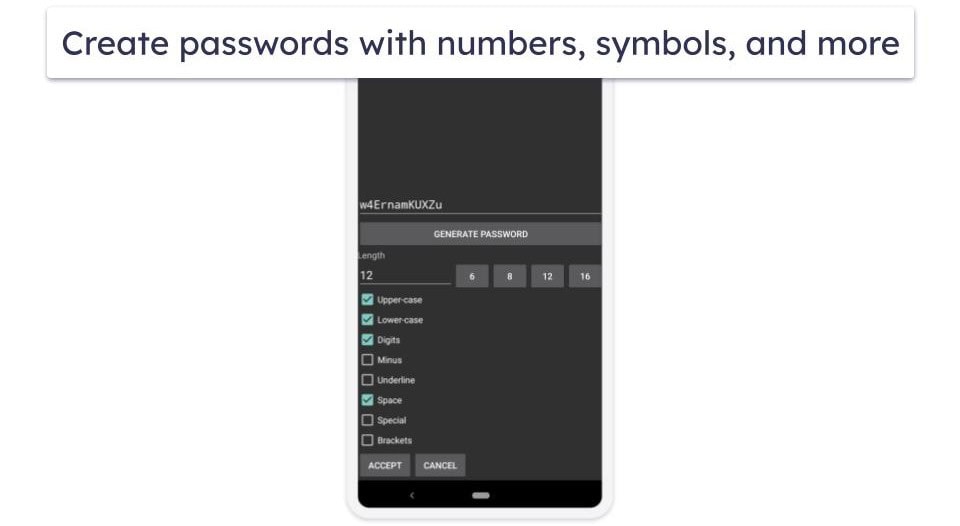
KeePassDroid also comes with a password generator that can create randomized passwords between 6 and 16 characters in length. You can toggle it to include upper or lower case letters, numbers, symbols, spaces, and more. It’s not as customizable as 1Password’s password manager (which lets you make much longer passwords and even passphrases), but it’s still useful for quickly generating safe passwords.
Here, I’d discuss KeePassDroid’s special features… if it had any. Unfortunately, it offers nothing besides basic password protection and a generator. On the other hand, something like Dashlane includes auto-filling passwords, monitoring services that ensure you’re not a data breach victim, and more. KeePassDroid doesn’t offer anything similar.
I want to see KeePassDroid get a few extra features because I really like its multi-layered encryption process, and I always want to support a free, open-source project when it’s worth using. As it stands, KeePassDroid is pretty niche.
Still, that drawback is one of its secret strengths. Since KeePassDroid doesn’t rely on an internet connection or modern features, it doesn’t store, keep, or even process customer data. You can use KeePassDroid 100% anonymously. It’s also an offline password manager, which makes your vault significantly harder to crack.
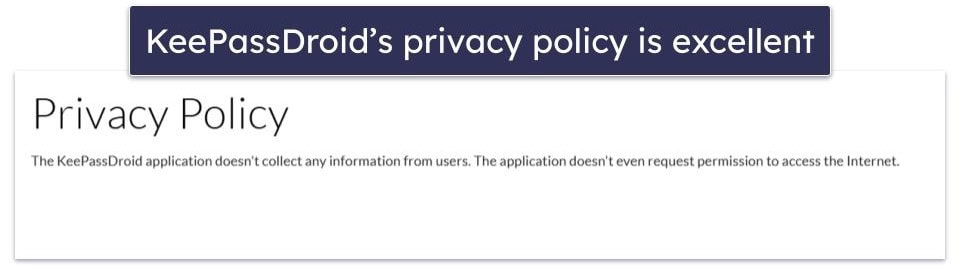
With all of that said, I like KeePassDroid more than I thought I would. It’s nowhere near as comprehensive as any of our top free password managers, but its password vault is highly secure, and its data-handling policy is unmatched in privacy (and brevity!).
KeePassDroid Ease of Use & Setup — Clunky UI but Not Too Complex
KeePassDroid has a somewhat clunky UI that makes it seem much harder to use than it actually is. The first time you boot up the app, you’ll see an empty screen with two options: to open or create a database. If you don’t already have a KeePass or KeePassDroid database in the form of a KDBX file saved on your phone, tap Create Now to set up your master password and add a key file (the latter is optional) and use Add Entry to create your first password.

Simply enter your login details and type (or copy-paste) the URL for the login page that you’re saving your credentials for. You can leave comments and notes later, like security question reminders. You can also create different folders (called “groups” in the app), so if you, for example, want to make vaults for your important work-related passwords and your various gaming platform logins, you can keep them separated.
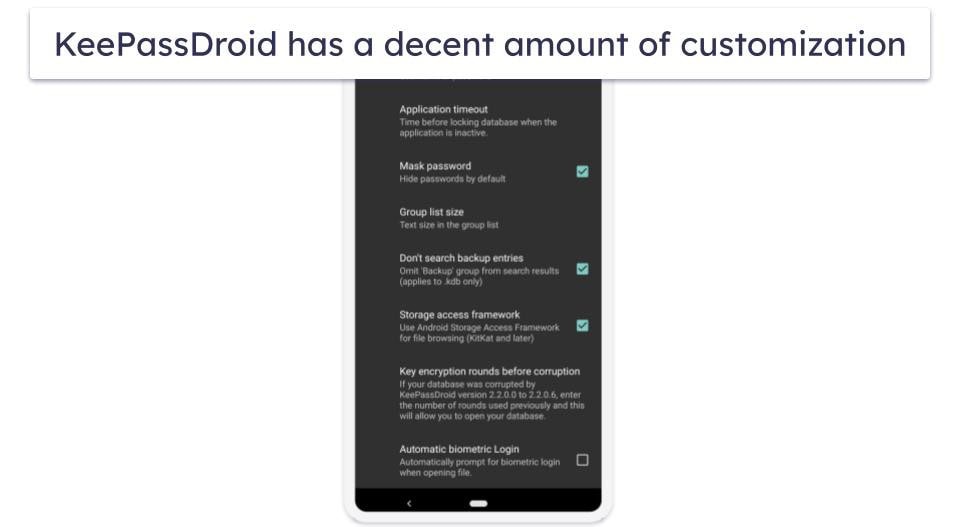
The settings menu has a few relevant options, such as enabling biometric scanning and saving key files. There are a few more advanced options, like disabling using the Android Storage Access Framework, but it’s nothing too complicated. There aren’t as many features as something like 1Password or Dashlane, so naturally, the settings menu isn’t as complex.
I like that you can simultaneously use KeePassDroid with multiple phones and sync your passwords. You need to store your KeePassDroid vault where both phones can access (such as on a cloud service). It’s not a perfect system, but it works fine.
All in all, KeePassDroid is pretty easy to use, but its peculiar UI creates a learning curve for new users.
KeePassDroid Customer Support — Total Lack of Options
KeePassDroid doesn’t have anything in the way of customer support options. There’s no email or phone support to contact, and it doesn’t have a community forum or social media page to ask questions. There’s the company’s X account, but it isn’t technically for customer service, and there’s no guarantee of a response.
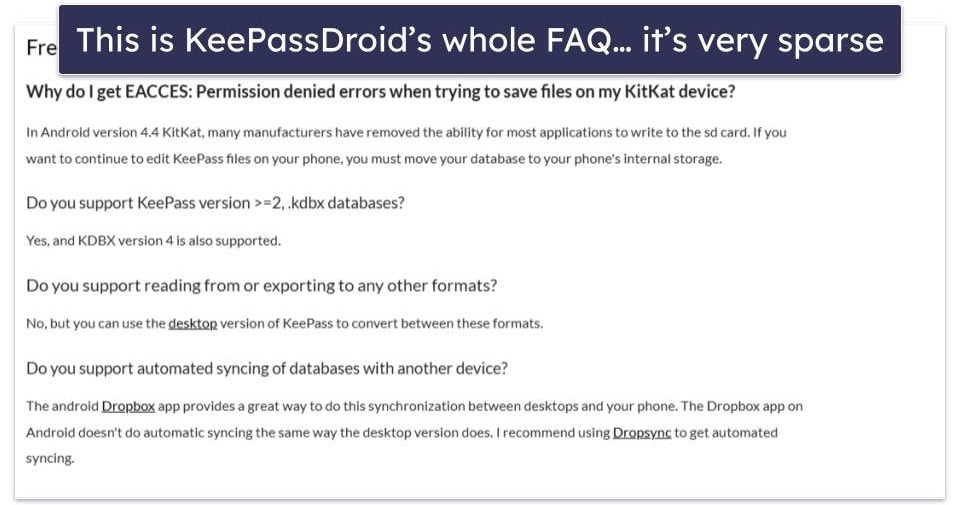
There is a very sparse FAQ, but it’s far from helpful. It only includes a few extremely basic questions and is nowhere near as comprehensive as Dashlane’s help center. While I’m aware that advanced customer support options are not to be expected from a completely free product, I’d still like to see some user manuals, better FAQ pages, or anything else.
Can KeePassDroid Protect Your Passwords?
Yes, it can, but it won’t be enough protection for every user. KeePassDroid locks your passwords in an encrypted vault that can only be accessed with your master password. If you just need basic encryption for your various logins, KeePassDroid works great.
The problem is that it’s missing many of the quality-of-life and security features you’d expect in a modern password manager. There’s no password auto-fill, you can’t store other forms of data, like credit cards or financial information, and there’s no advanced tool like password monitoring. Compare it to top competitors like 1Password, which includes all of these extras and more, and KeePassDroid’s lack of features becomes clear.
Aside from missing features, the UI has a bit of a learning curve, and there isn’t really any customer support besides a tiny FAQ section. If you face problems, you’re left to your own devices.
Overall, it’s worth checking out, and it does its job well, but it’s extremely basic. If you need something that provides more comprehensive protection, I’d encourage you to check out one of our top-rated password managers instead since this lightweight free app won’t be enough. If, however, you just need something simple or you want to protect your passwords without making an account, I’d say install KeePassDroid.
Frequently Asked Questions
Is KeePassDroid free?
Yes, KeePassDroid is completely free. You couldn’t even buy a premium version if you wanted to. Since KeePassDroid isn’t an official app from KeePass, the creator can’t just sell it as if it were their product. It may not have as many features as some of our free password managers, but it doesn’t lock anything behind a paywall.
What is the difference between KeePass and KeePassDroid?
KeePass is a password manager made exclusively for Windows, Mac, and Linux. KeePassDroid is an unofficial port of KeePass created for Android users that uses the same encryption process that KeePass uses to protect your passwords.
You’d be surprised at how different the two apps are, though. While KeePass includes auto-fill, password important and exporting, and multiple forms of data protection, KeePassDroid only provides a basic password vault.
What data does KeePassDroid collect?
Nothing at all! KeePassDroid is one of the most private password managers you can find. The app doesn’t require an account to use, and it doesn’t even connect to the internet to transmit data. KeePassDroid keeps no logs, passwords, or sensitive details — they don’t even have a way to access it. While there’s plenty to criticize about KeePassDroid, it gets a metaphorical Olympic gold medal in its data handling policy.
What extra features does KeePassDroid come with?
Unfortunately, not that many. KeePassDroid’s two most advanced features are the ability to split passwords into multiple groups and its biometric login capabilities. Besides that, it’s a simple encrypted vault to store passwords (and nothing else).
I’d recommend something like 1Password or Dashlane if you’re looking for top security features like auto-fill, password monitoring, or a more flexible vault that can store more than just passwords (like credit cards, business cards, insurance info, and more).