

Published on: July 10, 2023 Updated 6 times since publishing
Short on time? Here’s the best family locator app for iPhone and Android in 2026:
- 🥇 Qustodio: Qustodio has intuitive Android and iOS apps that offer 24/7 real-time location tracking, let you set a geofence radius of up to 200 meters, and send you alerts when your child leaves or arrives within the preset zones. Plus, your kid has a Panic Button in their app in case of an emergency.
Family locator apps eliminate that sinking feeling when your kid doesn’t text back, and the panic when they don’t show up where expected. Whether for a curious 8-year-old or an independent teenager, having a reliable family locator app brings peace of mind without feeling like you’re spying.
I’ve tested dozens of parental control apps to find the best family locator for Android and iOS. Every app I recommend accurately tracks your family’s whereabouts in real time, allows cross-platform tracking, offers a geo-fencing tool for tracking specific locations, and won’t drain your and your kids’ phone batteries.
My favorite family locator app is Qustodio. Its real-time location tracking feature on Android and iOS is super accurate, and it stores your child’s location history for up to 30 days. It also allows you to create geofenced zones and has user-friendly apps for both parents and kids. Plus, you get other great features like a Panic Button for your kid.
Quick Summary of the Best Family Locator Apps for iPhone & Android


🥇1. Qustodio — Best Family Locator App for iPhone and Android in 2026


Qustodio is by far the best family locator app for parents who want to keep tabs on their kids’ whereabouts. It tracks your child’s location 24/7 and provides accurate location updates every 5–10 minutes, and you can manually check their location instantly if you’re worried about them being late.
- Timely location updates
- 30-day location history
- Panic button
- Very accurate location map
- Small geofence radius
In my tests, Qustodio consistently pinpointed my test device’s location accurately on the map. Plus, the app’s activity timeline on the main screen made it easy to view all location updates in real-time. You can even get directions via the Map app on your device (on both Android & iOS) to the phone’s location.
I like how Qustodio keeps a 30-day location history — many parental control apps don’t offer this. You can see a list of all the places your child has visited and when, making it easy to spot if they’ve been going to the same places regularly or if anything unusual stands out.
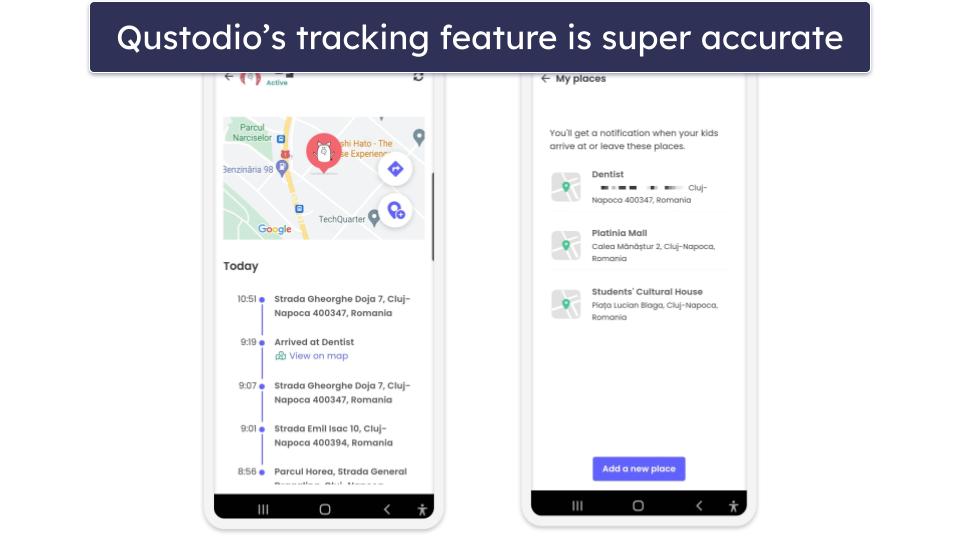
Qustodio offers an excellent geofence feature, called Your Places, which allows you to set areas on the map of up to 0.12 miles (200 meters) and get notified when your kids enter or venture outside this designated zone. This is especially useful if you want to know if they leave school early or head to a friend’s house without constantly opening the app. You can also save important locations, like their school, so the app automatically keeps track of those places for you.

One of my favorite features in Qustodio is the Panic Button. This allows your child to instantly send an email or text alert in case of an emergency, even if they’re on timeout. The alert includes a link to their exact location, street address, coordinates, time, and date. My only complaint is that this feature is currently only available on Android.
Qustodio offers affordable plans that start at $4.37 / month. I recommend the Complete subscription, which tracks an unlimited number of devices and is ideal for large families. Its plans are backed by a 30-day money-back guarantee.
Bottom Line:
Qustodio has my favorite family locator tool on the market. It accurately tracks your children’s locations on Android and iOS in real-time and has an excellent geofencing tool. It also has a Panic button that sends you your child’s exact location (street address and coordinates). All plans come with a 30-day money-back guarantee.
🥈2. Norton Family — Accurate 24/7 Location Tracking + Great Customization

Norton Family’s Location Supervision feature offers 24/7 real-time location tracking on iOS and Android devices. In my tests, it was really accurate, and it always showed me where my test device was. It updates the location every 20–30 minutes, which is a little less frequent than Qustodio. However, I could manually refresh the location for an instant update.
- Alert Me feature
- 2-mile geofence
- Location timeline
- Slow location updates
- No SOS feature
I found its Alert Me feature super convenient, too. It lets you set specific times to receive updates on your child’s location, which is practical if you want to know whether your kids arrived at school or football practice on time without them needing to manually send you their location.
Norton Family also offers a less invasive tracking option that’s great if you have older children. Instead of tracking their location 24/7, you can ask them to share their location with you in just a few taps.

Plus, I’m a fan of how Norton Family shows you a map with the location of all devices you’re tracking, so you can check in on all of your children at once. You can also see a timeline of all the locations your kids visited and filter the locations by date, which is helpful if you’re worried about concerning activity or behaviour.
Norton Family offers a geofencing tool with zones up to 2 miles (3,200 meters), which is much larger than Qustodio’s. During testing, I received instant notifications when my test device entered or left a designated area. You can customize alerts, too, like only being notified when your child arrives at a friend’s house, avoiding unnecessary alerts for places like the nearby store.
Norton Family’s plan costs $49.99 / year and comes with a generous 60-day money-back guarantee. Norton Family is also included in the Norton 360 Deluxe antivirus plan.

Bottom Line:
Norton Family offers very accurate location tracking and customizable tools. It updates your child’s location every 20–30 minutes, comes with a feature that notifies you of your child’s location at certain times of the day, and there’s even a less invasive option that lets you send requests to your child’s phone to share their location instead of tracking them 24/7. It has a 30-day free trial and a 60-day money-back guarantee.
Read the full Norton Family review
🥉3. Bark — Great for Non-Invasive Location Tracking

Bark offers a less invasive location-tracking feature that’s great for building trust with teens and responsible younger kids. You can request your teen to share their location with you at any time, instead of tracking them in real-time. When your child receives the request, they can simply tap “Check-In,” and Bark will show you their location on a map. Plus, if your child checks in on their own, such as an agreed-upon schedule after school, you can choose to receive SMS, email, or push notifications for the alert (which is instant).
- Frequent real-time updates
- Customizable notifications
- Good geofence range
- No SOS alert
- Doesn’t always track drives
Bark also lets you track your child’s location in real-time (down to every step), with updates every 5–6 minutes. The parent dashboard makes it really easy to identify your kid’s location since it has coloured pins for Home, Friend, School, Family, Sport, and Pin (for locations outside these categories, like their summer job), so you’ll know instantly if they’re somewhere unknown to you. The tracker was accurate in my tests, and I especially liked the option to get directions to their location via Google Maps or Apple Maps on iOS.
Plus, the Family Map lets you view all your kids’ locations in one place with real-time updates, so you can make sure they’re where they need to be without having to check multiple apps or devices.
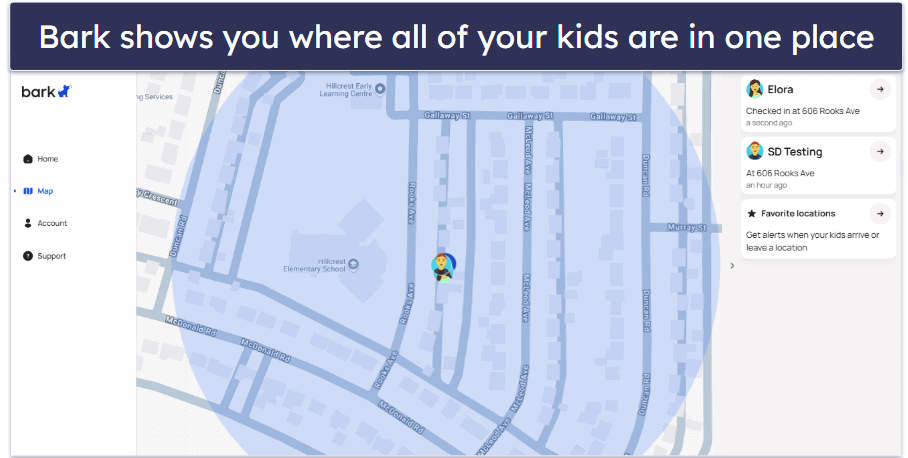
Its geofencing feature works well, too. You can set zones around places like your child’s school or a friend’s house and get instant alerts when they enter or leave. For example, if you set a geofence around their school, you’ll know exactly when they’ve arrived and when they leave, so you can rest easy knowing they’re on schedule.
Bark also has a location history feature that helps track where your child has been. For example, it will tell you if they visited the park after school or stopped by a friend’s house. Plus, you get exact timestamps to know exactly when they were there. It’s not as comprehensive as Qustodio’s reports, but it’s still pretty helpful.
Bark’s plans are competitively priced and start at $5.00 / month. If your kid is too young for a phone, you can get Bark Watch for $129 + $14.00 / month for cellular service, which includes its location tracker. They come with a 7-day free trial, but there’s no money-back guarantee.
Bottom Line:
Bark has a non-invasive location tracking feature and a real-time location tracking tool, making it a great pick if you have older kids. It has a Family Map where you can see all of your kids’ locations from 1 place, and if your kid is too young to use a smartphone, it offers a Bark Watch that comes with the location tracker. Plus, it has a free 7-day trial.
4. FamiSafe — Excellent for Tracking Your Kids’ Driving Habits

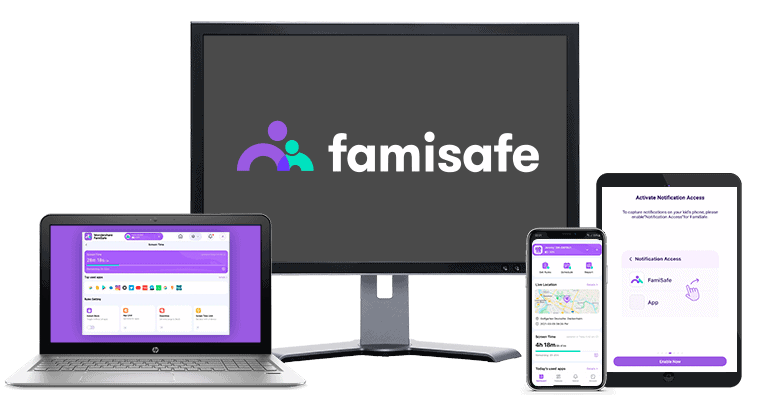
FamiSafe lets you track your kid’s location and driving and see their exact route on a map. The app has an interactive slider that lets you scroll through any trip your child’s taken and view exact timestamps for when your child was at different locations. It even highlights the exact place where they engaged in risky behavior like speeding or hard braking.
- Excellent driving reports
- Location updates within minutes
- SOS alert feature
- Short money-back guarantee
- Geofence could be bigger
FamiSafe’s real-time tracking is very accurate. It always showed my test phone in the right location and updated the location every 2–3 minutes, which is one of the fastest location update times of any parental control app we’ve tested.

While FamiSafe allows your child to send an SOS signal to you with their accurate location, it doesn’t offer as many details as Qustodio’s Panic button. It also lets you share your location with your child. This is especially useful in situations like a busy mall, where your child can easily find you on the map if you get separated.
Read more about FamiSafe
FamiSafe’s geofencing lets you create safe zones in a radius of 328–3,280 feet (100–1,000 meters) and get instant alerts when your kids enter or exit these predefined areas. Although it works as intended, I prefer Norton Family because it lets you create bigger geofenced zones.
FamiSafe offers several plans that start at $4.99 / month. All of its plans are backed by a 7-day money-back guarantee, and the annual plan comes with a 3-day free trial.
Bottom Line:
FamiSafe is great for parents who want to keep tabs on their teens’ driving habits and whereabouts. It’s one of the only parental control apps that give you insight into your kid’s driving, like how fast they drive and where they’re driving. And, I think it’s really great that FamiSafe also offers reverse location tracking, which allows you to share your location with your kid. All plans come with a 7-day money-back guarantee.
5. Mobicip — Good Family Location Tracker With Intuitive Map

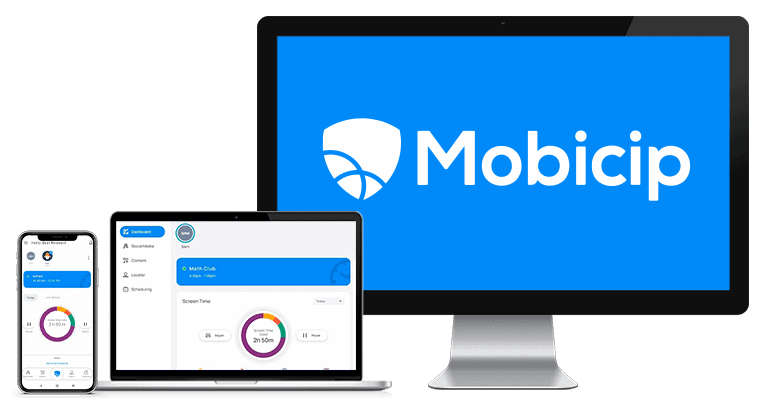
Mobicip’s location tracking provides you with directions to your kid’s location, which is very helpful when you’re in an unfamiliar place. When I tested it, the tracker was very accurate, and it instantly updated the location of my test device, which was impressive.
- Gives directions to your kid
- Location timeline
- Cheap plans
- No SOS feature
- No driving report
I like how Mobicip shows you all family members’ avatars on the in-app map, along with a timeline of places they’ve visited — making it great if you have multiple children. For example, if you have kids in different after-school activities, you can easily track who’s at soccer practice, who’s at a friend’s house, and who’s on their way home, all in one view.

The app also lets you share your real-time location with your kid, and you can even choose to share the current location or your live location. For example, if you’re stuck in traffic, your child can see exactly where you are as you’re moving and know when to expect you.
Read more about Mobicip
Mobicip also has a decent geofencing feature that allows you to set zones of up to 0.62 miles (1,000 meters). But that still isn’t as big as Norton Family’s geofenced zones.
Mobicip’s plans cost as low as $2.99 / month. It also offers a 7-day free trial option, during which you can try all the premium features, and a 30-day money-back guarantee.
Bottom Line:
Mobicip’s family locator app offers real-time GPS location tracking and a very convenient map that gives directions to your kids’ locations. The app also has a location-sharing tool that lets you share your current or live location with your kids and a decent geofencing feature. All plans are backed by a 30-day money-back guarantee.
Bonus. Kaspersky Safe Kids — Real-Time GPS Tracking for Beginners

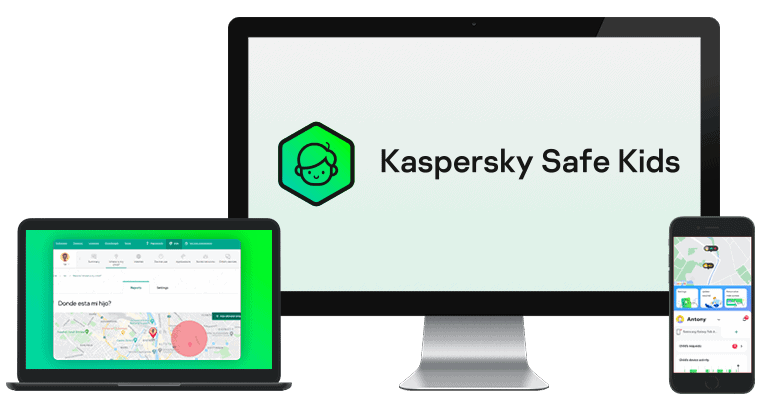
Kaspersky Safe Kids offers a simple but accurate location tracker that updates your child’s coordinates every few minutes — faster than most competitors. You can also manually refresh the location to see exactly where your kid is at any moment. This is especially helpful if you’re waiting for them after school or an after-school activity. However, I’d like to see Kaspersky also show you your child’s previous location, a feature that both Qustodio and Norton Family offer.
- Frequent location updates
- Huge geofence range
- Timed location tracking
- No location history
- No drive monitoring

I like how Kaspersky lets you set a time when your kid needs to be inside a certain area, which is great if you want to make sure that your kid is at school when they should be. You can set geofenced areas of 62.1 miles (99.9 kilometers), which is considerably large, and get alerts when they leave.
Read more about Kaspersky Safe Kids
It’s convenient that the location tracking report also tracks your kid’s phone battery, and it sends you an alert when the battery reaches 15%, giving you the chance to remind them to charge their phone if they forget often.
Kaspersky Safe Kids costs $27.99 / year, and you can also get it bundled with Kaspersky’s cybersecurity suite. All Kaspersky Safe Kids features are included in both plans, and each has a 30-day money-back guarantee. However, if you’re based in the US, please note that you can’t purchase Kaspersky due to a government ban. Additionally, the app isn’t available on the Google Play Store, but you can still download it through alternative app stores or Kaspersky’s official website.
Bottom Line:
Kaspersky Safe Kids has a user-friendly and very accurate GPS tracking tool that accurately tracks your kid’s current location. I like its geofencing tool and how it allows you to select times when your kid needs to be in certain areas, but I’d like to see it add more detailed reports about your child’s past locations. All plans come with a 30-day money-back guarantee.
Read the full Kaspersky Safe Kids review
Quick Comparison Table
Testing Methodology: Comparison & Ranking Criteria
I followed our tried-and-true methodology to identify and rank the best family locator apps for Android and iOS. I tested each app in real-world scenarios using a set of key criteria, including accuracy, ease of use, battery efficiency, privacy protections, and additional features. Below, I’ve outlined the testing criteria I used to make my selections.
I tested each app’s location accuracy.

I checked for geofencing tools.
I measured battery efficiency.
I assessed ease of use.
I checked for privacy features.

I evaluated multi-platform support.
I only considered apps that offer good value.
Quick Guide to Track your Kids’ Location in 2026:
- Download and install the right family locator app. My favorite is Qustodio because its location tracker is very accurate, you can navigate its apps even if you’re not that tech-savvy, and it has a Panic button.
- Download and set up the app on your and your kid’s phone. Once you download the app and create an account on your phone, you can download the app on your kid’s phone and connect them (this usually requires a code you’ll find in the parents app).
- Enable GPS services. During setup on your kid’s phone, make sure you allow the parental control app to use GPS services, which allows the location tracker to work properly.
- Test the tracking tool. When everything is set up, go back to the parents app and check to see if the locator is working as intended. That’s it! You can now track your kid’s device with ease.
Top Brands That Didn’t Make the Cut
- mSpy. mSpy’s location tracking is only decent. You get a large geofencing radius of 9,999 metres or 6.21 miles, an SOS feature, and a location timeline of your child’s location history. But you have to install a separate app on iOS devices for location tracking to work; there’s no check-in feature, and you can only track a maximum of 3 devices.
- Aura. Aura comes with great app filtering and time limits, but it lacks a location tracking feature.
- Eyezy. Eyezy’s family locator for mobile comes with live tracking, a geofencing tool, and a panic button. However, it takes 15 minutes to send updates, and I didn’t always get them in my tests.
Frequently Asked Questions
How can I track my kid on iPhone and Android?
The best way to keep tabs on the whereabouts of your kid is with a parental control app, like the ones I recommend. These apps offer 24/7 real-time location tracking, let you mark areas on the map that your kid visits frequently, and alert you when they enter or leave each zone.
What is the best family locator app for iPhones and Android?
In my opinion, the best family locator app for iPhones and Android is Qustodio. Its Family Locator feature is very accurate, provides frequent updates, comes with a good geofencing tool, and a panic button. I also really like that Qustodio stores 30 days’ worth of location history and that both its Android and iOS apps are very easy to use.
What is the best free family locator app for iOS and Android?
I wouldn’t recommend using a free family locator app. A lot of them don’t offer 24/7 real-time tracking or geofencing tools, and many of them sell user data.
Instead, I recommend getting an affordable family locator app, like Qustodio. It provides real-time tracking that’s accurate, has a great geofencing tool, and offers some extras, like a panic button. All of its plans come with a 30-day money-back guarantee.
How can I use a family locator app on my iPhone and Android?
You’ll need to follow these quick steps — download and install the app on your device, create an account, and then do the same on your child’s phone. Note that some parental control apps, like Qustodio, have different apps for kids and parents.
Once you find the location tracking feature, you’ll have to enable the GPS function on your and your kid’s device. And that’s it! You can now see your kid’s phone location in the app.
How do I track my kid’s location?
Tracking your kid’s location is easy if you install a top family locator app on their iPhone or Android device. Most parental control apps include advanced location tracking features like real-time GPS tracking, geofencing to get alerts when your kid leaves or enters designated zones, location check-ins, location history, and more.
