Published on: June 12, 2023 Updated 4 times since publishing
Only 3 Steps (Quick + Easy) to Access Binance.com in the US 2026:
- Download and install a VPN. I recommend ExpressVPN for its lightning-fast speeds and large server network, which includes locations in many countries where Binance.com is available.
- Connect to a VPN server. Choose a nearby location that has access to Binance.com, like Mexico, to get the fastest possible speeds.
- Log into your Binance.com account. That’s it! You can now access Binance.com in the US.
Binance.com’s full website and app aren’t accessible in the US. The US has a special version of the site, Binance.us, which has a much smaller crypto selection compared to the international version of the site.
One way to get around this restriction is by using a VPN. Binance.com blocks US users by using your IP address to detect your location. However, a VPN hides your real IP address behind an IP address in your home country. This means that while you’re connected to a VPN server, you’ll be able to access your Binance.com account as if you were back home and maintain constant access to your time-sensitive trades during your stay in the US.
Using a VPN for Binance.com also adds an extra layer of privacy and security. VPNs encrypt all of your internet traffic, ensuring that threat actors won’t be able to access your data and steal your personal information or hard-earned cryptocurrency.
My top VPN for Binance.com is ExpressVPN. It has servers in crypto-friendly countries near the US, like Mexico, provides blazing-fast speeds, and has top-notch security features.
ACCESS BINANCE WITH EXPRESSVPN
Editor's Note: ExpressVPN and this site are in the same ownership group.
How to Access Binance.com in the US in 2026
1. Choose a VPN that works well with Binance.com.
I recommend using ExpressVPN since it’s always able to access Binance.com, and it has servers in 105 countries. Plus, it provides high-end security and privacy, and it’s also extremely fast.
2. Install the VPN service on your device.
To do this, download the provider’s VPN client from its site or from your device’s app store. Then, follow the on-screen instructions to install and set up the VPN — it only takes 1-2 minutes.

3. Launch the VPN app.
Use the VPN to connect to a server in your home country, then log into Binance.com and start securely trading cryptocurrencies.

Quick Summary of the Best VPNs for Accessing Binance.com While in the US in 2026


🥇1. ExpressVPN — Best VPN for Accessing Binance.com While in the US

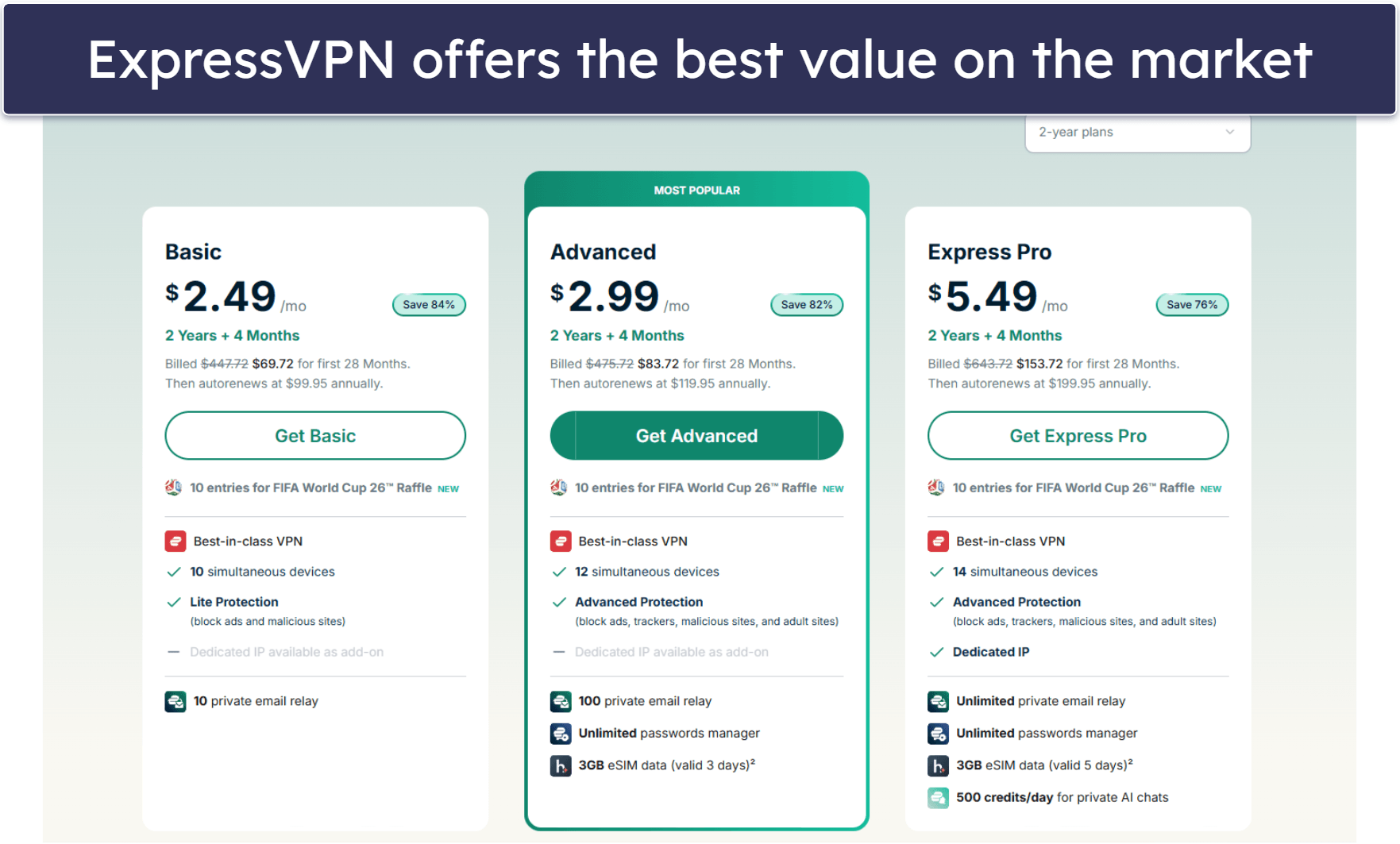
Basic 12-Months plan: $3.99 / month
1-month plan: $12.99 / month

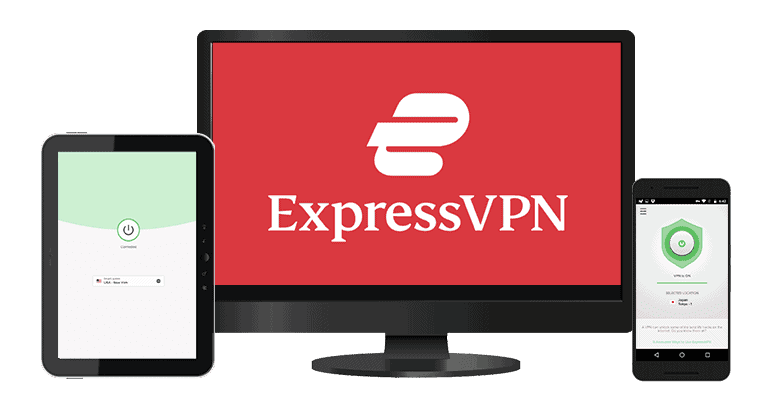
ExpressVPN is my top VPN for accessing Binance.com in the US. It’s able to bypass Binance.com’s geo-restrictions, and it provides blazing-fast speeds, state-of-the-art security features, and a huge server network (105 countries), including servers in crypto-friendly countries near the US, like Mexico. It’s also why we ranked it as the best VPN for accessing Binance.com from anywhere in the world.
This VPN also has paid dedicated IP addresses, which you don’t share with other users. This reduces the chance of your account being flagged for suspicious activity by websites and apps. You can get one from 20+ countries, such as the UK, Germany, France, and Spain, where Binance.com is accessible.
I also like that ExpressVPN has split tunneling, a feature that lets you add and exclude certain apps from your VPN tunnel. This is very convenient if you only need the VPN to access Binance.com but wish to still use your local network for the rest of your apps without having to disconnect from the VPN.
ExpressVPN accepts payment via credit card, PayPal, Bitcoin, and Paymentwal.
Read our full ExpressVPN review
🥈2. Private Internet Access — Highly Customizable Apps + Offers Dedicated IP Address
6-month plan: $7.50 / month
1-month plan: $11.95 / month
Private Internet Access (PIA) has flexible apps for customizing your VPN connection when accessing Binance.com from the US. There are a ton of settings that you can change, including your encryption levels (128-bit or 256-bit AES encryption), proxy settings, and whether or not to connect to trusted/untrusted Wi-Fi networks. You can even enable the Advanced Kill Switch, which prevents you from accessing the internet if you’re not connected to the VPN.
Plus, PIA offers dedicated IP addresses in 10+ countries for an extra cost, including the UK and Australia. These offer a stable connection to Binance.com.
Private Internet Access (PIA) is one of the most affordable VPNs on the market, and it accepts payment via credit card, PayPal, Amazon Pay, and various cryptocurrencies, including Bitcoin, Litecoin, Dogecoin, and Ethereum.
Read our full Private Internet Access review
🥉3. CyberGhost VPN — Beginner–Friendly VPN for Binance.com
6-month plan: $6.99 / month
1-month plan: $12.99 / month
CyberGhost VPN’s apps are some of the most intuitive in the industry, which is why it’s a great pick for VPN beginners that want to access Binance.com in the US. I found its app interfaces clean and easy to navigate, and I like that most functions have brief descriptions.
CyberGhost has servers in 100 countries across the globe, so there are plenty of locations to choose from for accessing Binance.com. And like Private Internet Access, CyberGhost also lets you purchase a dedicated IP address for a small extra fee.
CyberGhost VPN accepts payment via credit card, PayPal, Amazon Pay, Google Pay, and Bitcoin.
Read our full CyberGhost VPN review
Editor's Note: Intego ONE, Private Internet Access, CyberGhost and ExpressVPN are owned by Kape Technologies, our parent company.
Quick Comparison Table
Editor's Note: Intego ONE, Private Internet Access, CyberGhost and ExpressVPN are owned by Kape Technologies, our parent company.
How to Choose the Best VPN for Accessing Binance.com While in the US
- Get a VPN that works reliably with Binance.com. All of the VPNs on my list work with Binance.com 100% of the time.
- Choose a VPN with a lot of servers. You want plenty of options since some countries aren’t crypto-friendly, and ideally, you want to connect to a country that’s close to the US to get the fastest possible speeds. The VPNs I recommend have 80+ servers, including in Mexico, which is the closest to the US.
- Pick a VPN with fast speeds. All VPNs slow down your connection speed due to the encryption process. This problem can be magnified if your home country is very far from the US, which is why it’s best to pick a VPN that is able to maintain fast speeds on local and distant servers. ExpressVPN is the #1 VPN in terms of speed.
- Find a VPN with good privacy and security features. To protect your crypto wallet and personal information, it’s important to find a VPN that comes with industry-standard security features, like 256-bit AES encryption, which is very strong encryption used by banks and militaries; a strict no-logs policy, which means the provider doesn’t keep information about your IP address, browsing activity, or downloads; and a kill switch, which blocks your internet connection if your VPN connection drops, so your data isn’t accidentally leaked.
- Look for a VPN that provides good value. The VPNs I recommend are all reasonably-priced and have flexible plans and deals. They also accept crypto payments, allow a minimum of 5 simultaneous connections, and are backed by a money-back guarantee.
Why You Can’t Access Binance.com in the US (& Why You Need a VPN to Access It)?
Binance.com stopped accepting US users in 2019 due to US regulations. Instead, it relocated all of its US users to a special version, Binance.us, which specifically complies with US financial rules.
However, the US version of Binance is heavily restricted compared to Binance.com. Binance.us has fewer features, higher fees, and a lot fewer crypto options — Binance.com offers lets you exchange 500+ cryptocurrencies, while Binance.us only offers 50+.
In order to access Binance.com in the US, you’ll need to use a VPN. A VPN changes your IP address by allowing you to connect to one of its servers located in a country where Binance.com is available. When connected to that server, the VPN gives you an IP address that matches its location. This way, when you access Binance.com, it appears as if you’re doing so from that location — and not the US.
VPNs are also a good idea because they’re very secure. A VPN encrypts all of your traffic, preventing third parties like hackers or your internet service provider from tracking your crypto wallet and accessing your personal information.
Connected to a VPN But Still Can’t Access Binance.com While in the US? Try These Troubleshooting Steps
Check your VPN connection
Your VPN can disconnect for different reasons, so the first thing you should do if you can’t access Binance.com is to check if it’s on. The home screen of a VPN app will usually indicate your connection status and allow you to see your current IP address. Make sure you’re actually appearing to be in the location you’ve selected.
Switch VPN server locations
The VPN server you’re connected to might be experiencing issues or might be blocked by Binance.com. I recommend trying to reconnect to a different server location.
Clear browser cache and cookies
Your browser sometimes stores information about your location, and if that information conflicts with your new location while connected to a VPN, it might cause Binance.com to deny you access.
Verify your account
You must verify your identity on Binance.com before you can use its features. This requires you to have an ID from the country you’re signing up from. If you don’t have it, you won’t be able to buy or trade on Binance.com.
Contact your VPN’s customer support
If all else fails, a customer support rep should be able to help you access Binance.com. All of the VPNs on my list offer 24/7 live chat support and very responsive and helpful email support.
Frequently Asked Questions
Can I use Binance in the US with a VPN?
Yes, you can use a VPN to gain access to Binance.com in the US. A VPN hides your real IP address and location behind an IP address belonging to your provider in the country you connect to. This way, when you access Binance.com, it seems like you’re located elsewhere.
You can also use a VPN with Binance just to add an extra layer of privacy and security. All the VPNs on my list provide strong 256-bit AES encryption, a strict no-logs policy, and a kill switch to safeguard your crypto wallet and personal information. Plus, they all have advanced security features like DNS leak protection and RAM-only servers.
Does Binance.com ban users for using a VPN?
No, using a VPN isn’t against Binance.com’s terms of service. In fact, I recommend using a secure VPN with Binance.com to help keep your crypto wallet and your online activity secure. That said, it is against Binance.com’s terms of service to use a VPN to bypass its geo-restrictions — in other words, to set up an account for a country where you aren’t a permanent resident.
How can I access Binance.com in restricted countries?
The quickest and easiest method is by using a VPN. It only takes 3 simple steps:
- Step 1: Get a good VPN that works with Binance.com. ExpressVPN is my top pick for its blazing-fast speeds and large server network.
- Step 2: Connect to a VPN server. Choose a crypto-friendly location nearby for the fastest possible speeds.
- Step 3: Start trading on Binance.com. You’re all set! You can now access Binance.com while you’re traveling abroad in the US or another restricted country.
Can I access Binance.com in the US using a free VPN?
Maybe, but I really don’t recommend it. Many free VPNs are unable to access Binance.com. Plus, free VPNs come with a ton of restrictions, such as throttled speeds, data caps, and limited server selections, as well as often lack critical security features.
I would pick a reasonably-priced VPN instead, like the VPNs on my list. They all have very affordable plans and deals and come with a money-back guarantee, so you can try them out risk-free.
Editor's Note: ExpressVPN and this site are in the same ownership group.