
Published on: June 7, 2023 Updated 4 times since publishing
Only 3 Steps (Quick + Easy) to Watch Peacock TV From Anywhere in 2026:
- Download and install a VPN. I recommend ExpressVPN, as it consistently works with Peacock TV and has very fast speeds.
- Connect to a server. Open the VPN app and find a server location that’s closest to you for the best possible speeds!
- Log into your Peacock TV account. Find your favorite shows and start streaming.
Peacock TV is only available in certain locations, including the US, UK, Germany, Austria, and Switzerland. The streaming service looks at your IP address to determine your location and whether to show you the content available. This is because it has licensing agreements that don’t allow it to show content outside of these regions.
A VPN can access Peacock TV from anywhere because it can change your IP address. When you connect to a server, the VPN assigns you an IP address that matches the location of that server (like the US), which makes it look like you’re browsing the web from there.
Not all VPNs work with Peacock TV, though. On top of that, a lot of VPNs are not exactly user-friendly, offer slow speeds that aren’t great for streaming, and some even lack basic security and privacy features.
The good news is I’ve done the hard work for you. After testing the best VPNs on the market, I’ve found the top choices that work with Peacock TV and ensure fast speeds. The #1 VPN for watching Peacock TV content is ExpressVPN because it has excellent streaming support and impressive speeds.
Editor’s Note: Every VPN we recommend follows a strict no-logs policy, which means it doesn’t monitor or keep data on your online activities. You’re solely responsible for how you use the VPN, so make sure you’re following all applicable rules and regulations. We at SafetyDetectives don’t condone copyright infringement.
Editor's Note: ExpressVPN and this site are in the same ownership group.
How to Watch Peacock TV Content on Any Device
1. Select a VPN that works well with Peacock TV.
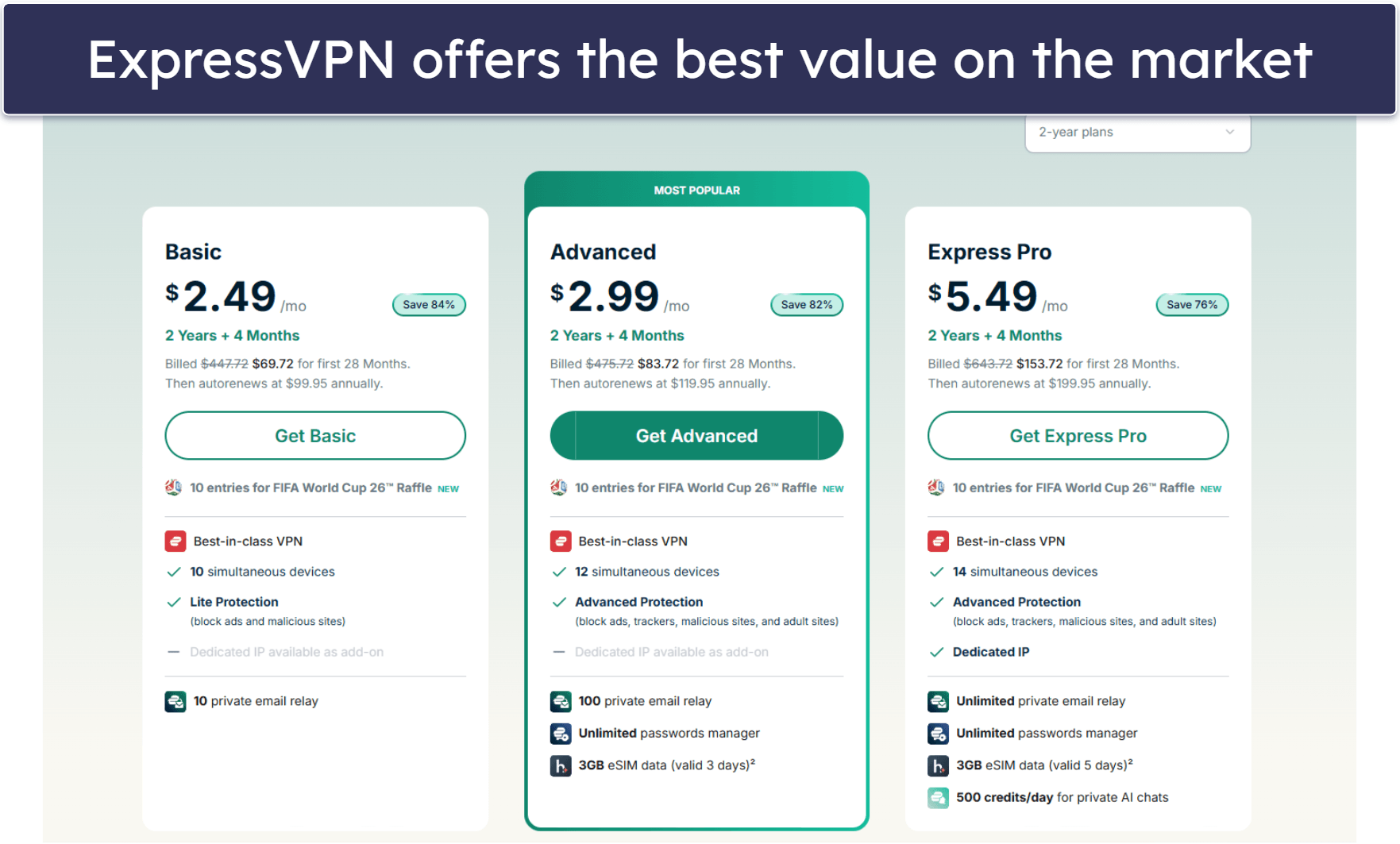
I recommend ExpressVPN because it accesses Peacock TV 100% of the time from any location. It’s also the fastest VPN on the market, which is great for buffer-free streaming.
2. Download the VPN’s apps on your devices.
Visit the VPN provider’s website or find the VPN app in the Google Play Store or the App Store. Then, just follow the installation wizard’s instructions. It only takes 1–2 minutes.

3. Launch the VPN app, pick a server, and connect to it.
Once you connect to a server in the VPN app, open the Peacock TV app and log into your account. That’s it!. You can now enjoy your favorite shows.

Quick Summary of the Best VPNs for Watching Peacock TV Content in 2026


🥇1. ExpressVPN — Best VPN for Watching Peacock TV in 2026

Basic 12-Months plan: $3.99 / month
1-month plan: $12.99 / month

ExpressVPN is the best VPN for Peacock TV. It has servers in 15+ US cities, 5+ UK locations, as well as servers in Italy, Germany, and other countries in Europe that can access Peacock TV 100% of the time.
You’re not going to find a better VPN on the market for streaming. It works with the Peacock TV app and website in the US, as well as Sky GO and NOW — Peacock TV is available as part of subscriptions to these platforms in Italy, Ireland, the UK, Germany, Australia, and Switzerland.
I also think its Shortcuts feature, which lets you create 1-click shortcuts to apps, is really convenient — for example, you can add your Peacock TV app to Shortcuts, and it will pop up on your screen every time you connect to a VPN server.
Read our full ExpressVPN review
🥈2. Private Internet Access — Advanced Security & Privacy for Watching Peacock TV

6-month plan: $7.50 / month
1-month plan: $11.95 / month
Private Internet Access (PIA) has advanced security and privacy for safely streaming content on Peacock TV. I also love how PIA offers streaming-optimized servers in the US, the UK, and Italy. The VPN recommends using these servers to get the best streaming experience, but it can also access Peacock TV via its regular servers.
PIA is great for beginners. It lets you browse servers by name and latency, so it’s easy to find any server location and pick the fastest one. But, it’s also an excellent pick for advanced users. PIA’s apps are highly customizable and let you configure the VPN connection based on what you use the VPN for. You can switch between encryption levels, choose from a list of protocols, and set automation rules.
Read our full Private Internet Access review
🥉3. CyberGhost VPN — Dedicated Servers for Peacock TV


6-month plan: $6.99 / month
1-month plan: $12.99 / month
CyberGhost VPN has streaming servers that are optimized to work with Peacock TV, including Peacock in the US and Sky Go in the UK. This means that these servers always work with these streaming platforms and provide great speeds for streaming.
Plus, it’s really easy to find the Peacock TV-optimized servers. The app keeps its streaming-optimized servers in a separate tab, so you don’t have to spend any extra time scrolling through the full server list.
Read our full CyberGhost VPN review
Editor's Note: Intego ONE, Private Internet Access, CyberGhost and ExpressVPN are owned by Kape Technologies, our parent company.
Quick Comparison Table
Editor's Note: Intego ONE, Private Internet Access, CyberGhost and ExpressVPN are owned by Kape Technologies, our parent company.
How to Choose the Best VPN for Watching Peacock TV in 2026
- Find a VPN with strong streaming support. Every VPN on my list works well with Peacock TV.
- Choose a VPN that offers fast speeds. All VPNs will slightly slow down your connections due to the encryption they use to protect your data from prying eyes. But with a top-tier VPN, you’ll hardly notice any latency. In my tests, ExpressVPN was the fastest and had no problem loading and playing both HD and 4K videos without any buffering.
- Select a VPN with great privacy and security. Each VPN I recommend comes with industry-standard security features such as 256-bit AES encryption, a strict no-logs policy that prevents the VPN from tracking your IP address or online activities, and a kill switch that cuts off your internet connection if your connection to the VPN drops.
- Get a VPN with user-friendly apps. It won’t take more than just a couple of clicks to connect to a server and watch Peacock TV with any of the VPNs on this list. Their apps are intuitive and are compatible with iOS, Android, Windows, macOS, and most smart TVs, so you can stream Peacock TV on any device.
- Buy a VPN that offers great value. All the VPNs I recommend have reasonably priced plans, allow multiple simultaneous connections, and offer affordable plans and a generous money-back guarantee.
Frequently Asked Questions
Why can’t I watch Peacock TV from my location?
Due to broadcasting rights, Peacock TV is only available in a few countries, including the US, UK, Austria, Switzerland, Germany, Ireland, and Italy. US users can directly subscribe to Peacock TV, but for those located in regions where Peacock TV is available outside of the US, they can only watch Peacock TV content if they subscribe to Sky Go or Now.
If you want to securely stream Peacock TV with a VPN, I recommend ExpressVPN — it always works with Peacock TV and has the fastest speeds on the market for uninterrupted streaming.
Do free VPNs work with Peacock TV?
Maybe, but I don’t recommend it. Free VPNs might not work with Peacock TV. Plus, they often have limitations on bandwidth and speeds and don’t have servers in the countries where Peacock is available. Instead, I recommend getting an affordable quality VPN, like ExpressVPN — it works with Peacock TV 24/7, has unlimited data, really fast speeds, and intuitive apps.
Can I use a VPN on multiple devices to watch Peacock TV?
Yes, you can connect multiple devices simultaneously with a single VPN subscription. Premium VPNs (like ExpressVPN) allow multiple connections at the same time. And there are some top VPNs like Private Internet Access that allow unlimited connections — this means your whole family can watch Peacock TV on their own devices at the same time without needing separate VPN subscriptions.
Will using a VPN affect the video quality on Peacock TV?
No, a quality premium VPN shouldn’t affect the video quality. While a VPN encrypts your data, which can cause some speed loss, good VPNs offer high-speed servers that minimize this impact — you shouldn’t have any issues streaming Peacock TV content in HD and 4K quality.
Editor's Note: Intego ONE, Private Internet Access, CyberGhost and ExpressVPN are owned by Kape Technologies, our parent company.