
Published on: February 28, 2022 Updated 7 times since publishing
Only 3 Steps (Quick + Easy) to Change Your Steam Country:
- Get a good VPN. My top pick is ExpressVPN — it consistently maintains low ping (how long it takes for an internet signal to travel from your device to the gaming server) on all servers to provide fast gaming speeds, offers excellent security and privacy features, and is very easy to use.
- Download and install the VPN. The process takes about 1–2 minutes — just download the VPN app of your choosing and follow the installation wizard’s instructions.
- Connect to a VPN server and log into your Steam account. That’s it! Now, you’re ready to start playing your favorite games!
I love gaming on Steam, but I often run into issues that ruin my experience. When I travel abroad, I sometimes can’t play my games because Steam only lets me play them in my home country (where I created my Steam account). When tons of other people are playing online games, my internet service provider (ISP) often slows down my speeds because I use up too much data while gaming. Also, I hate that I’m susceptible to Distributed-Denial-of-Service (DDoS) attacks, which force me offline.
A VPN is the best way to solve all of those problems. So, I tested the top VPNs in 2026 to find the best ones for Steam. Unfortunately, many VPNs are bad for gaming on Steam — they’re slow, hard to use, and don’t provide good security features. But I managed to find a few VPNs that provided me with an excellent gaming experience on Steam. My favorite is ExpressVPN, thanks to its really fast speeds, robust security features, and vast server network.

Disclaimer: Steam’s Terms of Service don’t explicitly ban VPNs, but some games on the platform restrict VPN use to prevent bypassing limits or impacting gameplay, like exploiting bugs or evading bans. However, it is clear that you can’t use a VPN to get games at cheaper prices. Neither I nor SafetyDetectives support using VPNs for such actions. Always adhere to each game’s ToS rules.
Editor's Note: ExpressVPN and this site are in the same ownership group.
What Is a VPN and Why Do You Need One to Change Your Steam Country?
A VPN (Virtual Private Network) lets you change your IP address by routing your connection through a server in another country. It also encrypts your internet traffic, keeping your data safe from hackers, snoops, and ISPs.
This is especially useful for Steam since it restricts access to certain games or content based on your country. So, if you’re traveling or living abroad, your current IP could block you.
But a good VPN like ExpressVPN can help you access your Steam games when you visit other countries. Just connect to a VPN server in your home country, log into your Steam account, and you’re ready to game!
Other Benefits of Using a VPN While Gaming on Steam

- VPNs encrypt your traffic, which prevents your ISP from seeing what you’re doing online, including gaming. Since your ISP can’t see that you’re gaming (which takes up a lot of bandwidth), there’s less of a chance that your ISP will throttle your speeds when you consume too much data while gaming.
- A VPN can protect you from DDoS attacks, which can disrupt your game and force you offline.
- VPNs let you securely access your Steam account when you use public Wi-Fi by encrypting your traffic so nobody can spy on it.
- A VPN can, in some cases, improve ping and latency if your ISP is throttling your connection or having technical issues. Connecting to a VPN server lets your traffic exclusively pass through it and the gaming server, potentially improving latency and connection stability.
- Using a VPN can improve online matchmaking. If there aren’t many players near you, matchmaking can be slow or unbalanced. A VPN can help by letting you connect through a different region — like a neighboring state or country — so you’re matched with a larger, more active player base.
- VPNs change your IP address, which helps evade IP bans. For example, after I received an undeserved IP ban on Counter-Strike, I was able to get around it by connecting to a VPN server.
- See correct purchase prices. If you’re traveling but want to purchase a new game for home, you might see higher prices depending on your current location (especially if you’re not logged into Steam). Since a VPN changes your IP, you can access your normal storefront and avoid seeing more expensive prices.
How to Change Your Steam Country Using a VPN
The key to successfully changing your Steam region is understanding that it’s not just about your IP address anymore. Steam has implemented stricter verification methods that require both a local IP address and a payment method from your target region. Here’s the complete process:
1. Choose Your VPN Service.
First off, you’ll need to pick a good VPN service. I personally like using ExpressVPN the most. It has servers in 105 countries, it maintains the fastest gaming speeds on the market, and it’s extremely simple to use.
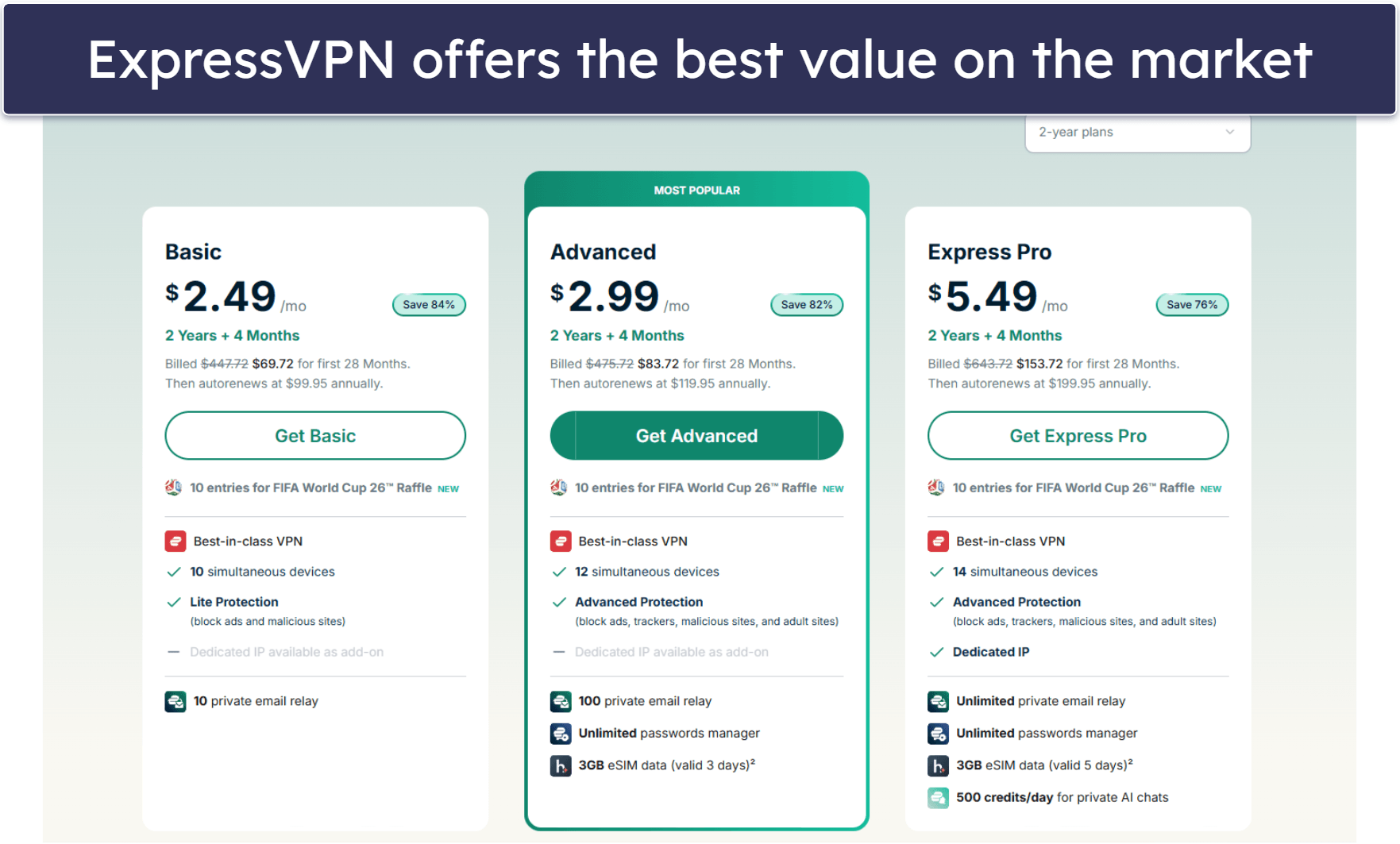
2. Download and install the VPN.
You can download the VPN app from its website or your device’s app store. After downloading it, the installation should take no more than a few minutes.

3. Connect to a VPN Server & Verify Your VPN Connection.
Connect to a server in your chosen region and verify your new IP address using an online IP checker. Make sure the VPN connection is stable before proceeding to the next step.
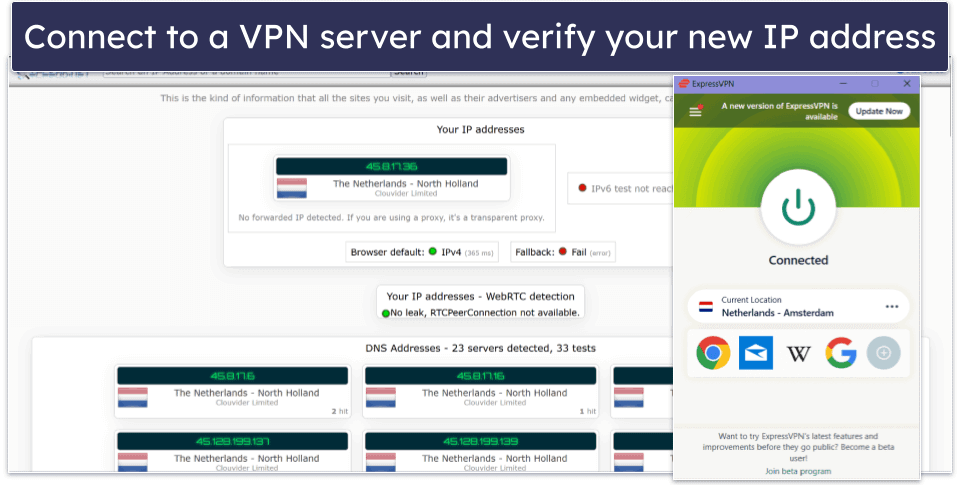
4. Secure a Local Payment Method
This is the most crucial step that many people miss. When changing Steam regions, you’ll need to use a payment method linked to the same country, otherwise, you will likely get suspended or banned from Steam. Your options include:
- Regional gift cards. Purchase Steam gift cards specific to your target region.
- Digital payment services. Services like Skrill may work in some regions.
- Local bank cards. If you have access to a legitimate payment method from that region.
- Trusted friends. Have someone in the target region make purchases for you (use caution).
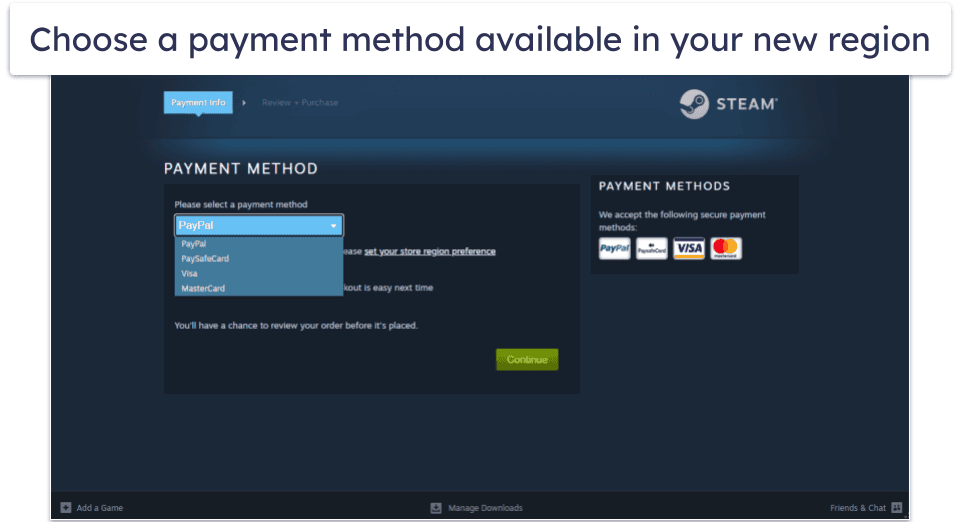
5. Make Your First Purchase
Open Steam while connected to your VPN and attempt to make a purchase. During checkout, Steam should detect your new location and offer to change your store region. During the checkout process, Steam will let you change your region.
Follow these steps carefully:
- Add a game to your cart.
- Proceed to checkout.
- Look for the region change option.
- Enter billing information that matches your target region.
- Complete the purchase using your regional payment method.
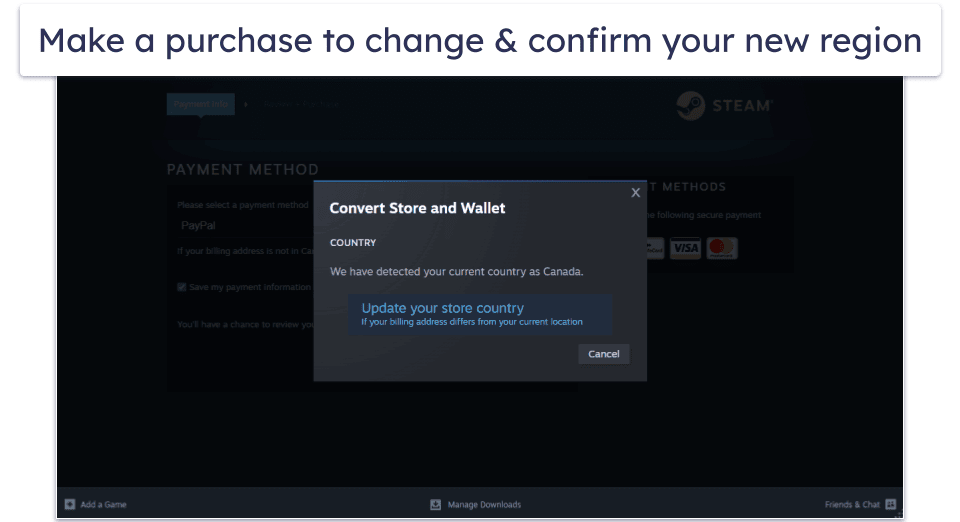
Editor's Note: ExpressVPN and this site are in the same ownership group.
Understanding Steam’s Region Change Rules
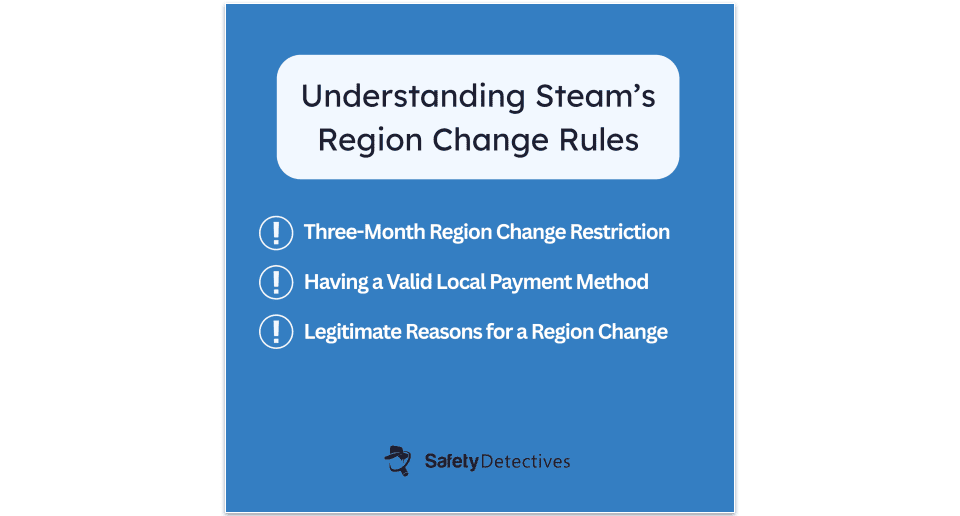
Steam has implemented strict policies around region changes to prevent abuse while still allowing legitimate users to access their accounts when traveling or relocating. Understanding these rules is crucial if you want to avoid account restrictions or worse, the possibility of getting your Steam account banned.
The 3-Month Restriction
Steam only allows you to change your store region once every three months. This cooldown period prevents users from frequently switching regions to take advantage of pricing differences. Plan your region change carefully since you’ll be locked into your choice for 90 days.
Payment Method Requirements
The most significant change to Steam’s region policy is the requirement for a valid local payment method that’s registered in the country to which you’re trying to change your Steam region. As such, you’ll need more than just a VPN for Steam to consider you as having officially moved regions/countries.
Legitimate vs. Prohibited Uses
If you are a new user, it’s not possible to temporarily change your store region for making purchases while traveling — you’ll need to be in your country of residence to do this. We recommend setting up your Steam account and configuring your store region before you travel.
Steam distinguishes between legitimate and prohibited region changes:
Legitimate reasons:
- Permanent relocation to a new country.
- Extended stays abroad (several months).
- Military deployment or work assignments.
Prohibited activities:
- Using VPNs to disguise your location to access region-specific content or to circumvent currency restrictions.
- Frequently switching regions for better prices.
- Using fake payment methods or addresses.
Common Steam Region Change Errors & Solutions
Even when following the correct process, you might encounter various error messages during your region change attempt. Here are the most common issues and how to resolve them:
“Something Went Wrong. Try Again.”
This generic error usually indicates a problem with your payment method or billing information. The error occurs when Steam can’t verify your payment method matches your target region.
Solutions:
- Double-check that your payment method is issued in the target region.
- Verify your billing address matches the region.
- Try using a different payment method (gift cards often work better).
- Clear your browser cache and cookies before trying again.
“Payment Method Not Available in This Region”
This error appears when you’re trying to use a payment method from your original region in your new target region.
Solutions:
- Purchase regional gift cards from online retailers.
- Use digital payment services like Skrill (where available).
- Have a trusted friend in the target region make the purchase for you.
- Wait until you have legitimate access to a local payment method.
Region Change Option Not Appearing
Sometimes Steam won’t offer the region change option even when connected to a VPN.
Solutions:
- Ensure your VPN is working properly and showing the correct IP.
- Clear Steam’s cache and restart the application.
- Try using a different browser or Steam’s web interface.
- Wait 12-24 hours after connecting to the VPN before attempting the change.
Purchases Being Declined
Your payment might be declined even with a valid regional payment method.
Solutions:
- Contact your payment provider to ensure international transactions are enabled.
- Start with smaller purchases to establish a purchase history.
- Use Steam wallet codes instead of direct payment methods.
- Try making the purchase at different times of day.
How to Keep Your Steam Account Safe After a Region Change
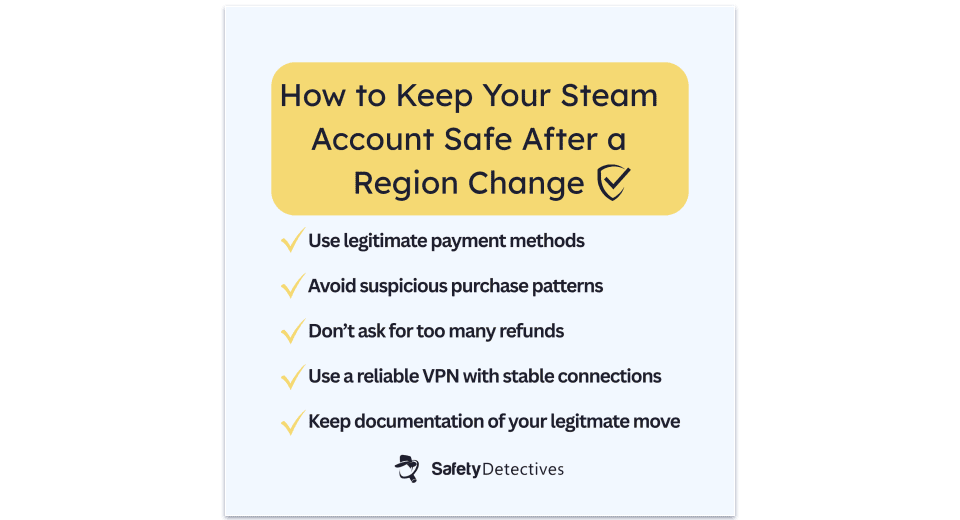
While changing your Steam region isn’t inherently dangerous, taking the wrong approach can result in account restrictions or bans. Follow these guidelines to minimize risks:
Use Legitimate Payment Methods
Never use fake payment information or stolen cards. Steam actively monitors for fraudulent activity, and using invalid payment methods is one of the fastest ways to get your account suspended. If you don’t have access to legitimate regional payment methods, consider alternative approaches like having friends make purchases for you.
Avoid Suspicious Patterns
Don’t make multiple region changes in short succession or switch back and forth between regions. Stick with your chosen region for the full 90-day period and don’t try to find ways around it.
Be Careful with Refunds
Frequent refund requests can trigger additional scrutiny of your account. If you do need to refund a game after changing regions, make sure you have a legitimate reason and don’t make it a regular practice.
Keep Your VPN Connection Stable
Use a reliable VPN service that won’t disconnect unexpectedly during the region change process. Sudden IP changes during checkout can raise red flags with Steam’s security systems.
Document Your Legitimate Use
If you’re changing regions for legitimate reasons (like moving or extended travel), keep documentation that proves your new location. While Steam rarely asks for this information, having it available can help if your account is flagged for review.
Quick Summary of the Best VPNs for Changing Your Steam Country With a VPN in 2026


🥇1. ExpressVPN — Best Overall VPN for Changing Your Steam Country

Basic 12-Months plan: $3.99 / month
1-month plan: $12.99 / month

ExpressVPN is my favorite VPN for changing your Steam region in 2026. Thanks to effective obfuscation technology, the app disguises VPN traffic on every server, making it nearly impossible for Steam to detect your VPN usage. And the best part is that you don’t even need to tamper with settings — obfuscation is activated automatically whenever the service detects deep packet inspection.
Thanks to its proprietary Lightway protocol, ExpressVPN delivers the lowest ping I’ve seen in a VPN for Steam gaming. During my tests on ExpressVPN’s nearby servers (which the app automatically seeks out if Smart Location is turned on), my speeds didn’t noticeably change when connected to the VPN, even with the added encryption.
The VPN also offers dedicated IP addresses for a small extra charge, which can make it easier to change your Steam region without triggering security flags. Unlike shared IPs, which are used by many people at once, a dedicated IP gives you a consistent online identity. This reduces the chances of account verification issues or login prompts when accessing your Steam account from a different country — especially useful if you’re traveling and want uninterrupted access to your game library.
Read the full ExpressVPN review
🥈2. Private Internet Access — Great for Steam Gaming on Desktop (With Customizable Apps)

6-month plan: $7.50 / month
1-month plan: $11.95 / month
Private Internet Access (PIA) has highly customizable apps, provides great privacy features, and maintains low ping across all servers. PIA also lets you change 20+ preferences in your settings — for example, I changed the encryption level from 256-bit AES encryption to 128-bit AES encryption (I still enjoyed strong security, but my speeds were faster).
There’s also an advanced kill switch that turns off your device’s network connection even when you turn off the VPN on purpose, which is crucial for maintaining your new Steam region without exposing your real location when you disconnect from the service.
PIA also has obfuscated servers, but unlike ExpressVPN, you’ll have to turn on the feature manually, and there are only 6 countries to choose from, which may result in slower speeds.
Read the full Private Internet Access review
🥉3. CyberGhost VPN — Great for Beginners (With Dedicated Gaming Servers)


6-month plan: $6.99 / month
1-month plan: $12.99 / month
CyberGhost VPN has great automation options, making it the ideal VPN for beginners looking to play Steam games securely. The app makes it incredibly easy to find the right server for changing your Steam region by separating all of its servers into categories based on their ideal usage scenarios.
For example, CyberGhost VPN has 90+ dedicated gaming servers in 4 countries (the UK, the US, Germany, and France) that provide faster speeds than its regular servers. In my tests, they were some of the fastest VPN servers I’ve tested for VPN gaming.
There’s also a feature called My ID Guard, which alerts you if your passwords and email addresses have been compromised. This is handy if you’re worried that your Steam credentials might have been compromised. Automatic Wi-Fi protection is also handy, letting the app automatically connect to a VPN server whenever it detects your device connecting to an unsecured public Wi-Fi network. That said, there is no obfuscation, so Steam is more likely to flag your VPN IP.
Read the full CyberGhost VPN review
Editor's Note: Intego ONE, Private Internet Access, CyberGhost and ExpressVPN are owned by Kape Technologies, our parent company.
Quick Comparison Table
Editor's Note: Intego ONE, Private Internet Access, CyberGhost and ExpressVPN are owned by Kape Technologies, our parent company.
Testing Methodology: Comparison & Ranking Criteria
To identify the best VPNs for Steam region changes, I evaluated each service (according to our testing methodology for VPNs) based on its ability to avoid detection while maintaining stable connections, plus performance for gaming, ease of use, server network, and more. Here are the key aspects I focused on:
- I chose VPNs with fast connection speeds. VPNs slow down your connection speeds because they encrypt your traffic and reroute it through a server that’s located further from your local internet network. The good news is top premium VPNs, including all of the VPNs on my list, maintain very fast speeds across all servers, so you won’t even notice any lag while gaming.
- I looked for VPNs that have a larger server base worldwide. This way, you can easily find a server in the country of your desired region change. All VPNs I chose have a worldwide network of fast and reliable servers.

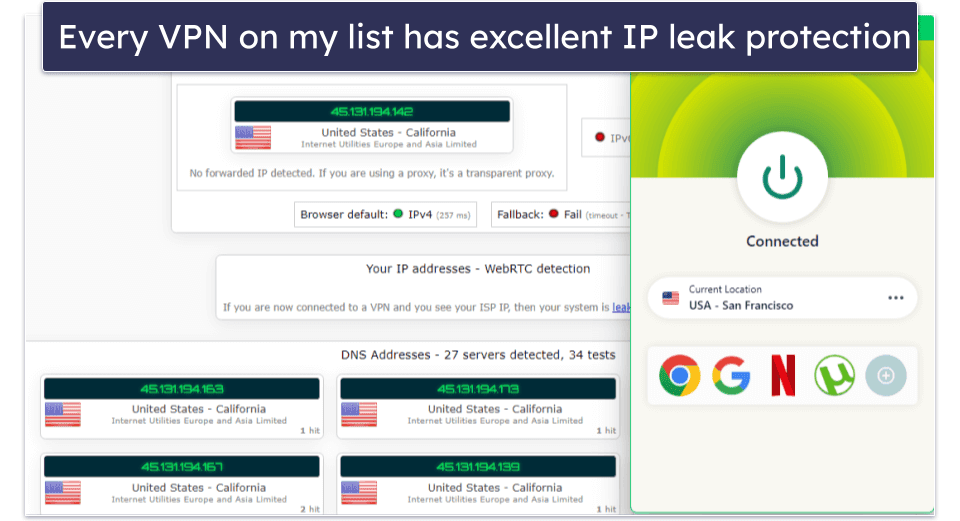
- I sought out VPNs with advanced security features. I only recommend VPNs with industry-standard VPN security features like 256-bit AES encryption, foolproof IP leak & DDoS attack protection, a kill switch (which drops your internet if you lose your VPN connection), and a strict no-logs policy — each VPN here also has its policy independently confirmed. Bonus points if the VPN provides obfuscation, making it harder to detect that you’re using a VPN connection.
- I picked VPNs that are easy to use. All VPNs on my list have an intuitive interface and make it incredibly easy to connect to your desired Steam gaming server.
- I wanted VPNs that offer good value. Every VPN on my list offers a money-back guarantee, allows multiple connections, and comes with extra features.
Frequently Asked Questions
Is it legal to use a VPN with Steam?
Yes, it’s perfectly legal to use a VPN with Steam. A VPN is actually a great choice for gaming because it provides great security, lets you play your games when you travel abroad, protects you from DDoS attacks, and stops ISPs from throttling your gaming speeds (ExpressVPN is my favorite VPN to use with Steam).
But don’t use the VPN to buy games for a cheaper price from other countries because that will violate Steam’s terms of service. Also, remember that each game on Steam has its own rules, so check if the game you want to play allows the use of VPNs (if it doesn’t, you might get banned regardless of Steam’s other policies).
Will I get banned for changing my Steam region?
The risk of getting banned depends on how and why you change your region. You won’t get banned for using a VPN with Steam if you don’t break the terms of service.
In fact, using a VPN like ExpressVPN can be beneficial, as you’ll be gaming more securely without slowing down your connection noticeably. However, Steam’s Terms of Service strictly prohibit the use of VPNs to pretend you’re in another location to, for example, take advantage of the lower regional pricing.
What’s the best VPN for gaming on Steam?
My favorite VPN for gaming on Steam in 2026 is ExpressVPN — it provides blazing-fast gaming speeds, has excellent security and privacy features, and is very easy to use.
How do you change your Steam country with a VPN?
If you travel abroad, Steam won’t let you play some of your games (you can only play them in the country where you have your account). But you can use a VPN to change your location, which will let you play all of your games when you travel abroad. And, it’s very simple to change your Steam country with a VPN — just follow my 3 quick and easy steps.
How often can I change my Steam region?
Steam only allows region changes once every three months. This 90-day cooldown period is strictly enforced, so choose your target region carefully and make sure you have a local payment method linked to your Steam account. Also, it’s a good practice to use a dedicated IP address offered by one of my top VPN picks.
Do I need to use a VPN every time I open Steam?
No, you don’t need to keep your VPN connected for regular Steam use after successfully changing regions. You don’t need to have your VPN running when making future purchases or playing games. The VPN is primarily needed during the initial region change process, though it’s a good practice to still use a gaming-friendly VPN if you want to play games securely and anonymously.
Can I keep my Steam games after changing regions?
Yes, you’ll keep access to all games in your library after changing regions, unless they were specifically region or country-locked, in which case you’ll need to use a VPN like ExpressVPN to gain access. Your Steam wallet funds may also be converted to the new region’s currency.
Can I use a free VPN for Steam?
I don’t normally recommend using free VPNs — they have slow speeds, limit how much data you can use, have buggy apps, and lack important security and privacy features. For example, hide.me has a decent free plan for gamers, but it only allows 10 GB per month (so data-intensive games will quickly use up the allotment), and you only get 1 connection.
I recommend buying an affordable VPN like ExpressVPN, which is my top choice for changing your Steam country and also our top pick for gaming.
Editor's Note: ExpressVPN and this site are in the same ownership group.