

PandaVPN Review: Quick Expert Summary
PandaVPN is a decent VPN, but there are better options out there in 2026 like ExpressVPN. PandaVPN has military-grade encryption, a no-logs policy, and fast speeds on nearby servers. Plus, it works with many popular streaming sites, including Netflix and Amazon Prime, and it has a pretty large server network across 92 countries.
However, there are some drawbacks. My biggest complaint is that PandaVPN is missing a kill switch, which is an essential security feature that prevents your online activities from leaking to your ISP (Internet Service Provider) and any other third party. It also has very limited P2P support, its split-tunneling feature is available only on mobile devices, and its customer support is pretty minimal.
PandaVPN has a free 7-day trial (Android and iOS only) and weekly, monthly, and yearly deals. It also comes bundled with Panda Dome Antivirus offers — the cheaper antivirus plans include the free VPN, which only allows 150 MB of data per day, whereas the most expensive antivirus deal includes the paid VPN, which allows unlimited data. If you’re looking for the best antivirus with a VPN, I recommend TotalAV because its VPN and antivirus are significantly better.
PandaVPN allows simultaneous connections on only 3 devices (the industry standard is 6–10) and backs its purchases with a short 7-day money-back guarantee (except for the 7-day deal, which is non-refundable) — most top VPNs offer at least 30 days.
PandaVPN Full Review — Lacking Vital Features (Including Kill Switch)
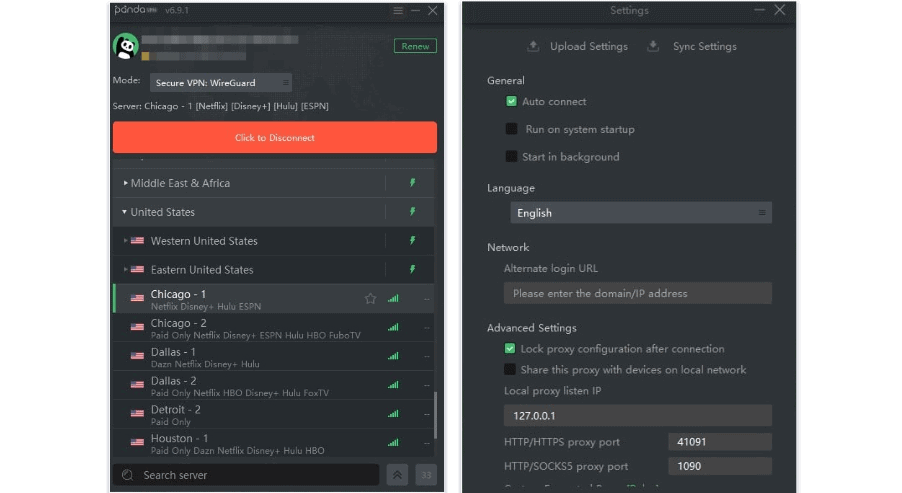
I spent the past weeks testing and researching PandaVPN, and although it has some strong features, it has a few serious drawbacks compared to the top VPNs on the market that prevent me from recommending it.
PandaVPN offers decent security, great streaming support, and a good selection of VPN protocols. However, it’s a pretty big deal that it’s missing a kill switch — without it, your real IP and location can be exposed if the VPN accidentally disconnects.
PandaVPN also has limited P2P support, doesn’t offer split-tunneling or an ad blocker on desktop, and provides poor customer support — other top VPNs like ExpressVPN and Private Internet Access simply provide much better value.
PandaVPN Plans & Pricing — Short Money-Back Guarantee Period & Only 3 Simultaneous Connections
PandaVPN offers 7-day, monthly, and yearly deals, with prices starting at $2.49 / month for the yearly option. This yearly deal includes 12 months free, which really makes it a 24-month deal. If you’re not in for a long-term deal, the VPN is available on a 7-day, 1-month, and 3-month basis, which have the same features. PandaVPN is also available through Panda’s antivirus deals.
You can only use the VPN on 3 devices simultaneously, which isn’t much — the industry average is 6–10 connections. That’s why I don’t recommend getting PandaVPN if you use a lot of devices.
PandaVPN accepts major credit/debit cards, PayPal, Google Pay, Payssion, Line Pay, and Bitcoin. It offers monthly and yearly deals with a 7-day money-back guarantee, which is significantly shorter than the 30-day guarantees you get with most top competitors. Its weekly offer is non-refundable, but if you want to test the VPN for a week, you can get a 7-day free trial via the Play Store or App Store. However, the free trial offer on mobile only gives you access to servers in 6 countries.
PandaVPN Features — Some Good Tools, but There Are Also Some Serious Drawbacks
PandaVPN has the following industry-standard VPN security features:
- 256-bit AES encryption — PandaVPN uses bank-grade encryption to make your data unreadable.
- No-logs policy — PandaVPN doesn’t collect your IP address and traffic (visited sites and downloaded files).
However, PandaVPN is missing a kill switch, which is a must-have security feature that disables online access if the VPN disconnects to prevent traffic leaks. Without a kill switch, you risk having your real IP address (and location) exposed if the VPN connection drops. I think this is unacceptable since all the top VPNs in 2025 come with a kill switch on most of their apps.
PandaVPN uses 3 protocols: OpenVPN and WireGuard, which are the fastest and most secure protocols on the market, and PandaVPN, its proprietary protocol that supports secure split-tunneling by IP address or domain. On mobile, PandaVPN lets you use Shadowsocks in Smart Mode (available on all servers), which offers really fast speeds — I got a good boost on public Wi-Fi.
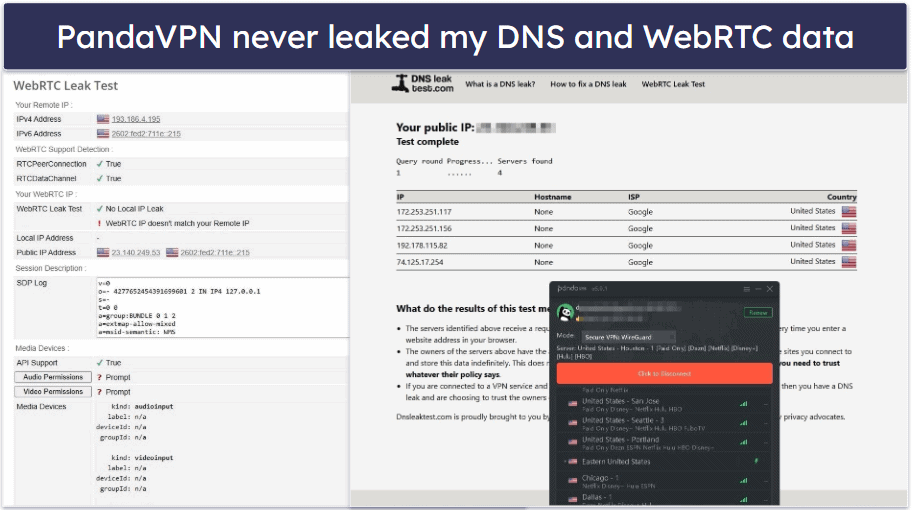
PandaVPN offers built-in DNS leak protection, so you’ll need to manually enable WebRTC leak protection in your browser and disable IPv6 traffic for full leak protection. Even without going through the manual labor, I never really experienced any leaks with PandaVPN. Still, I think it’s a lot more convenient when the VPN includes built-in leak protection against all types of leaks, like ExpressVPN.
PandaVPN has a few extra security features, such as split-tunneling, an ad blocker, and a Mock GPS Location tool — but they’re available only on mobile devices.
- Split-tunneling. I tested PandaVPN’s split-tunneling feature, and it worked well. It lets you choose which apps use the VPN and which bypass it, and you can even exclude specific apps only. In my tests, I could access banking apps (which typically block VPNs) connected to my local network, while using other apps via the VPN. Plus, with the PandaVPN protocol, you can split-tunnel traffic by IP address or domain.
- Ad blocker. I had mixed results with the ad blocker. It blocked all in-app ads and pop-ups, but it had less success with the Chrome browser — some ads still slipped through on websites I visited. If you want a VPN with a better ad blocker, consider Private Internet Access, which blocks all sorts of ads.
- Mock GPS location. PandaVPN offers a Mock GPS Location tool, which lets you spoof your phone’s physical location to match your VPN server. It’s great for streaming apps and any other app that relies on GPS data. However, it’s only available on mobile devices and requires some technical know-how — you’ll need to enable Developer Mode on your phone and select PandaVPN as a mock location app to use it.
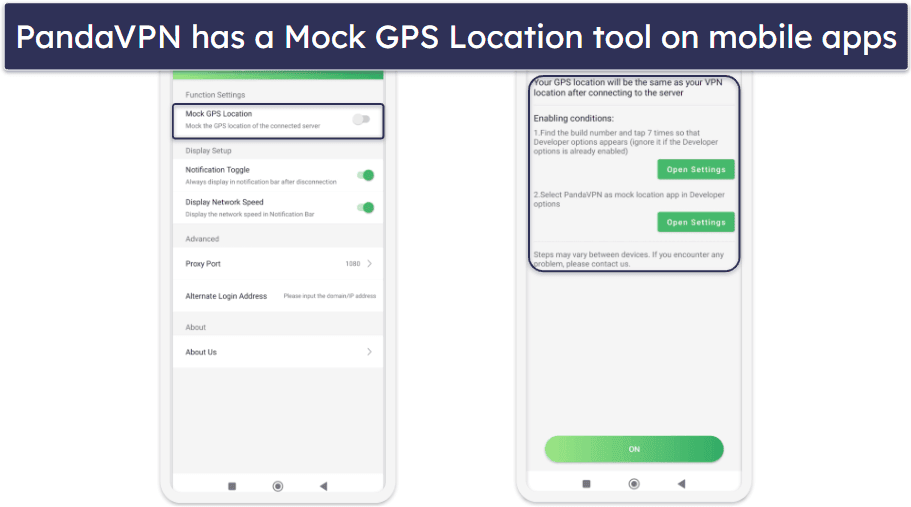
Overall, PandaVPN has good security features and some useful extras, like split-tunneling and a GPS spoofing tool. That said, it’s missing a kill switch, which is an essential VPN feature.
PandaVPN Privacy & Security — No-Logs Policy Hasn’t Been Audited
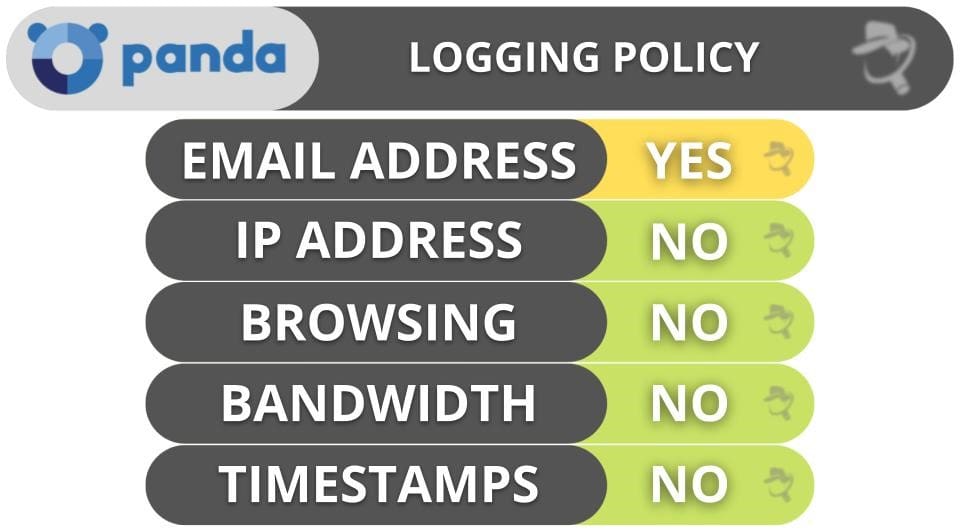
PandaVPN has a no-logs policy, and the privacy policy says that the VPN doesn’t log your IP address, traffic (what sites you browse and what files you download), or timestamps and session duration. For paid subscriptions, it collects only your email address (it’s optional for the free plan), which it needs to create an account and communicate with you.
That said, I’d have an easier time trusting PandaVPN’s no-logs policy if it’d undergo an independent security audit like ExpressVPN.
PandaVPN is headquartered in the Republic of Seychelles, which is not part of the 5/9/14 Eyes Alliances (a group of countries that share surveillance data). That means that PandaVPN doesn’t have a legal obligation to log user data and share it with the government. Even if it did, there wouldn’t be data to share.
Overall, PandaVPN has a no-logs policy (but it’s not audited) and is located in a privacy-friendly country.
PandaVPN Speed & Performance — Fast on Nearby Servers, Slowdowns on Distant Servers
I ran speed tests on my Windows PC on a server in all 92 countries where PandaVPN has servers. I had the fastest speeds on local servers in Serbia (my country), but I experienced noticeable slowdowns while streaming on distant servers in the US, Canada, Hong Kong, and Australia (but my browsing and torrenting speeds were still fast).
First, I ran a speed test without being connected to the VPN to get a baseline for my speeds. Next, I manually picked the fastest server for my location, which was in Serbia. Here were my speeds:

Here is the result of my speed test on a distant server in the US:

On nearby servers in Serbia, my speeds didn’t slow down at all — sites loaded instantly, HD videos loaded instantly and didn’t buffer, and I downloaded a 13 GB file in 10 minutes, which is very fast. On distant servers in the US, websites continued to load instantly, and I downloaded the same 13 GB file in 11–13 minutes, but HD videos took 4–5 seconds to load, and there was noticeable buffering while skipping through them.
Overall, PandaVPN provided me with fast speeds on nearby servers, but I experienced some noticeable slowdowns while streaming on distant servers.
PandaVPN Servers & IP Addresses — Good Server Network (But Limited P2P Support)
PandaVPN has servers in 180+ locations across 92 countries, which is an above-average-sized network. The server network is pretty well distributed across the globe, but it’s smaller than top competitors like ExpressVPN (105 countries) and NordVPN (149 countries).
PandaVPN supports torrenting on only 7 server locations, so it’s not the best pick if you torrent often. Other top VPNs have better P2P server networks — for example, Private Internet Access comes with P2P servers in 50 countries.
Overall, PandaVPN has a good-sized server network across the globe, but its torrenting support is very limited.
PandaVPN Streaming & Torrenting — Good for Streaming, Poor for Torrenting
PandaVPN is good for streaming because it works with popular streaming services like Netflix, Amazon Prime, Max, BBC iPlayer, and Disney+. It has dedicated servers that work with Netflix in 87 countries, Disney+ in 48 countries, and Max in 29 countries, which amounts to a lot of servers dedicated to specific streaming services.
If you’re looking for a VPN that works with even more streaming services in more parts of the world, I recommend ExpressVPN — it works with 100+ streaming services across most of its server network.
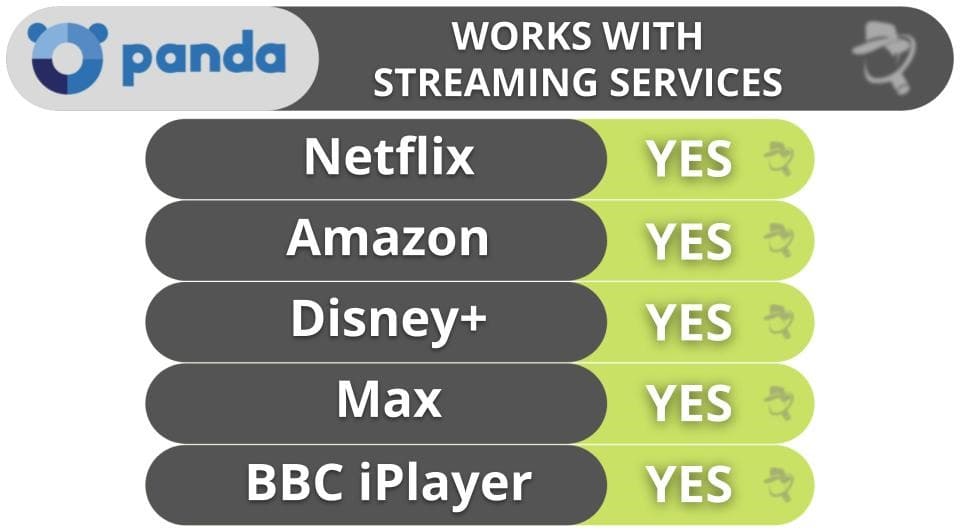
However, I don’t recommend PandaVPN for torrenting. It does work with top P2P apps like Vuze and uTorrent and comes with a SOCKS5 proxy (which provides very fast speeds and changes your IP address but doesn’t encrypt your traffic). However, it has P2P servers in only 7 locations out of its 180+ server locations and lacks a kill switch.
There are much better P2P VPNs out there, like Private Internet Access, which allows torrenting on servers in 50 countries, comes with a kill switch, and has port forwarding, which lets you connect to more peers to get faster downloads.
Overall, PandaVPN works with popular streaming services like Netflix, Amazon Prime, Max, BBC iPlayer, and Disney+, but it isn’t good for torrenting.
PandaVPN Ease of Use: Mobile & Desktop Apps — Different Interfaces Across Platforms

PandaVPN has apps for iOS, Android, Windows, macOS, Linux, and Android TV. I tested the PandaVPN Android app on my Samsung Galaxy device, and I found it very easy to use — for example, to select servers and navigate.
However, the quick-connect feature (Smart Select Server) kept connecting me to a distant server instead of the nearest one, so it was useless. All mobile apps come with split-tunneling, which lets you select the apps that use the VPN tunnel, a Mock GPS Location tool for spoofing your location, and an ad and malicious website blocker.
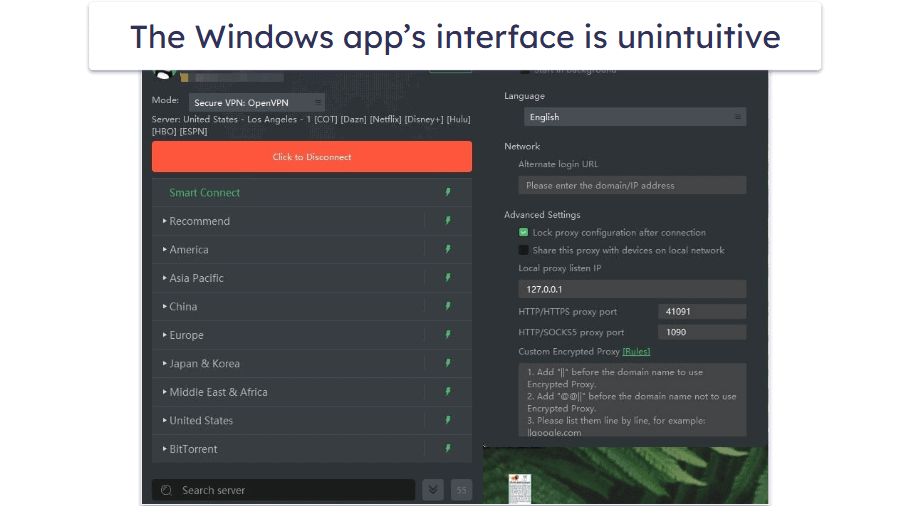
I also tested the Windows app on my Windows PC, and I found the app design to be a bit clunky compared to the mobile apps, and the quick-connect feature was useless. The Settings are listed in a separate window, so you have to constantly switch between windows to make changes. Moreover, the app is very basic, without features available on mobile apps.
Overall, PandaVPN has user-friendly mobile apps and basic and clunky desktop apps. The interface and features are different across devices, and the quick-connect feature isn’t working. That said, I think top VPNs like ExpressVPN have better apps because they have more VPN security features like a kill switch.
PandaVPN Customer Support — Very Poor Overall
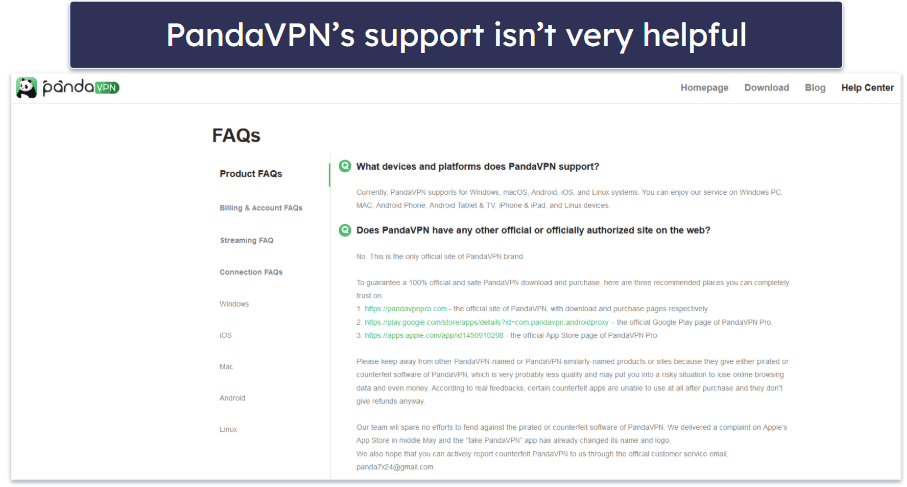
I wasn’t happy with PandaVPN’s customer support — it offers hit-or-miss email support and an unresponsive chatbot service (available only on mobile). The only support channel that’s helpful is the extensive FAQ.
The FAQ listed under the Help Center is the most support you’re likely to get from PandaVPN. There are a lot of questions and answers on topics like Billing, Streaming, and Connection, including some troubleshooting tips. However, there are no setup guides or tutorials on how to use PandaVPN.
PandaVPN offers a live chat bot on mobile, but all it does is offer canned responses from the FAQ. When I tapped the button to request a chat with a live agent, no one ever connected with me.
I also tested PandaVPN’s email support, which simply consists of sending an email to a Gmail address. The support channel claims to be available 24/7, but it took hours to get a response each time I sent an email. When I first downloaded the Windows app, I couldn’t start it as the installer wasn’t working. The support agents simply ignored me after they asked for more details on the issue.
Overall, PandaVPN’s customer support is lousy. There’s an extensive FAQ section, but live chat is available only on mobile and is unresponsive, and the email support takes a long time and isn’t helpful at all. CyberGhost VPN provides excellent customer support platforms, including 24/7 live chat, email, and an extensive library of thorough troubleshooting and setup guides.
Is PandaVPN Safe to Use in 2026?
While PandaVPN is decent, there are significantly better VPNs out there, like ExpressVPN and Private Internet Access.
On the plus side, PandaVPN has a large server network, good streaming support industry-standard VPN features like a 265-bit AES encryption and a no-logs policy, and a selection of fast protocols, including WireGuard. It also offers a couple of extras like a GPS spoofing tool, split-tunneling, and an ad blocker.
On the downside, PandaVPN is missing a kill switch, its no-logs policy hasn’t been independently audited, and P2P support is available on only a small fraction of its servers. It’s missing split-tunneling and an ad blocker on desktop platforms, the auto-connect feature isn’t working, and its customer support needs a lot of improvement.
PandaVPN offers weekly, monthly, and yearly deals, but comes with only 3 simultaneous device connections and a 7-day money-back guarantee (except for the weekly plan). You can also try it out risk-free with its free 7-day trial on mobile, but you’ll only get access to servers in 6 countries.
Frequently Asked Questions
Is PandaVPN safe?
No — while PandaVPN has bank-grade encryption and a no-logs policy, it’s missing a kill switch, which is an essential VPN security feature (without it, your real IP address is exposed if the VPN disconnects).
If you want a really secure VPN, I recommend ExpressVPN — it has industry-standard VPN security features (including a kill switch and an audited no-logs policy), blocks malicious trackers and sites, and has advanced security features like full leak protection and RAM-only servers (each server reset wipes all data).
Is PandaVPN free?
No, PandaVPN isn’t free. It offers a 7-day free trial on its iOS and Android apps and paid weekly, monthly, and yearly deals.
If you purchase Panda Antivirus, you can get a free VPN that comes bundled with all deals. However, I don’t recommend it — it only lets you use the quick-connect feature (you can’t pick which servers you connect to), limits you to just 150 MB per day (enough to browse for about an hour or two), and is available in only 24 countries on desktop and 6 countries on mobile.
If you’re looking for a good free VPN, I recommend Proton VPN because it comes with unlimited data and also provides fast speeds and excellent security features.
Does PandaVPN work with Netflix?
Yes, PandaVPN is compatible with Netflix, and even has servers dedicated to streaming Netflix in 87 countries. It also works with Amazon Prime, Disney+, BBC iPlayer, and Max.
Even so, if you want a VPN that works with streaming services worldwide, I recommend ExpressVPN because it consistently works with Netflix, it’s compatible with 100+ other streaming apps, and it has blazing-fast streaming speeds.
Is PandaVPN good for torrenting?
No — it allows torrenting in only 7 server locations out of a total of 180+ in the VPN’s network. In addition, it lacks a kill switch, which is critical for torrenting because it protects you from traffic leaks (which reveal your real IP address) if the VPN disconnects. However, I like that it has SOCKS5 proxy support that can boost your download speeds.
Editor's Note: ExpressVPN and this site are in the same ownership group.