
Passbolt Review: Quick Expert Summary
Passbolt is a good business-grade password manager but requires technical expertise to use it fully. It offers solid but essential protection for passwords and other forms of data, provides convenient password sharing, and lets you choose whether to self-host your database or use Passbolt’s servers.
My favorite aspect of Passbolt is that, due to its open-source nature, it’s deeply customizable. If you have coding knowledge, you can alter any aspect of Passbolt, including overhauling its UI or outright creating new features.
It has a few faults, but nothing overshadows its ability to keep your data safe. For example, it can be pretty complex, especially if you plan on creating your own features. It’s also missing some features, like password monitoring or automatic password auto-fill (auto-fill is done through the app). Feature-wise, it falls short of top competitors like 1Password.
Passbolt has a decent free plan for home users that offers unlimited password storage and a password generator — but unlike the business version (which you can get on Windows, iOS, and Android), it’s only available for Windows.
Passbolt Full Review — Basic but Highly Customizable Features
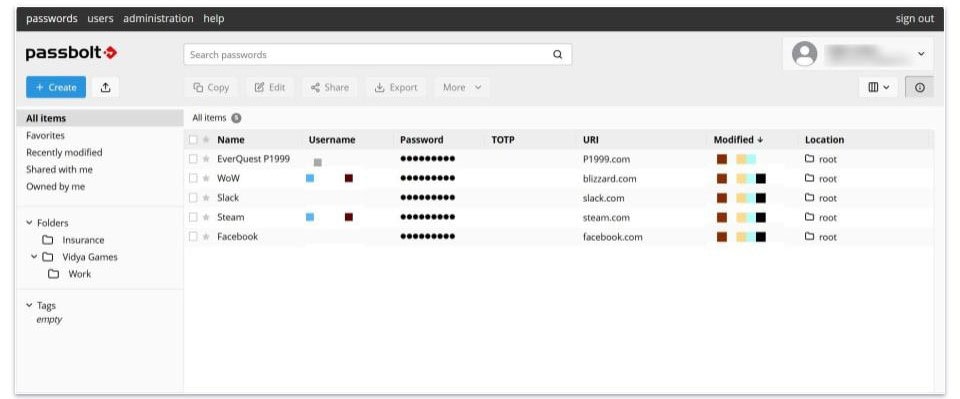
Passbolt is a pretty good password manager, but it has room for improvement. To start with the positives, it uses OpenPGP, the most common email encryption standard worldwide, to protect your data in transit and 256-bit AES for encrypting it at rest. Its password-sharing system is also among the best, and its open-source nature even lets you create custom features (provided that you have the technical expertise to do so).
But it’s not perfect. It’s one of the more complicated password managers to use and lacks features you’d get from other options. The activity logs are missing details that make 1Password’s reports great (i.e., key insights into your company). There’s also no macOS app or a Safari extension.
Despite all that, I thoroughly recommend Passbolt to anyone with some technical experience. Its level of customization is unparalleled.
Passbolt Plans & Pricing (For Personal Use) — Completely Free to Use
Passbolt’s Community plan is completely free and designed for individual use. It provides essential features like basic password protection, password sharing, TOTP generation, and 3-factor authentication. It also has auto-fill and auto-save via the app.
Unlike many free password managers, such as Keeper, which has a 10-password cap, Passbolt allows for unlimited entries. However, it’s not as user-friendly or feature-rich as some competitors, and it’s only compatible with Windows. That said, it’s a decent option for those who need basic functionality without cost.
Passbolt Plans & Pricing (For Business Use) — Somewhat Pricey, but Good Coverage
Passbolt offers two business-oriented annual plans: Business and Enterprise.
The Business plan starts at $49.00 / month for 10 users, and is suitable for organizations needing between 10 and 4,000 device licenses. This plan has advanced security features like LDAP provisioning, activity logs, and single-sign-on (SSO) for streamlined access across various services.
It also includes email support, providing additional avenues for assistance. While it’s a bit more expensive than alternatives like 1Password, which offers 10 licenses at less than half the cost, the features are tailored to meet the needs of businesses prioritizing security and support.
The Enterprise plan is highly customizable and offers flexible pricing based on the organization’s requirements. To use this plan, businesses must work directly with Passbolt’s sales team to determine the number of licenses and the specific additional security features they need.
A standout feature of the Enterprise plan is the ability to request custom development from the Passbolt team, enabling businesses to create solutions tailored to their unique needs. While the Enterprise plan is more expensive than the Business plan, its flexibility and bespoke options make it ideal for large organizations with complex requirements.
Both the Business and Enterprise plans include a 15-day money-back guarantee, and the Business plan is available for a 7-day free trial, allowing businesses to evaluate the service before committing.
Here’s a quick overview of the business plans:
Passbolt Security Features — Good Password Protection & Convenient Sharing
Passbolt uses OpenPGP encryption, which is an asymmetrical encryption protocol that’s never been cracked by hackers before. OpenPGP employs 2 types of encryption, including military-grade AES encryption, to protect your data thoroughly.
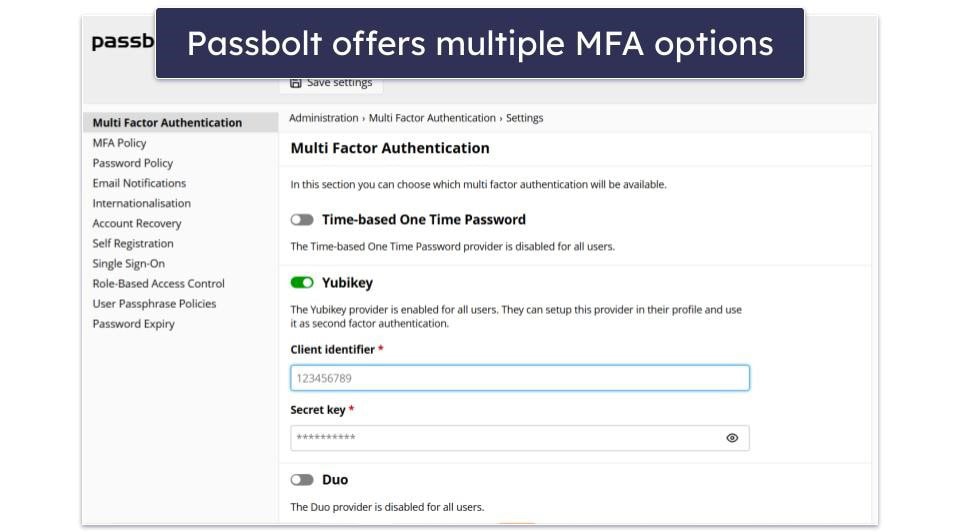
Passbolt also comes with two-factor and multi-factor authentication, meaning there are multiple barriers of entry to prevent someone from logging into your Passbolt account; even if unsavory characters have your password, they won’t be able to log in without the 2FA and MFA. It supports TOTPs, Yubikey, and Duo.
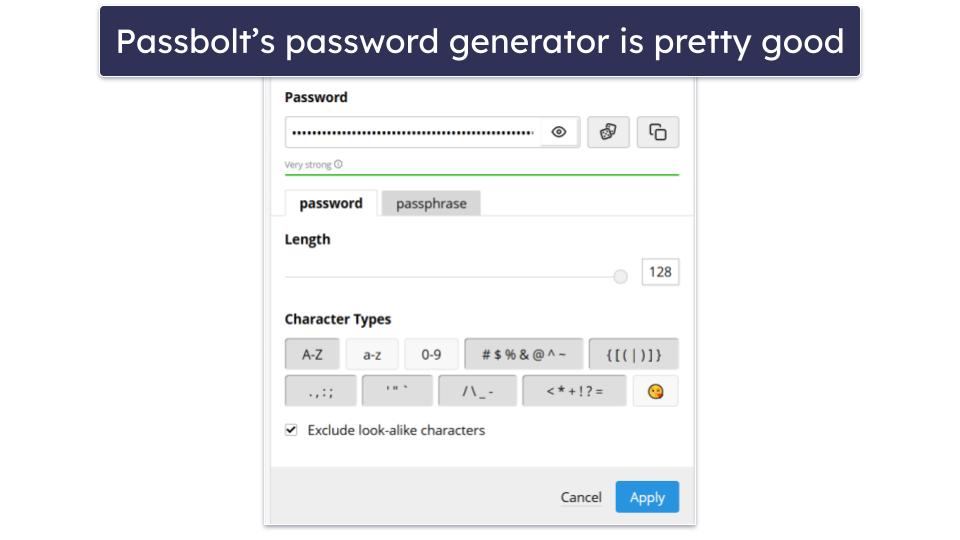
It also includes a password generator that can create up to 128-character-long passwords and passphrases with uppercase and lowercase letters, symbols, numbers, phrases, and even emojis (which is a cool addition, although most websites don’t support emojis in passwords).
Passbolt has one of the best password-sharing systems I’ve seen. When you create a new entry, you can click a Share button to permit other users to access those passwords. It’s functionally identical to Google Docs and just as convenient to use. You can remove the password rights you’ve granted or change the permission levels at any moment.
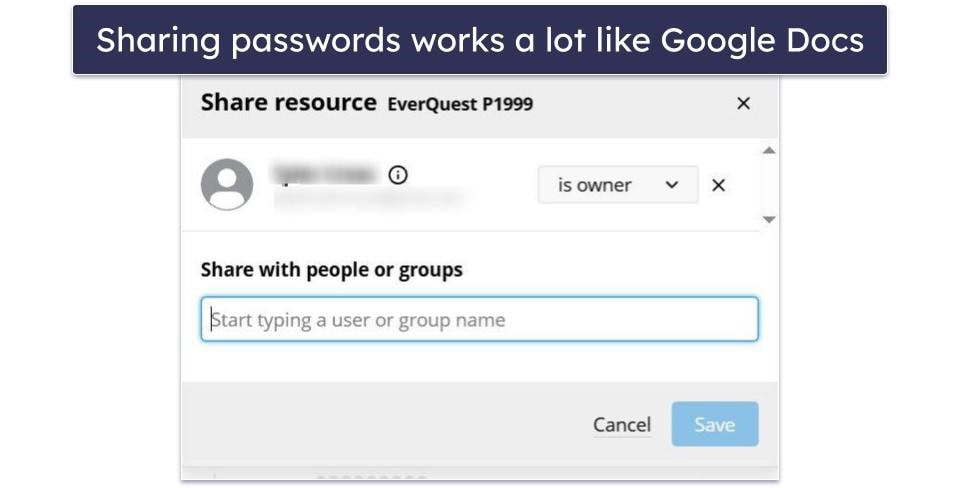
You can also view activity logs that track and audit logins and passwords for every computer within your company. I’d like more in-depth activity reports (similar to 1Password’s key insights), but it’s not bad.
There’s also the option to create TOTPs and customize how long they work for, how many digits are in them, and what website URL they will take you to. It’s an excellent feature for people who need a secure way to log into websites without sharing their passwords.
Passbolt Ease of Use & Setup — Complex but Customizable
Passbolt can be a lot more complicated to use than most password managers, but it also offers a massive amount of customization options. This is especially true if you utilize its open-source nature to tweak it yourself.
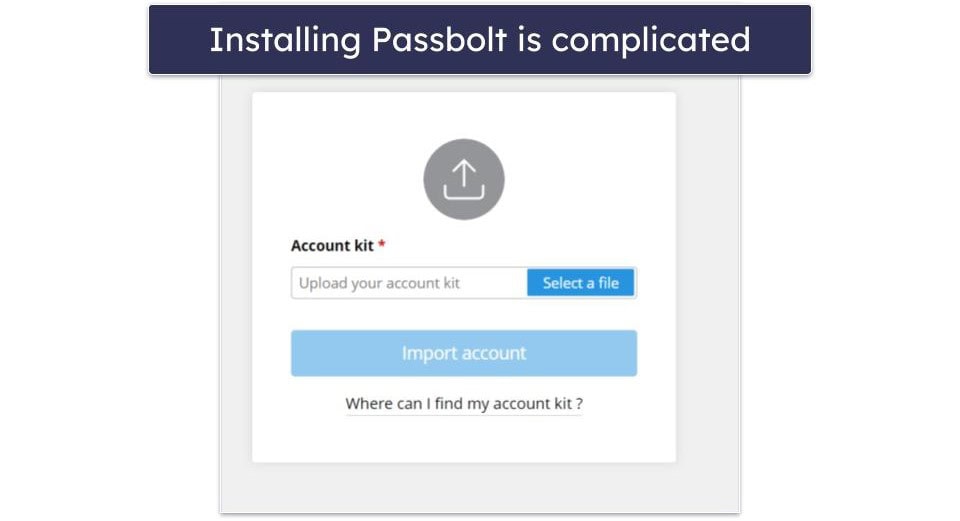
However, installation is particularly difficult. On top of installing the app, you also need to set up a server. This includes creating an account online, choosing your server type, and setting up a unique passcode and color code to access. After that, you need to save that passcode as a file and upload that to the app — it’s not the most intuitive process.
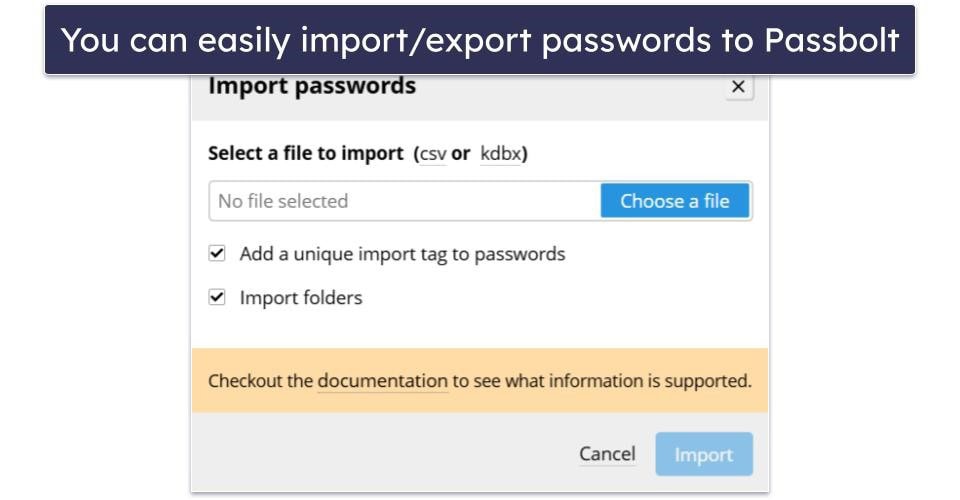
You can easily import and export passwords using a .CSV or .KDBX file. It’s pretty convenient, but you can’t import passwords using a unique file type as some top password managers can.
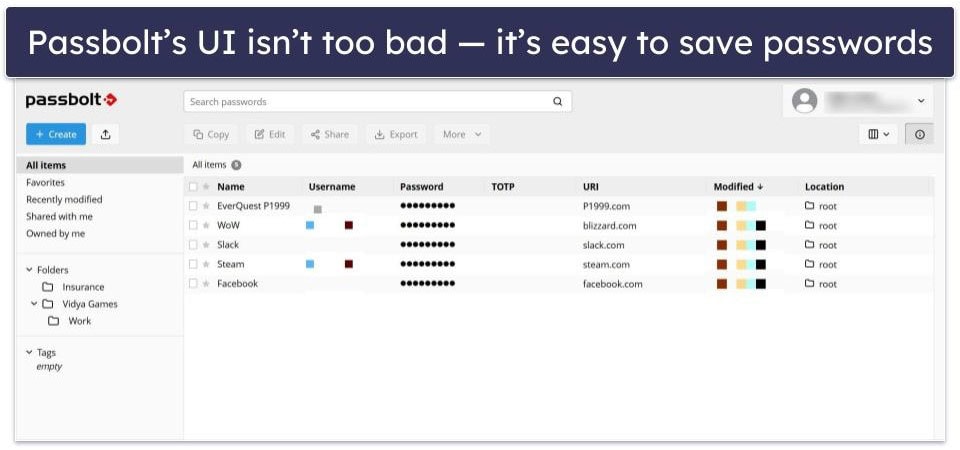
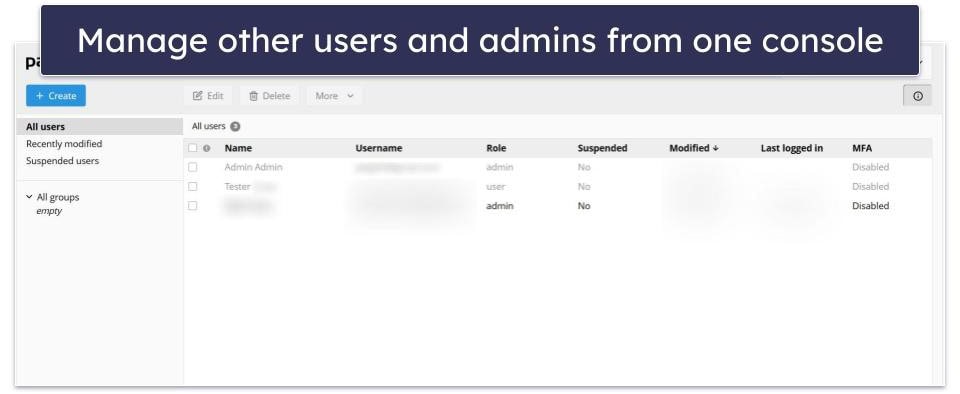
Once Passbolt is set up, the UI is a bit clunky, but you’ll get used to it. It’s easy enough to store new passwords and folders and create TOTPs. There aren’t many options for free users, but premium customers will have easily accessible logs, a management console, and more. If you’re looking for basic password protection, it works just fine “out of the box.”
You can manage Passbolt on every computer it’s installed on from a single console. It also helps manage other admins; you can even use it to set up passcodes on remote computers.
The real complexity comes with Passbolt’s open-source nature. You can find its source code on GitHub and modify it to create custom features, UI, and more. If you have the know-how and the time to play around with it, you could give Passbolt whatever your company needs.
Passbolt Customer Support — Better for Paying Customers, Great Free Guides
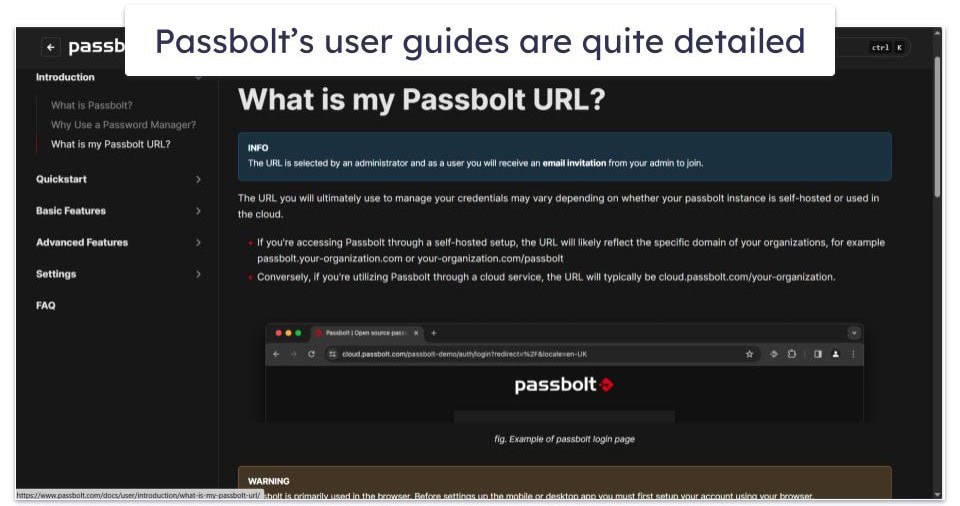
Passbolt customer support is split between free and premium customer support. If you’re using the community version, you get access to a reasonably active community forum and detailed help guides. I was pleasantly surprised by how much detail and information these manuals have.
Paying customers have access to a few additional options depending on their plan. If you have a Business plan, you get email support with an average response time of 1 day. Enterprise customers can also get help over the phone and through Slack (with response times that average around 4 hours).
It’s missing a few options, like live chat support or a chatbot. 1Password and many other top competitors include live chat support, making getting help during emergencies a lot easier.
Despite that, the customer support is fine. I especially like the free and highly detailed guides. Limiting email support to premium customers is a bit of a letdown, but at least it has decently fast response times.
Can Passbolt Protect Your Company?
Passbolt can protect your company’s passwords and any data you store in its vaults. The OpenPGP protocol has never been cracked by hackers before, and you can even choose to self-host your own servers to ensure control over your passwords.
Its password-sharing system is my personal favorite on the market right now, and the admin console makes it easy to protect every computer your company uses. If you’re willing to roll up your sleeves and do some programming, you can create custom app features.
Just be aware of its drawbacks before you buy. Passbolt doesn’t come with too many unique features; even some basic features are clunky — password auto-fill and auto-save require you to access the app, for example. It’s also more complicated than most top business password managers, even if password sharing is intuitive.
Frequently Asked Questions
Is Passbolt a secure password manager?
Yes, Passbolt is a secure password manager. Its encryption protocol, OpenPGP, has never been cracked before (as an aside, companies using OpenPGP have employed OpenPGP wrongly and faced a breach, but the protocol itself is uncracked).
If you save a password within your Passbolt vault, nobody can see or access it but you, not even the company. That does mean you’ll need to be careful not to forget your password since there are no recovery options.
Do I need a business to use Passbolt?
Yes and no. If you’re trying to use the Business or Enterprise plans, you will need a business email to sign up. You can’t get access to the premium features either package offers unless you have a business.
But there’s also a free community plan to check out and use. It’s missing some business-related features like advanced activity logs and an admin console, but it still provides excellent (albeit basic) password protection.
Does Passbolt have auto-fill?
Yes, but Passbolt doesn’t offer traditional password auto-save and auto-fill features, even through its web browsers. There’s a form of auto-save and auto-fill passwords using a menu from within the app, but this is a lot more inconvenient than how 1Password or Dashlane do it. It’s marginally more convenient than typing in a password, but it’s not what I’d call traditional auto-fill.
Is Passbolt free?
Passbolt has a free community plan that offers solid password protection. It comes with 2FA and even 3FA, password importing and exporting, and convenient Google Docs-esque password sharing.