
Published on: September 19, 2023 Updated 3 times since publishing
Only 3 Steps (Quick + Easy) to Watch Blue Lock From Anywhere in 2026:
- Download and install a good streaming VPN. Pick a VPN that works with streaming platforms that broadcast Blue Lock. I recommend ExpressVPN because it has super-fast speeds for buffer-free streaming on all platforms that show Blue Lock.
- Connect to a VPN server. Open the VPN app and choose a server.
- Log into your preferred streaming platform. Make sure the platform you choose shows Blue Lock. That’s it — sit down and enjoy the anime!
Blue Lock is a very entertaining anime, but its availability is limited. Many streaming platforms, like Netflix and Amazon Prime Video, broadcast the show only in select regions because they have licensing agreements that only allow them to air it in those locations.
VPNs hide your IP address (which reveals your location to streaming sites) by letting you connect to any of its servers around the world. For example, if you connect to a server in the US, you’ll get a US IP address. This lets the VPN access different streaming platforms that carry Blue Lock episodes from anywhere.
VPNs protect your privacy, too, by encrypting your traffic and hiding it from any third parties. This includes your ISP (Internet Service Provider), which may throttle your speeds if you engage in bandwidth-heavy activities, like streaming. With a VPN, they won’t know what you’re doing online.
I found the best VPNs for safely streaming Blue Lock. I recommend ExpressVPN because of its excellent speeds and great streaming support. That said, the rest of the VPNs on my list are really good alternatives.
Editor’s Note: The VPNs I list here don’t see or log what you’re doing online, so the responsibility of following all rules and regulations with a VPN falls on you. At SafetyDetectives, we don’t support breaking any form of copyright laws.
Editor's Note: ExpressVPN and this site are in the same ownership group.
How to Watch Blue Lock on Any Device
1. Choose a VPN that reliably accesses Blue Lock streaming platforms.
ExpressVPN is my top pick since it works with all the streaming platforms that show Blue Lock, has fast speeds, and offers user-friendly apps.
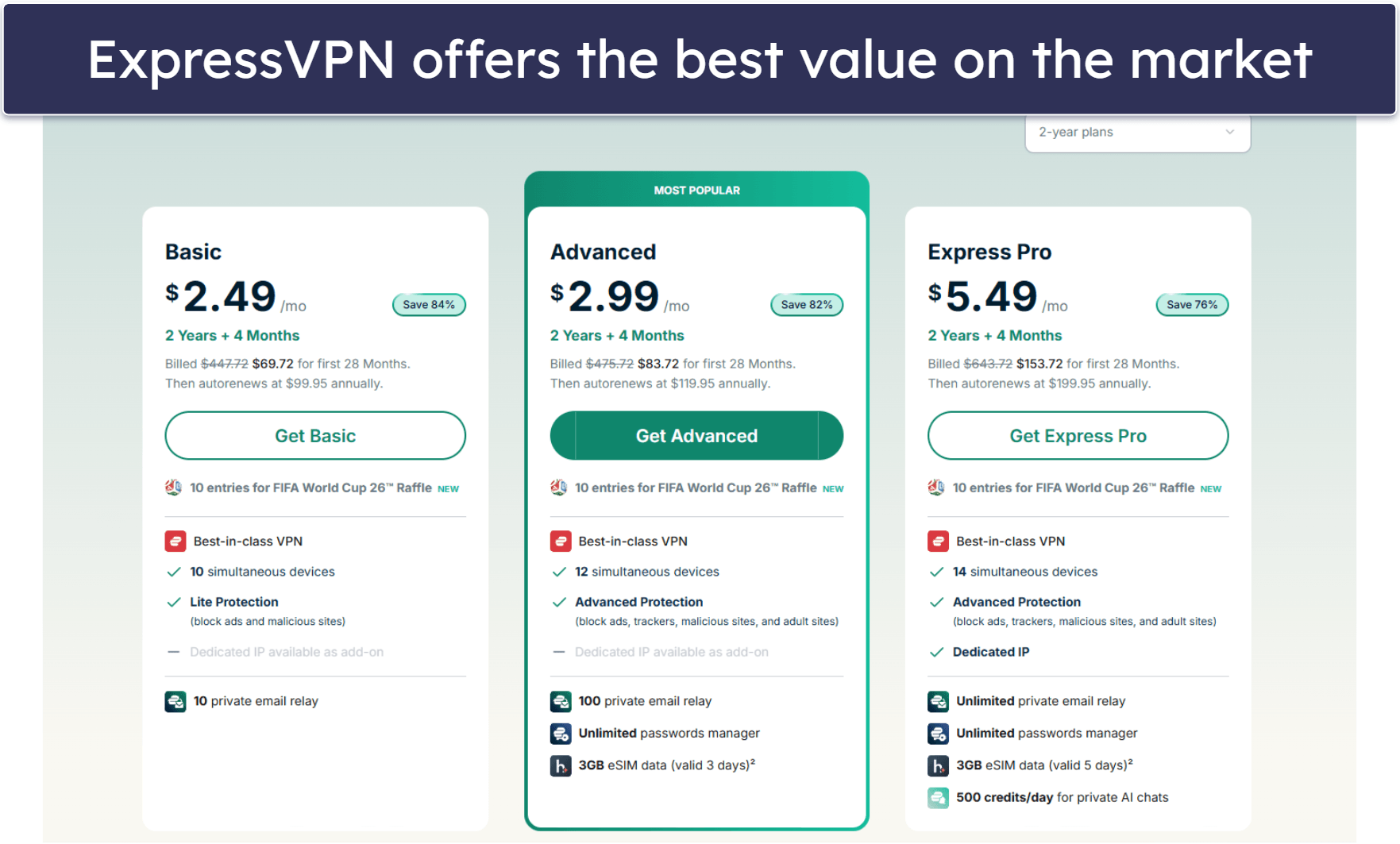
2. Download the VPN app and install it.
Just follow the installation wizard’s instructions, and you’ll be done in a couple of minutes; it only takes a few clicks.

3. Open the app, choose a server, and connect.
Log into a streaming platform that has Blue Lock and start watching.

What Streaming Services Show Blue Lock?
Quick Summary of the Best VPNs for Watching Blue Lock in 2026


🥇1. ExpressVPN — Best VPN for Watching Blue Lock in 2026

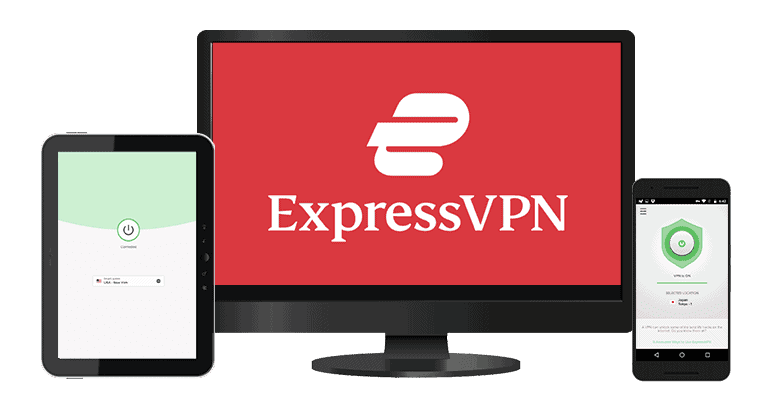
Basic 12-Months plan: $3.99 / month
1-month plan: $12.99 / month

ExpressVPN is my #1 option for streaming Blue Lock online. It can access all streaming sites that air Blue Lock episodes, including Crunchyroll and Netflix Singapore.
ExpressVPN has some of the most user-friendly apps in the industry. They all have interfaces that are easy to navigate, as well as find and connect to your desired server in mere seconds. In addition to offering apps for all of the major operating systems, including Android, iOS, Windows, and macOS, there are native apps for Linux, smart TVs, Apple TV, and even routers. Plus, I really like MediaStreamer, which allows you to use the VPN on devices that don’t support VPNs — think gaming consoles and certain smart TVs.
Read our full ExpressVPN review
🥈2. Private Internet Access — Great VPN for Watching Blue Lock on Mobile

6-month plan: $7.50 / month
1-month plan: $11.95 / month
Private Internet Access (PIA) is my go-to VPN for streaming on Android and iOS devices. Its mobile apps come with 20+ customizable options, including ones that enhance your streaming experience.
PIA works with all major streaming services that stream Blue Lock, including Amazon Prime Video, Disney+, and Crunchyroll. It has servers in 50 countries, including servers in every single US state. Plus, PIA allows an unlimited number of devices, so your entire family can watch Blue Lock on their own devices at the same time.
I’m a fan of PIA’s Smart DNS, which is similar to ExpressVPN’s MediaStreamer — it allows you to use the VPN on devices that don’t support VPNs. On top of that, PIA has apps for all of the major operating systems, plus Linux and smart TVs. While it works with routers, it doesn’t have a router app (unlike ExpressVPN).
Read our full Private Internet Access review
🥉3. CyberGhost VPN — Good VPN for Watching Blue Lock on Dedicated Streaming Servers


6-month plan: $6.99 / month
1-month plan: $12.99 / month
CyberGhost VPN has servers optimized for platforms where Blue Lock is available, including Netflix, Amazon Prime Video, Disney+, and Crunchyroll in the US. These servers are tested frequently to ensure that they offer the best possible speeds for streaming and always work with the streaming service they’re optimized for — there are 100+ dedicated streaming servers for 50+ streaming services.
I like how CyberGhost’s apps are beginner-friendly. It keeps its streaming-optimized server in a separate tab, so you won’t have to scroll through the entire server list to find its dedicated servers for sites that stream Blue Lock. You can also just type “Netflix” or any other streaming site’s name in the search bar and find its dedicated servers for that site in your country.
Read our full CyberGhost VPN review
Editor's Note: Intego ONE, Private Internet Access, CyberGhost and ExpressVPN are owned by Kape Technologies, our parent company.
Quick Comparison Table
Editor's Note: Intego ONE, Private Internet Access, CyberGhost and ExpressVPN are owned by Kape Technologies, our parent company.
How to Choose the Best VPN for Watching Blue Lock in 2026
- Pick a VPN that works with streaming platforms that show Blue Lock. Different countries have Blue Lock available in different streaming platforms’ libraries. The VPNs I recommend work with all major streaming platforms that stream the show, like Amazon Prime Video and Disney+.
- Test for fast speeds for streaming. To enjoy Blue Lock without any buffering, you need a fast VPN. I recommend ExpressVPN because it’s the fastest I’ve tested.
- Check for user-friendly apps. The VPN should have a good interface, so it doesn’t take you more than a few seconds to connect to a server. From there, all you have to do is log into your favorite streaming site.
- Get a VPN that protects your data. All of the VPNs that I recommended have industry-standard VPN security features like military-grade 256-bit AES encryption, a no-logs policy, meaning it won’t record your online activity, and a kill switch that stops your internet connection when the VPN disconnects.
- Choose a VPN that offers good value. It should allow you to connect multiple devices at once (at least 7), have extra features like split-tunneling, and offer plans with a money-back guarantee.
Frequently Asked Questions
What is the best VPN for watching Blue Lock online?
I recommend ExpressVPN for streaming Blue Lock. It’s the fastest VPN and works really well with all the streaming services that host Blue Lock, such as Netflix, Disney+, and Crunchyroll.
Can I watch Blue Lock on my mobile device using a VPN?
Yes, as all of the VPNs on my list have user-friendly Android and iOS apps that take a couple of clicks to find and connect to a server location where Blue Lock is available. They all let you mark servers as Favorites, too, so you can save the closest server based on your location for the fastest streaming speeds and watch Blue Lock on the go.
Do free VPNs work well for streaming Blue Lock?
Maybe, but I don’t recommend using free VPNs for watching Blue Lock or streaming in general. Many free VPNs don’t support streaming and typically offer a limited number of server locations, which means they’re often overcrowded and slow and they may not have a server in your location. Many also put a cap on data, so you won’t be able to watch more than a couple of hours a month. At worst, some free VPNs even sell data to third parties, which puts your privacy at risk.
I strongly recommend getting a premium VPN like ExpressVPN, which works with all major streaming sites that show Blue Lock, maintains blazing-fast speeds for uninterrupted binge-watching, and comes with unlimited data.
Can I watch Blue Lock on Netflix?
There are only a handful of regions where Netflix offers Blue Lock: Hong Kong, India, Japan, Malaysia, Philippines, Singapore, South Korea, and Thailand. In Japan and the US, you can also watch Blue Lock on Disney+ and Amazon Prime Video. If you’re not in any of these regions, you can try watching it on Crunchyroll, which is available worldwide.
Editor's Note: ExpressVPN and this site are in the same ownership group.