

Published on: September 15, 2023 Updated 4 times since publishing
Short on time? Here’s the best parental control app that can’t be deleted in 2026:
- 🥇 Qustodio: It has uninstall protection on all of its apps, so your child can’t remove Qustodio unless they have your login credentials. It also can’t be bypassed by a VPN, incognito mode, or by using an unsupported browser. Plus, all of its plans come with a 30-day money-back guarantee, so you can try it out risk-free.
Tech-savvy kids can often outsmart parental control apps. That’s why it’s important to get a parental control app with uninstall protection and other safeguards against attempts to bypass your monitoring and restrictions.
The parental controls I recommend all prevent kids from uninstalling the app. Their restrictions, like web filtering, are also resilient against common bypass methods, like using a VPN, incognito mode, or an unsupported browser.
My favorite VPN of the bunch is Qustodio. Its uninstall protection is available on all of its apps. It works through a VPN and on incognito mode, and it automatically blocks unsupported browsers.
Quick Summary of the Best Parental Controls That Can’t Be Deleted


🥇1. Qustodio — Best Parental Control App That Can’t Be Deleted


Qustodio is easily the best parental control app that can’t be deleted. All of its apps come with uninstall protection, so your kid can’t delete Qustodio from their device without entering your username and password. This includes its iOS app, which many top parental controls lack uninstall protection for.
- Uninstall protection on all apps
- Very difficult to bypass monitoring
- Blocks incompatible browsers
- Tons of extra features
- A little pricey
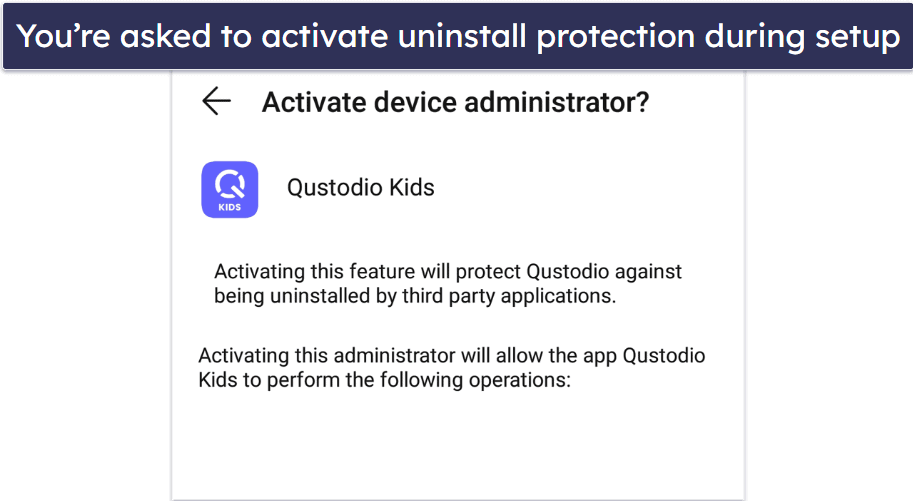
You can activate uninstall protection for non-iOS devices during the setup process by giving Qustodio device admin privileges. The installation wizard walks you through the process, so it’s super simple. For iOS devices, you’ll have to download the Qustodio Advance app on a desktop and connect it to your child’s device. The process is a bit more involved, but Qustodio’s website includes a detailed guide.
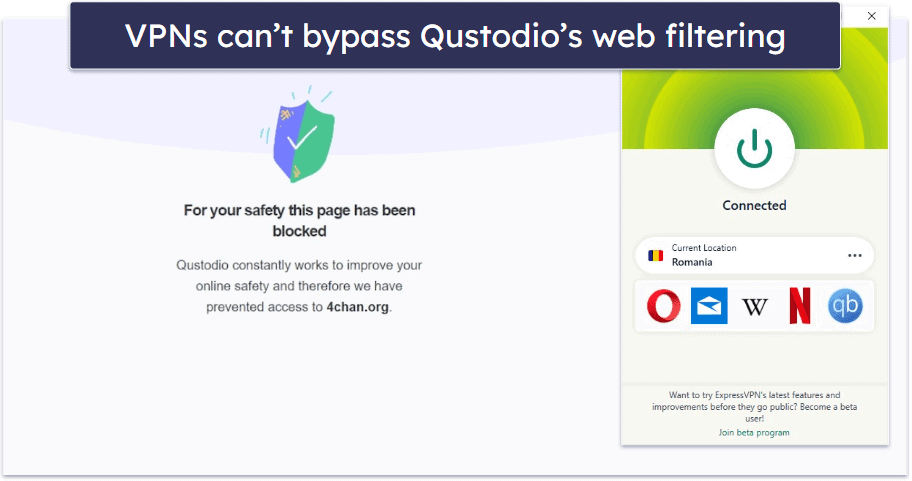
It’s also very difficult for kids to bypass Qustodio’s web filters. I tried getting around the web filter by using incognito mode and even tested it against a couple of top VPNs — but I was never able to reach any of the sites I had blocked on my child’s device.
Another tactic kids will try is using an incompatible browser to access blocked sites. While Qustodio only works with Chrome, Firefox, Edge, Safari, and Silk, it automatically blocks all incompatible browsers. In my tests, I wasn’t able to open Opera or Tor.
Besides the fact that it can’t be deleted, Qustodio is also just a top-tier parental control app. Not only does it have all industry-standard parental control features, including web and app filtering, time limits, location tracking, scheduling, and activity reports, it also comes with lots of bonus features, such as YouTube Monitoring, Social Media Monitoring, the ability to monitor your child’s calls and messages, and more.
Qustodio’s plans start at $4.37 / month. It offers a 3-day free trial, has a Free plan, and backs all paid plans with a 30-day money-back guarantee.
Bottom Line:
Qustodio is my favorite parental control app that can’t be deleted. All of its apps are equipped with uninstall protection, and its web filters can’t be bypassed with a VPN, incognito mode, or by using an incompatible browser. Additionally, it includes all essential parental control features and lots of extras. It backs all subscriptions with a 30-day money-back guarantee.
🥈2. Norton Family — Uninstall Protection + Bundled With Top Antivirus

Norton Family has uninstall protection on all of its apps. It functions similarly to Qustodio’s uninstall protection: if your child wants to delete the app, they’ll need your parental account credentials. Unfortunately, Norton Family doesn’t have a macOS app.
- All apps can’t be deleted
- Bundled with top antivirus software
- Web filtering can’t be bypassed
- Lacks a macOS app
- Doesn’t block unsupported browsers
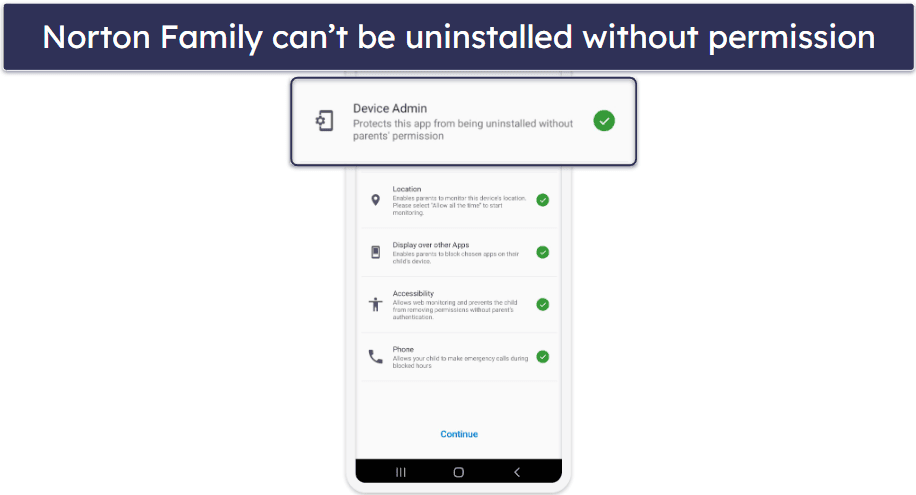
This parental control app has measures in place to prevent kids from bypassing its restrictions. I tested Norton Family with well-known VPNs like ExpressVPN and Private Internet Access, and it still prevented me from accessing sites that I had blacklisted. I wasn’t able to get around the restrictions by using Chrome or Firefox’s private browsing modes either.
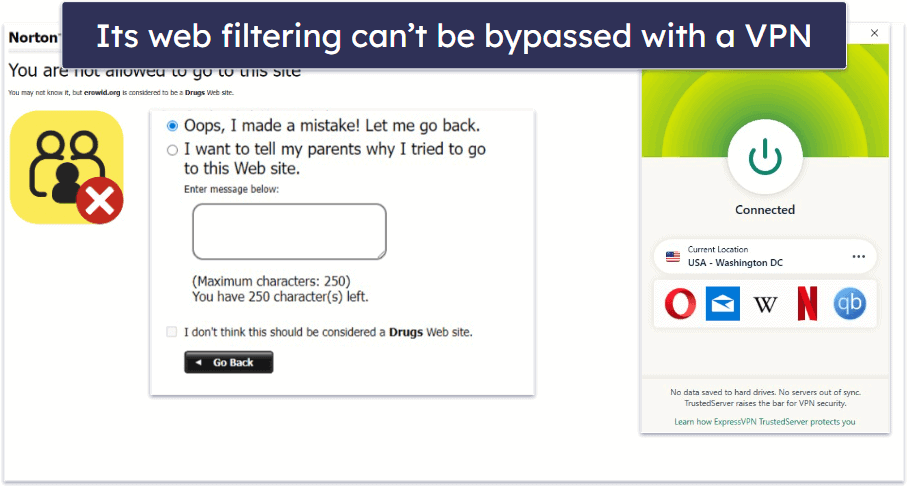
One minor annoyance though, is that Norton Family’s web filters only work on Chrome, Firefox, Edge, and the built-in Norton browser. Unlike Qustodio, it doesn’t automatically block unsupported browsers, like Brave and Opera. Fortunately, you can use its app filtering feature to prevent access to other browsers. You should also be aware that your kid can disable Norton’s browser extension to disable your web restrictions, but don’t worry — you’ll receive an alert if they do.
Norton Family is available as a standalone subscription at $49.99 / year. But you can get it at the same price bundled with Norton 360, the best antivirus on the market, as part of its Deluxe plan. All of its plans are backed by a generous 60-day money-back guarantee.

Bottom Line:
Norton Family is a great tamper-proof parental control app that you can get bundled with the best antivirus software on the market. This makes it a good value choice for parents seeking a comprehensive digital safety net. Plus, it backs all plans with a 60-day money-back guarantee.
Read the full Norton Family review
🥉3. Bark — Anti-Removal on Android + Resilient Social Media Monitoring

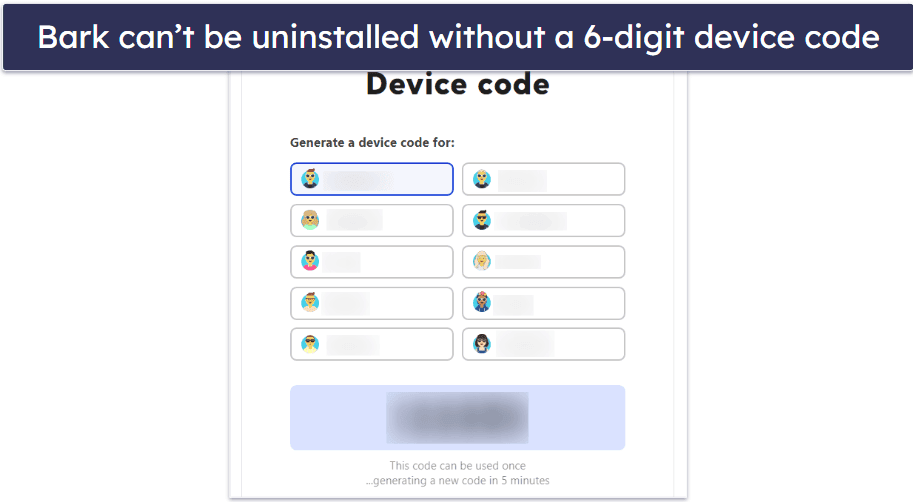
Bark provides uninstall protection on Android and Kindle Fire. In order to uninstall the app, your kid will need to enter a special 6-digit code from the parent dashboard. For extra security, this code is also changed every 5 minutes. Additionally, even if your kid manages to uninstall the app, you’ll receive an immediate notification, so you can intervene.
- Uninstall protection on Android
- Difficult to bypass social monitoring
- Alerts you of unauthorized changes
- No uninstall protection on iOS
- Doesn’t block unsupported browsers
Unfortunately, Bark’s uninstall protection isn’t available on its iOS app. It recommends that iOS users make use of Apple’s Screen Time controls to prevent their kid from removing the app.
Bark’s standout feature is its advanced social media monitoring. Using machine learning algorithms, it can scan 30+ social media platforms and alert parents to potential issues from anxiety to bullying. And this feature is very resilient to bypassing. So long as you’ve connected Bark to your kid’s social media accounts, it’ll continue to work even if your kid manages to uninstall Bark app.
The only way for kids to get around this is to change their account password or to revoke Bark’s permissions through their social media account settings. But if they do either of these, Bark will notify you immediately.
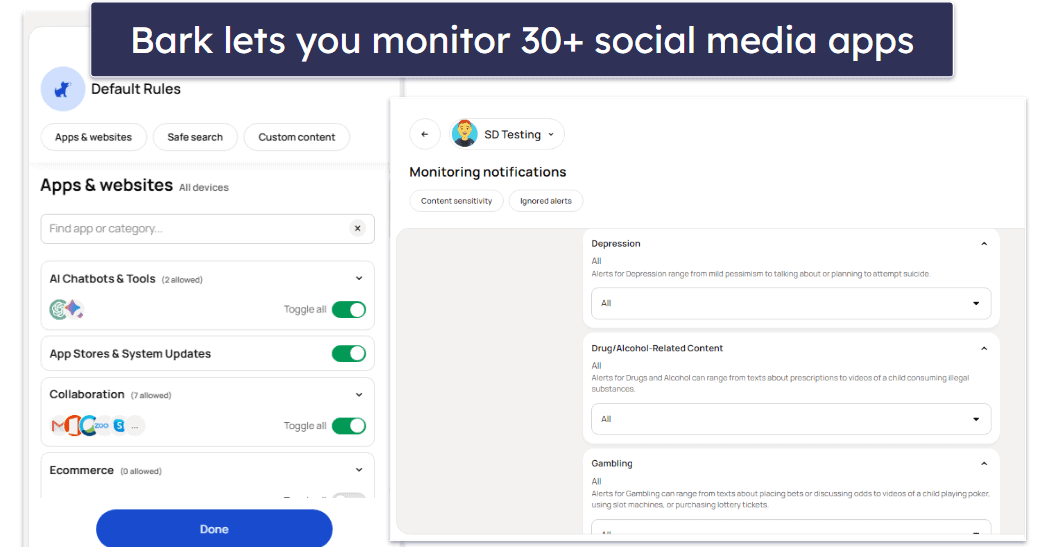
Bark’s plans start at $5.00 / month and it offers a 7 day free trial, but it doesn’t have a money-back guarantee.
Bottom Line:
Bark can’t be uninstalled on Android and Kindle Fire without access to a 6-digit code in the parent dashboard, which is regenerated every 5 minutes. Its advanced social media monitoring is also very difficult to bypass. Bark doesn’t have a money-back guarantee, but it offers a 7-day free trial.
4. FamiSafe — Can’t Be Deleted + Driving Reports

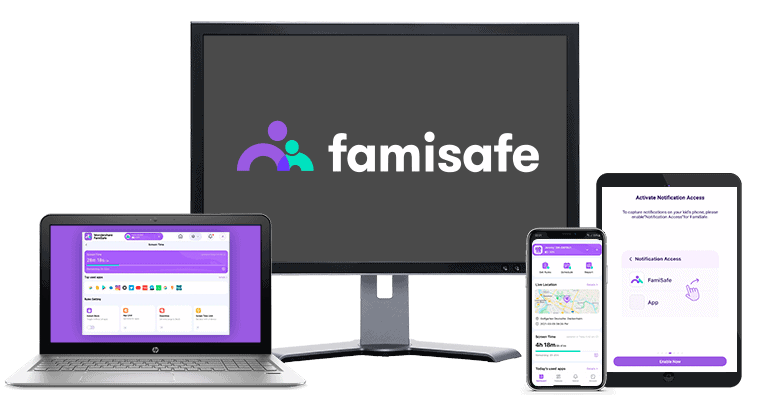
FamiSafe uses device administrator permissions to prevent unauthorized uninstallation. If your child attempts to remove the app, they’ll be prompted to enter a password or 4-digit PIN. If they successfully uninstall FamiSafe, you’ll receive an immediate notification. Its uninstall protection isn’t available on its iOS app, though. If you need a parental control app that can’t be deleted on iOS, check out Qustodio instead.
- App protected by password/PIN
- Works on most popular browsers
- Unique driving reports feature
- No uninstall protection on iOS
- Short money-back guarantee period
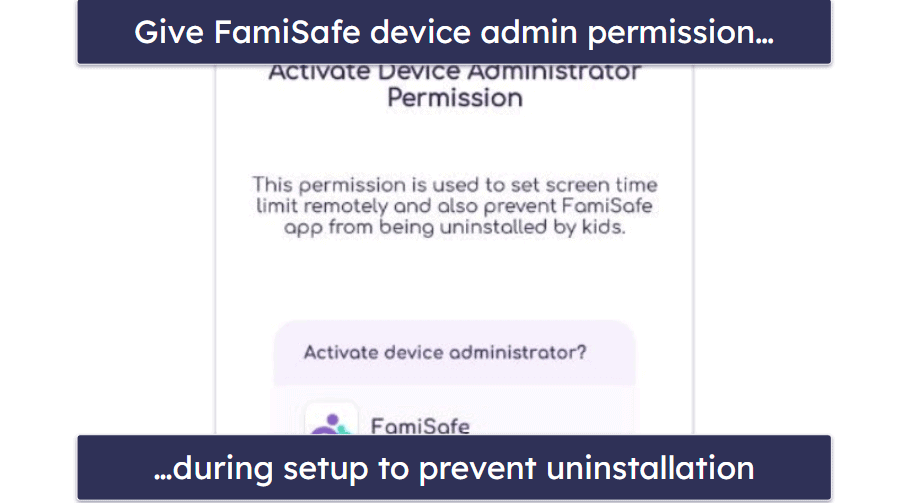
I like how FamiSafe’s web content filtering works on most popular browsers, including Chrome, Firefox, Edge, Opera, Safari, and Brave, and how it can’t be bypassed by using a VPN or incognito mode.
FamiSafe also comes with a very unique feature called driving reports. These offer in-depth insights into your kid’s driving habits. It shows your kid’s highest speed, total distance, driving time, number of hard brakes, number of times they went over the speed limit, and more.
FamiSafe’s plans start at $4.99 / month. It offers a 3-day free trial and backs all subscriptions with a 7-day money-back guarantee.
Bottom Line:
FamiSafe can’t be uninstalled without your password or 4-digit PIN. Its web content filtering is also difficult to bypass, and it comes with a unique driving monitoring feature that helps keep your teen safe on the road. It backs all subscriptions with a 7-day money-back guarantee.
5. Mobicip — Can’t Be Deleted on Mobile + Flexible Scheduling Tool

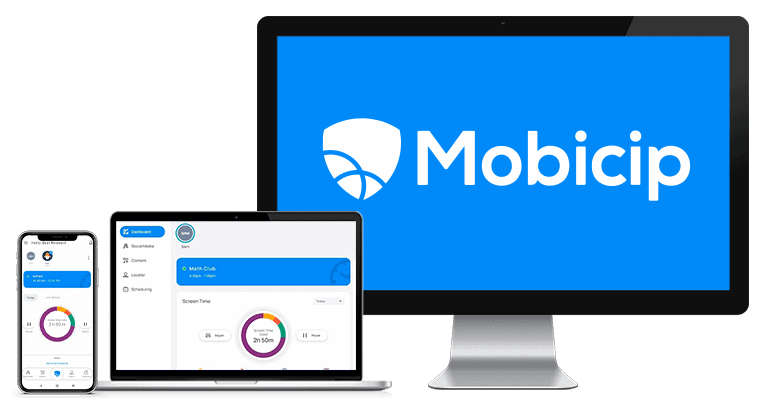
Mobicip provides uninstall protection on its Android and iOS apps — kids can’t remove the app without their parents’ login credentials.
- Anti-removal on mobile apps
- Hard-to-bypass web monitoring
- Advanced scheduling tool
- No uninstall protection on desktop
- Doesn’t block unsupported browsers
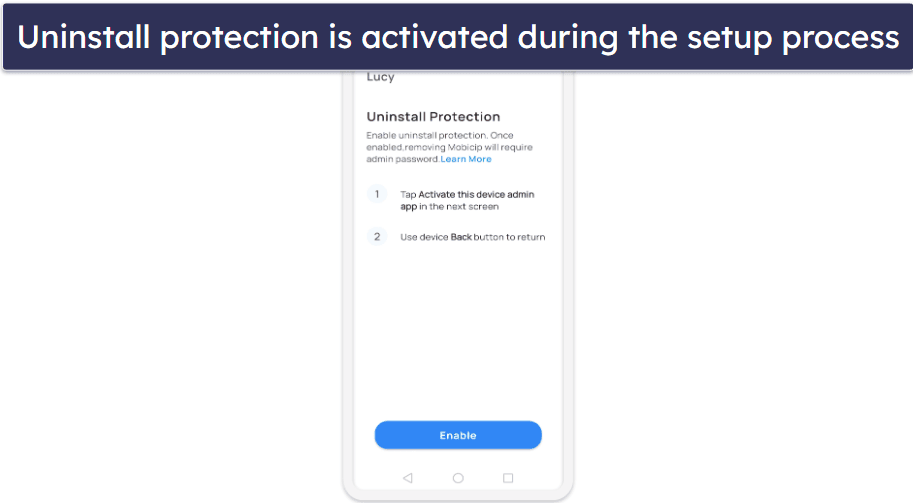
I tested Mobicip with a VPN and all of the sites on my blacklist were still blocked. The same was true when I visited these sites in incognito mode. Mobicip’s web filters only work with Chrome, Firefox, and Edge though, so you have to manually block other unsupported browsers (Qustodio automatically blocks incompatible browsers).
I’m a big fan of Mobicip’s scheduling tool as well. It lets you create unlimited custom app and web filters. You can also create a Vacation Mode schedule, which overrides your normal schedules when enabled, so you don’t have to edit your rulesets for special occasions.
Mobicip’s plans start at $2.99 / month. It has a 7-day free trial and offers a 30-day money-back guarantee.
Bottom Line:
Mobicip’s strong uninstall protection and flexible scheduling tool earn it its place on this list. It offers a 7-day free trial, and backs every subscription with a 30-day money-back guarantee.
Quick Comparison Table
Testing Methodology: Comparison & Ranking Criteria
To create this list of the best parental control apps that can’t be deleted, I tested all of the top parental control apps on the market following our proven testing methodology. For this article, I prioritized parental controls that can’t be uninstalled without a password of some kind. But I also took into account other factors, such as whether or not the parental controls’s restrictions are easily bypassed and pricing. For a detailed breakdown of how I ranked and compared the parental controls on my list, see below:
- I evaluated each app’s uninstall protection. All of the parental control apps on my list prevent kids from uninstalling them without the parent login credentials or some kind of password.
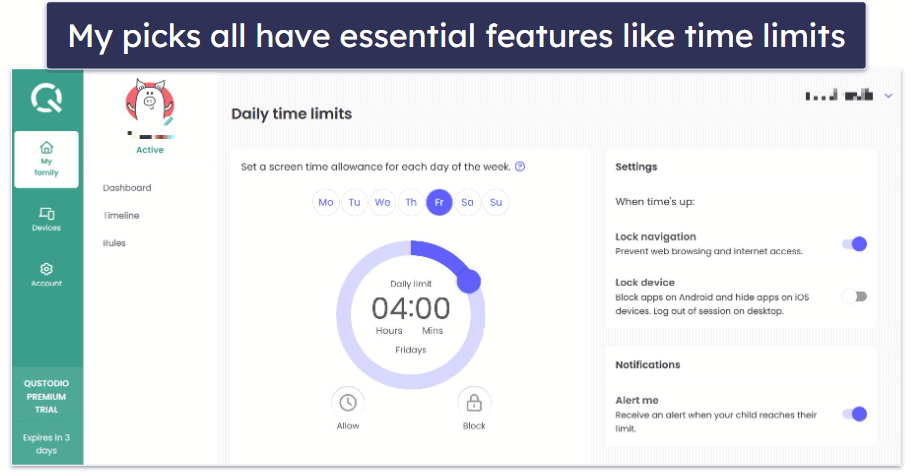
- I chose parental controls with industry-standard features. This includes web and app filtering, time limits, location tracking, scheduling, and activity reports.
- I prioritized apps that are difficult to bypass. Even if kids can’t uninstall the parental control app, they may find ways to bypass its restrictions. That’s why I made the apps on my list work through common bypass methods, such as VPNs and using private browsing modes.
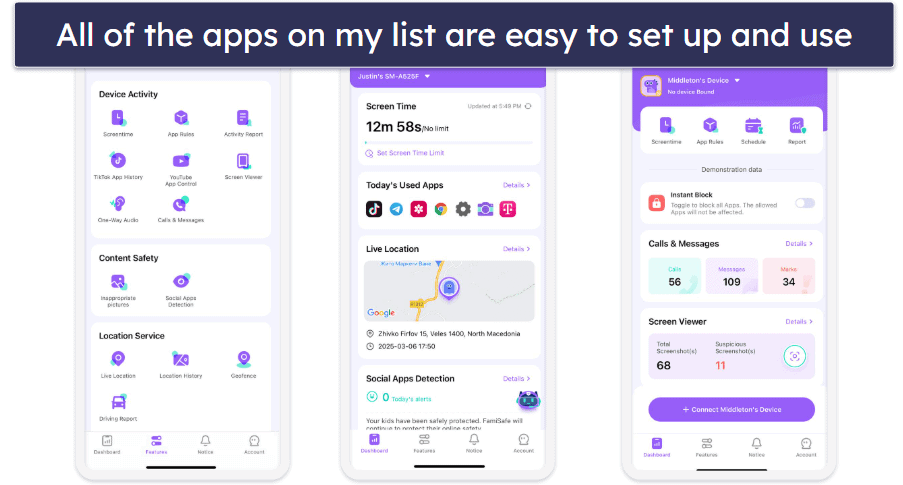
- I picked parental controls with intuitive apps. All of the apps I recommend are quick and easy to set up and guide you through the process of enabling uninstall protection, so even parents without any experience using parental controls won’t have any issues.
- I looked for apps that provide excellent value. All of the parental control apps on my list have reasonably-priced plans, can monitor a minimum of 5 devices, and include lots of extra features.
Top Brands That Didn’t Make the Cut
- mSpy. It’s designed to monitor your kids secretly, so it’s possible that your kid may not even realize there’s a parental control app on their device. But the app doesn’t include uninstall protection in the event that your kid does discover it. You also have to jailbreak/root your kid’s device to access some of its features.
- McAfee Safe Family. It’s a solid parental control app with uninstall protection on its Android and Windows apps. But it’s pretty basic compared to top parental controls. For example, it can’t set time limits, and its activity reports aren’t very detailed.
- Net Nanny. It includes uninstall protection on all of its apps — but not on iOS, and it doesn’t work on Android devices. Considering how much kids use their phones these days, it’s difficult for me to recommend it.
Frequently Asked Questions
What does “uninstall protection” mean in parental control apps?
Uninstall protection is a security feature in parental control apps like Qustodio that ensures the app can’t be deleted without a specific password or authorization. This stops children or unauthorized users from deleting the app to bypass restrictions. With this feature, parents can have peace of mind knowing that the protective measures they’ve set up remain consistently in place, ensuring their child’s safety online.
Do all parental control apps offer uninstall protection?
No, not all parental control apps have uninstall protection. While it’s becoming a standard feature in many top-tier apps, some still lack this security measure. When selecting a parental control app, it’s essential to review its features or check product descriptions to confirm that uninstall protection is included. For maximum safety, I recommend choosing apps that incorporate this feature.
Does using incognito mode or private browsing bypass parental control app restrictions?
Incognito mode or private browsing prevents the storage of browsing history, cookies, and site data on the device, but it doesn’t inherently bypass parental control apps. Most top-tier parental controls like Qustodio can still monitor or restrict internet access even when a child uses incognito mode. However, parents should confirm this capability when selecting an app, as not all parental control tools can effectively track or restrict incognito browsing.
Can a VPN be used to bypass web and app filtering in parental control apps?
A VPN is designed to encrypt internet traffic and change your IP address, so you can use it to bypass the web and app filtering features of some parental control apps. When the VPN masks the device’s location and online activities, certain parental control apps might struggle to enforce their filtering rules. However, top-tier solutions like Qustodio and Norton Family are designed to detect and block VPN usage or remain effective in spite of it. Parents should ensure their chosen parental control app is resilient against VPN bypass attempts to guarantee the safety of their child’s online activities.