Published on: August 2, 2022 Updated 6 times since publishing
Only 3 Steps (Quick + Easy) to Access Binance From Anywhere in 2026:
- Install a reliable VPN. ExpressVPN is my top choice as it’s very secure, maintains fast speeds, and has a huge server network so you can access Binance from anywhere.
- Connect to a server. Scroll through the server menu and select a server in the country where you need to access Binance. When you connect to the server, the VPN will assign you an IP address from the corresponding country.
- Log into Binance. You are now able to start buying and selling cryptocurrency.
Binance is a popular cryptocurrency trading site, but some countries block it. So, if you live in a country where Binance is available but travel to a country where it’s banned, you will be blocked from using your account.
The good news is you can fix this issue with a VPN, which is an app that offers servers in tons of different countries. When you connect to a VPN server, it assigns you a new IP address that matches your new location. This means the websites you visit will actually think you’re located in the country where you’re connected.
The bad news is not all VPNs can access Binance. And out of the ones that can, many VPNs have slow speeds, poor security, and buggy apps. But I managed to find 3 top VPNs that work with Binance 100% of the time — ExpressVPN is my top choice due to its high-end security features, really fast speeds, and user-friendly apps.
Disclaimer: Using a VPN to access Binance from different locations comes with certain restrictions. Neither I nor SafetyDetectives.com support using VPNs in ways that are outside legal limits. It’s a good idea to get familiar with the local rules about VPN usage to make sure you’re staying within the law and not accidentally breaking any rules.
Editor's Note: ExpressVPN and this site are in the same ownership group.
How to Access Binance on Any Device
1. Sign up for a VPN that works well with Binance.
My personal recommendation is ExpressVPN — it works with Binance without any issues, it has servers in 105 countries, and it provides high-end privacy and security for using Binance.
2. Download and install the VPN on your device.
Use the VPN provider’s website or your device’s app store to download and install the VPN client. This shouldn’t take more than 2 minutes.

3. Use the VPN to access Binance.
Launch the VPN client and connect to a server. You should now be able to access Binance without any problems.

Quick Summary of the Best VPNs for Accessing Binance in 2026


🥇1. ExpressVPN — Best VPN for Accessing Binance in 2026

Basic 12-Months plan: $3.99 / month
1-month plan: $12.99 / month

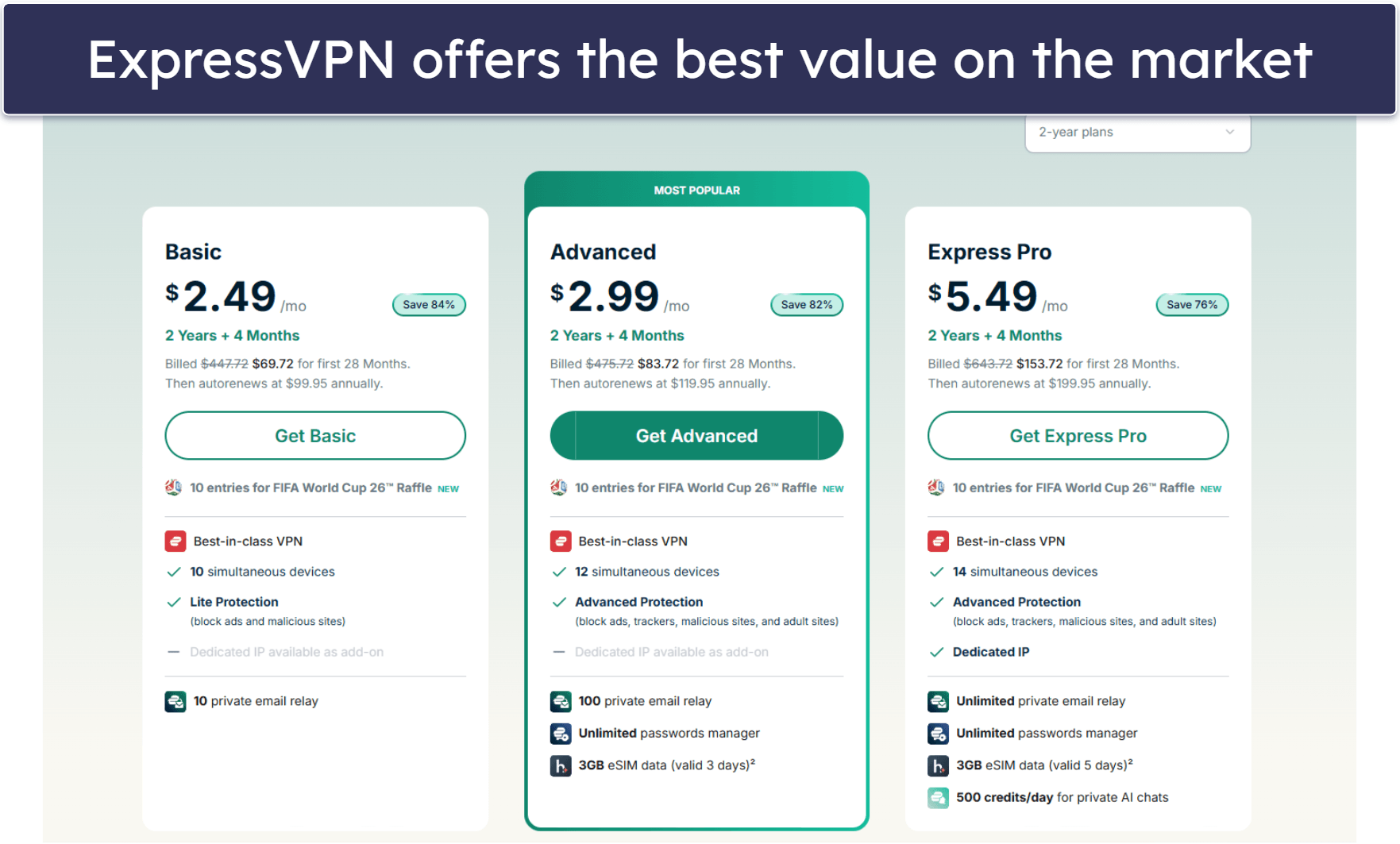
ExpressVPN is my top choice for accessing Binance — it has high-end security, lightning-fast speeds, and a vast server network spread across 105 countries. A large server network allows most users to connect to their home country to access Binance while abroad. It also means that you have a variety of options if a server is experiencing issues or particularly heavy usage.
When it comes to security, ExpressVPN is hands-down the best. On top of having all of the industry-standard VPN security features, its no-logs policy has been independently audited and confirmed, and it’s headquartered in a privacy-friendly country (the British Virgin Islands) — so you can trust ExpressVPN won’t log or share any of your data. ExpressVPN also includes full leak protection against DNS, WebRTC, and IPv6 leaks, preventing your actual IP address from leaking onto the internet or to Binance.
Plus, you get other advanced security features like TrustedServer Technology and perfect forward secrecy. TrustedServer Technology erases user data from the server after every reboot and perfect forward secrecy changes your encryption keys to stop hackers from accessing your past and future keys. I also like the Threat Manager feature, which blocks you from visiting malicious websites.
Read the full ExpressVPN review
🥈2. CyberGhost VPN — Great VPN for Beginners
6-month plan: $6.99 / month
1-month plan: $12.99 / month
CyberGhost VPN’s sleek and clean design makes it very easy to connect to your desired server. In addition to listing all of its servers in alphabetical order, CyberGhost VPN has a search bar so you can quickly locate a server. I also like how you can choose your favorite servers, which are all placed in the Favorites tab on the left side of the dashboard.
I also really like the Smart Rules feature, which allows you to customize your connection preferences. For example, you can set up CyberGhost to automatically open and connect to a specific server when you launch the Binance app.
CyberGhost has a massive server network with servers in 100 countries. More servers also mean you’re less likely to encounter lag due to heavy server load as there are always alternatives available.
Read the full CyberGhost VPN review
🥉3. Private Internet Access — Highly Customizable Apps & Great Security
6-month plan: $7.50 / month
1-month plan: $11.95 / month
Private Internet Access (PIA) is very secure and has some of the best apps in the industry — they’re perfect for customizing your preferences while using Binance. You get 20+ options for changing your settings and enabling multiple features for all of the popular operating systems.
The interface makes even advanced settings easy to find and alter to meet your needs. I was able to switch protocols, configuration methods, port and proxy settings, and even choose between 128-bit AES encryption and 256-bit AES encryption to customize my speeds and levels of security.
With servers in 50 countries, PIA’s server network is slightly smaller than ExpressVPN and CyberGhost VPN, but it still provides you with plenty of server locations so that you can use nearby servers to avoid slowdowns.
It’s also one of the few VPNs that allow unlimited connections, meaning you can set up and use this VPN service on as many devices as you want — so it’s a great option if everyone in your house is looking for a good VPN for Binance.
Read the full Private Internet Access review
Editor's Note: Intego ONE, Private Internet Access, CyberGhost and ExpressVPN are owned by Kape Technologies, our parent company.
Quick Comparison Table
Editor's Note: Intego ONE, Private Internet Access, CyberGhost and ExpressVPN are owned by Kape Technologies, our parent company.
How to Choose the Best VPN for Accessing Binance in 2026
- Get a VPN that works with Binance. Binance uses sophisticated technology to block most VPNs. However, all of the VPNs on this list consistently work with Binance.
- Pick a VPN with fast speeds. All VPNs slow your connection due to the distance between servers and the encryption process. The best VPNs, including all of the ones I recommend, are able to maintain fast speeds (ExpressVPN provides the fastest speeds in the industry).
- Choose a VPN that is user-friendly. Clunky interfaces get in the way of connecting to a server and accessing your Binance account. That’s why all of the VPNs listed here are simple to install and have intuitive interfaces that make it easy to find a server.
- Get a VPN with strong security and privacy features. I only recommend VPNs that have industry standard VPN security features, including 256-bit AES encryption (which is the same encryption used by banks), a kill switch that disconnects you from the internet if your VPN goes down to prevent your IP address from being exposed, and a strict no-logs policy to prevent the VPN from storing your internet traffic.
- Look for a VPN with good value. In addition to offering competitive subscription plans, all the VPNs I list come with extras like split-tunneling, and have a money-back guarantee.
How to Sign Up for a Binance Account (Step-By-Step Guide)
- Go to the Binance site. Click on the yellow Register button in the top corner.

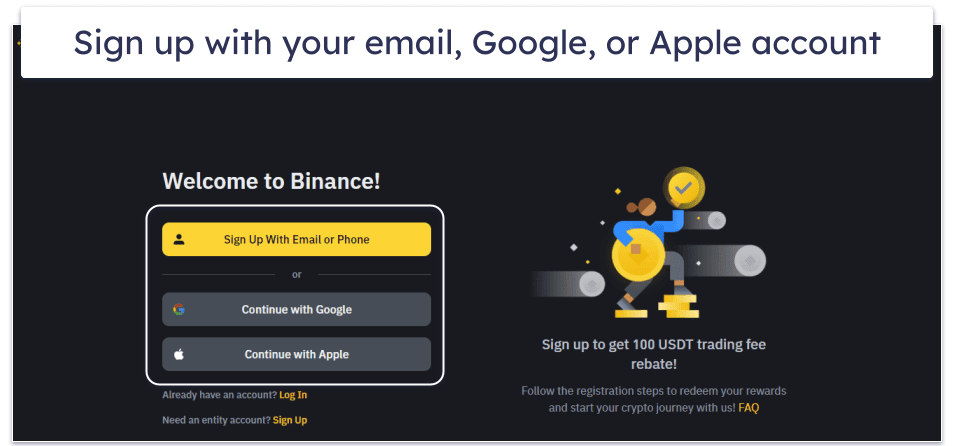
- Register for an account. Choose your method for signing up — Binance accepts email, phone, Google account, or Apple ID. Follow the on-screen steps to finish setting up your account.
- Verify your account. Once you’ve logged in, go to the drop-down menu and click Identification. Follow the instructions to finish registering your account.

Why Are You Unable to Access Binance?
Several countries have banned Binance due to security concerns including tax fraud and money laundering. If you reside in or visit one of these countries, you won’t be able to access your Binance account.
Here are some countries where Binance doesn’t work:
- The US.
- Germany.
- Thailand.
- South Africa.
- Malaysia.
- Canada.
- And many more…
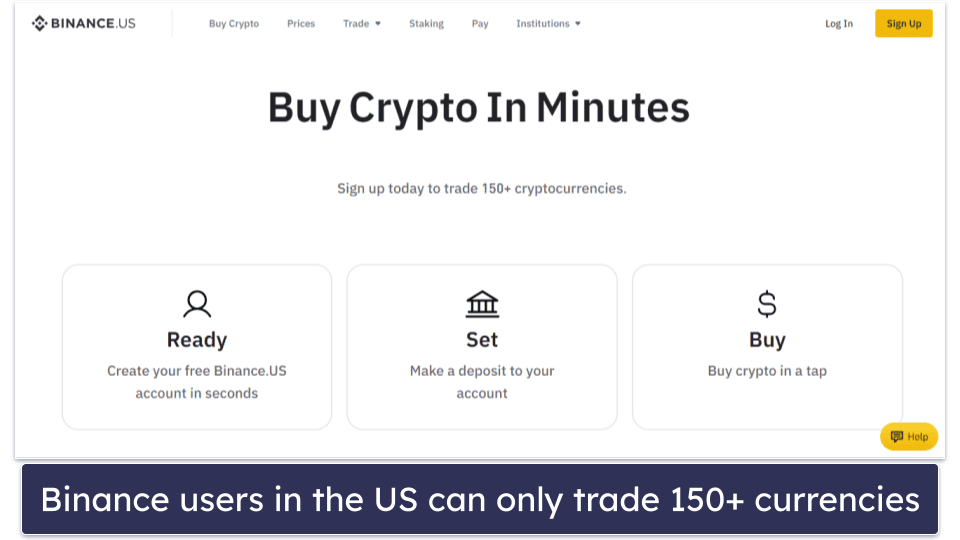
The US version of Binance is limited. For instance, it restricts users to trading around 150 cryptocurrencies, compared to the main platform where you can trade up to 350 currencies.
To access Binance from countries that block it, you need to use a VPN. By connecting to a server in your home country, you will be assigned an IP address from that location and bypass any geo-restrictions.
Still Can’t Access Binance? Try These Troubleshooting Steps
Service Overload/Outages
Sometimes, you can’t access Binance due to an issue on its side. The service might be overloaded, experiencing outages in your region, or it may be in the middle of scheduled maintenance.
I recommend that you check if the site is online. You can do so on Binance’s social media (for example, its Twitter account is regularly updated), look it up on a site like isitdownrightnow.com, or contact customer support directly — Binance has FAQs and troubleshooting guides, as well as the option to contact a live chat representative to get answers in real-time.
Incomplete verification
After setting up your Binance account, you still must complete the identity verification. On the app, tap the person icon in the top left corner to go to account settings. If you see Unverified in the top right corner, this means you must verify your identity. If you’re having trouble with ID verification, Binance has a useful step-by-step guide with a video tutorial on their site.
Frequently Asked Questions
How can I access Binance from anywhere?
The best and easiest way to access Binance from anywhere is with a VPN. When you connect to a VPN server, you’re assigned an IP address that matches your new location (for example, your home country). This will make it appear as if you’re actually in that country, which will allow you to access your Binance account no matter where you are in the world. Click here to set up your VPN in 3 quick steps.
What is the best VPN to access Binance from anywhere?
ExpressVPN is my top recommendation because its global server network provides connections in 105 countries, so most users will be able to connect to their desired server, and it has high-end security features and the fastest speeds out there.
Is it legal to use a VPN with Binance?
Yes, but it may be against Binance’s terms of service. Binance isn’t allowed to operate in certain countries, including Thailand, Germany, the UK, and the US. If Binance detects that you’re using a VPN to access its site from one of the countries where Binance isn’t allowed, your account may get suspended or even banned. This is why it’s important to use a top quality VPN like ExpressVPN to access Binance.
Can I access Binance with a free VPN?
I don’t recommend using a free VPN to access Binance. First off, most free VPNs don’t work with Binance. While there may be some free VPNs that can access Binance, I wouldn’t trust them — most have small server networks, lack strong leak protection, are missing a kill switch, log user data (including your activity on Binance), and don’t have many other essential security features.
Instead, I recommend buying a premium VPN like ExpressVPN. It consistently works with Binance, has servers in 105 countries, and provides excellent security and very fast speeds.
Why can’t I access Binance while abroad?
Your Binance account is tied to the country you select when registering your account. Sites like Binance use geo-restrictions to ensure users are accessing its services from the country where they’re registered. If you’re outside of your home country (where your Binance account was initially set up), you’ll need to use a VPN to access your account — you can simply connect to a server in your home country. You might also be unable to log in because Binance doesn’t operate in certain countries.
Editor's Note: ExpressVPN and this site are in the same ownership group.